Astro Gold 6.2.1 (Mac)
Updated
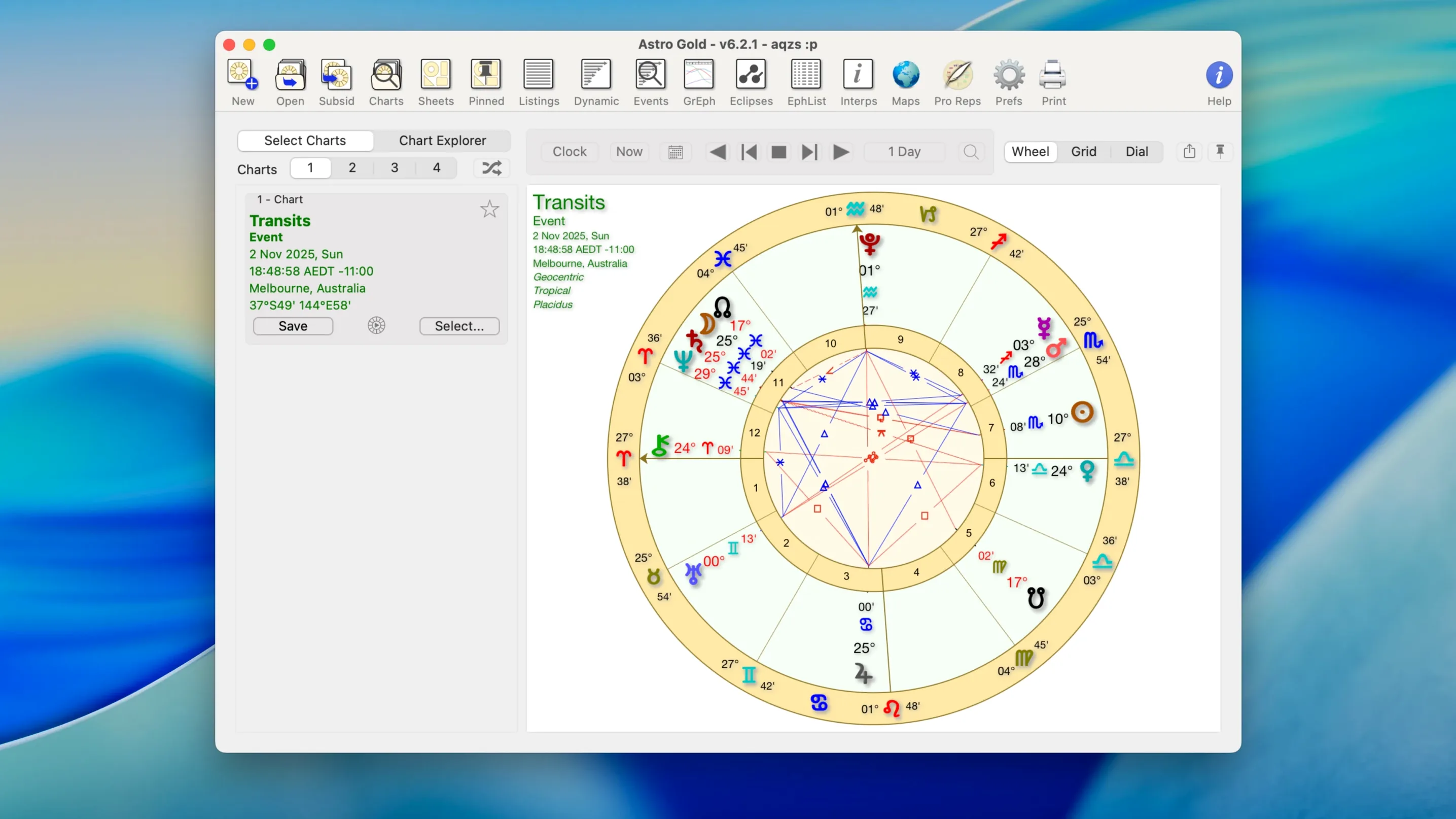
The catalogue note
Astro Gold 6.2.1 runs on any Mac from macOS 10.13 High Sierra onwards, and it works on both Intel and Apple Silicon machines. That covers most Macs still in active use, so compatibility is rarely a reason to skip it.
Workflow: from birth data to a working chart
- Enter the birth data. Astro Gold takes the usual place, date and time, then calculates the natal chart using its built-in ephemerides.
- Set the zodiac and filters. Choose tropical or sidereal, then adjust orbs, aspects and planets to suit how you work. The filters keep the chart readable when you are looking at a specific pattern.
- Add the extras. Use the fixed star catalogue, include asteroids such as Chiron or Proserpina, or pull up solar, lunar and Saturn returns.
- Project forward. Secondary progressions are a couple of clicks away, plus relocation charts for a new place of residence.
- Map the lines. For astrocartography, the planetary lines show where a planet’s influence lands geographically.
For a Mac-based astrologer, Astro Gold sits neatly next to calendar apps and note-taking tools. It does the calculation work, and you export or screenshot the chart when you need it elsewhere.
Comparing Astro Gold with other Mac astrology applications
On the Mac, the astrology software landscape is small but distinct. Astro Gold 6.2.1 differs from the two main alternatives in a few practical ways.
Astro Gold versus Solar Fire for Mac (via CrossOver or Windows)
Solar Fire remains a Windows-only application. Mac users run it through CrossOver, Parallels or a Boot Camp partition. That adds a layer of translation overhead and means you are managing two operating systems on one machine. Astro Gold is a native macOS application, built for the Cocoa frameworks and the Metal graphics stack. It launches without a compatibility layer, and the file system integration works like any other Mac app — you drag a chart image into Notes, for instance, without navigating a Windows guest desktop.
Astro Gold versus iAstrolog
iAstrolog is another native Mac option, though its development cycle has been slower in recent years. Astro Gold offers a broader set of medieval techniques out of the box — the fixed star catalogue, the asteroid list including Proserpina, and the astrocartography map with planetary lines. iAstrolog covers the core natal and transit work but does not go as deep into symbolic directions or Davison charts. The interface in Astro Gold also uses modern macOS conventions: the preferences panel, the document window and the toolbar all follow the standard Aqua patterns, so keyboard shortcuts like Cmd+, for preferences work as expected.
How Astro Gold fits with other macOS applications and system features
Astro Gold does not try to replace your calendar, your note-taking app or your reference library. It integrates with the operating system in ways that let you use those tools alongside it.
- Quick Look and the share sheet. Chart files from Astro Gold appear in the Finder. Selecting one and pressing Space shows a preview via Quick Look, and the share sheet lets you send a chart image directly to Mail, Messages or AirDrop without exporting first.
- Drag and drop into other apps. A chart window can be dragged into a Notes document, a Bear note or an email composition window. The chart becomes a PNG image embedded in the target app. No intermediate file management needed.
- Calendar integration for transits. You can keep your calendar app open alongside Astro Gold. When you calculate a transit window, the dates appear inside the app — copy them into Calendar events manually to build a timeline of upcoming aspects.
- Spotlight search for ephemeris data. Astro Gold stores its ephemerides inside the application bundle. If you want to look up a specific date’s planetary positions quickly, the ephemeris screen is one click away inside the app, but the data is not exposed to Spotlight — the workflow stays inside Astro Gold.
- Multiple display support. The app handles multiple monitors without issues. Put the astrocartography map on one screen and the natal chart on the other, or keep the chart list on a secondary display while you work with the main chart on your primary screen.
For astrologers who also use web-based tools like astro.com for quick lookups, Astro Gold works as an offline counterpart. The local ephemerides and fixed star catalogue mean no internet dependency during a session. You pull up the chart, work with it, then export or screenshot when you need to share it with a client or store it in a client management tool.
Before it goes on the Mac
- macOS 10.13 or later
- Intel or Apple Silicon
Questions from the room
Does Astro Gold support both zodiac systems?
Yes, it supports tropical and sidereal zodiac systems, so you can switch depending on your practice.
Can I create relocation charts with Astro Gold?
Yes, it includes relocation charts for a new place of residence, which is useful for astrocartography work.
Installing it on the Mac
- Open the downloaded disk image.
- Drag the app into the Applications folder alias.
- After copying finishes, launch the app from Launchpad.
Notes from the control room
Sign in or open a catalogue account to leave a note.
No notes from the room yet. If you have used this build for a week, a short note helps the next person.