AutoCAD 2027 (Mac)
Updated
The catalogue note
AutoCAD for Mac 2027 runs natively on both Apple silicon and Intel-based Macs, with macOS 12 or later required. The OpenGL graphics engine is no longer supported; Metal is the only rendering path, which means older machines may need a GPU check before upgrading. The package disables System Integrity Protection during installation, so factor that into your setup.
- Uses the same DWG file format as the Windows version — no conversion steps needed when moving drawings between platforms.
- Autodesk AI scans open drawings and flags geometry that can be converted into blocks, which saves time on repetitive clean-up.
- Geometry Cleanup tool finds and fixes common drawing errors like overlapping lines and gaps in a single pass.
- Hatching now works without an existing boundary: you can hatch along a contour or create shaded shapes directly.
- Dynamic grip menus support shortcut keys in localised versions, which speeds up editing for non-English users.
- Palettes migrate automatically when switching workspaces, so your tool arrangement carries over.
This release is aimed at architects, engineers and drafters who need the full AutoCAD toolset on a Mac — not a cut-down viewer, but the same parametric drafting engine that runs on Windows, now with Metal-native graphics and a few AI-assisted workflow steps.
Make the crosshair color separate for layouts and model space
Before you start a project, a handful of preference adjustments make the 2027 release feel less like a default install and more like your own workspace. The crosshair colour for layouts is now separate from the model-space setting — open the Preferences dialog and pick a contrasting colour for layouts so you always know which tab you are in at a glance. Layout tab switching performance has been improved, but the visual feedback helps.
The new Geometry Cleanup tool runs on the current drawing or a selection set. Its default tolerance for gaps and overlaps is conservative; if your drawings come from consultants who draft loosely, dial the tolerance up slightly to avoid false negatives. You can find the settings under the Modify panel, inside the Geometry Cleanup flyout.
Block conversion via Autodesk AI is enabled by default, but you can turn off the automatic scan if you prefer to invoke it manually. The toggle lives in the AI assistant section of the system preferences — I leave it on, but some users find the scan distracting on large drawings with hundreds of objects that are intentionally not blocks.
A specific drafting task: cleaning a survey drawing and converting objects to blocks
Here is a workflow that takes advantage of the new tools in AutoCAD for Mac 2027, from opening a raw survey file to a tidy, block-based drawing ready for annotation.
- Open the survey DWG. The file contains property lines, tree symbols drawn as individual polylines, and utility markers that were copied from an older drawing without any block structure.
- Run Geometry Cleanup from the Modify panel. Select the entire drawing, then choose the clean-up options for overlapping lines and small gaps. The tool highlights the fixes it will apply; review the preview before confirming.
- With the geometry cleaned, switch to the AI-driven block detection tool. The software scans the drawing and suggests objects that share the same shape and could be blocks — the tree symbols, for instance. Review the candidates in the palette.
- Select a group of tree symbols, then use the block conversion command. The tool offers scaling and rotation options during conversion, so you can set a base point and a default scale factor that matches the original polylines.
- Repeat for utility markers and manhole covers. Each conversion reduces file size and makes later edits faster because you change one block definition instead of editing dozens of individual objects.
- Check the layout tabs — the improved switching speed is noticeable now that the drawing has fewer raw entities. Adjust crosshair colour if needed to differentiate layout from model space.
The whole process takes a few minutes on a typical site plan and turns a messy import into a structured drawing that the rest of the team can work with.
Revise a Windows colleague's floor plan without conversion
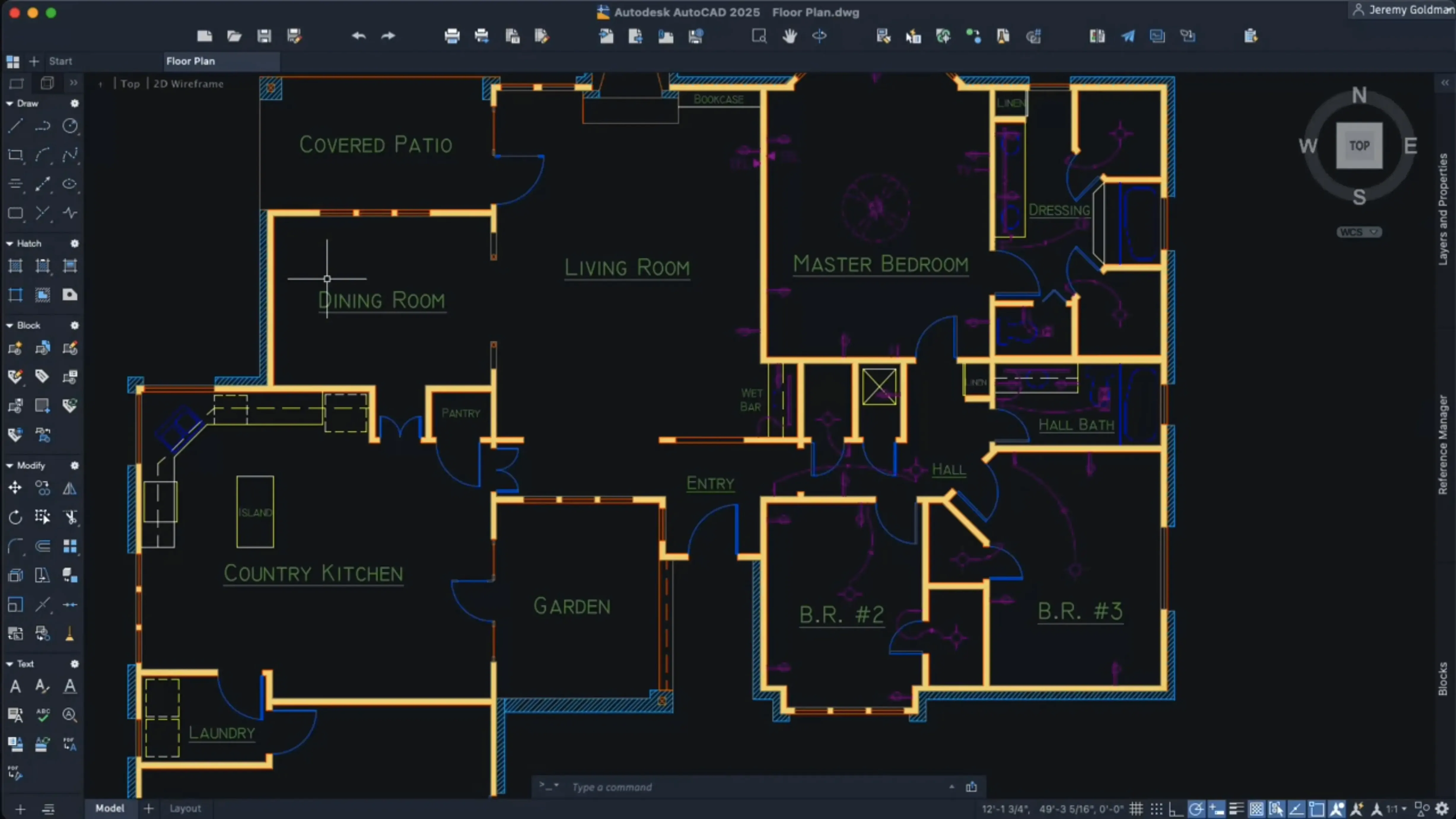
I open the software mid-morning, after checking email. The drawing I need to revise is a floor plan that came from a Windows colleague — same DWG format, no conversion required. The Metal graphics engine loads the viewport faster than the old OpenGL path did on this machine, especially when panning across a densely hatched area.
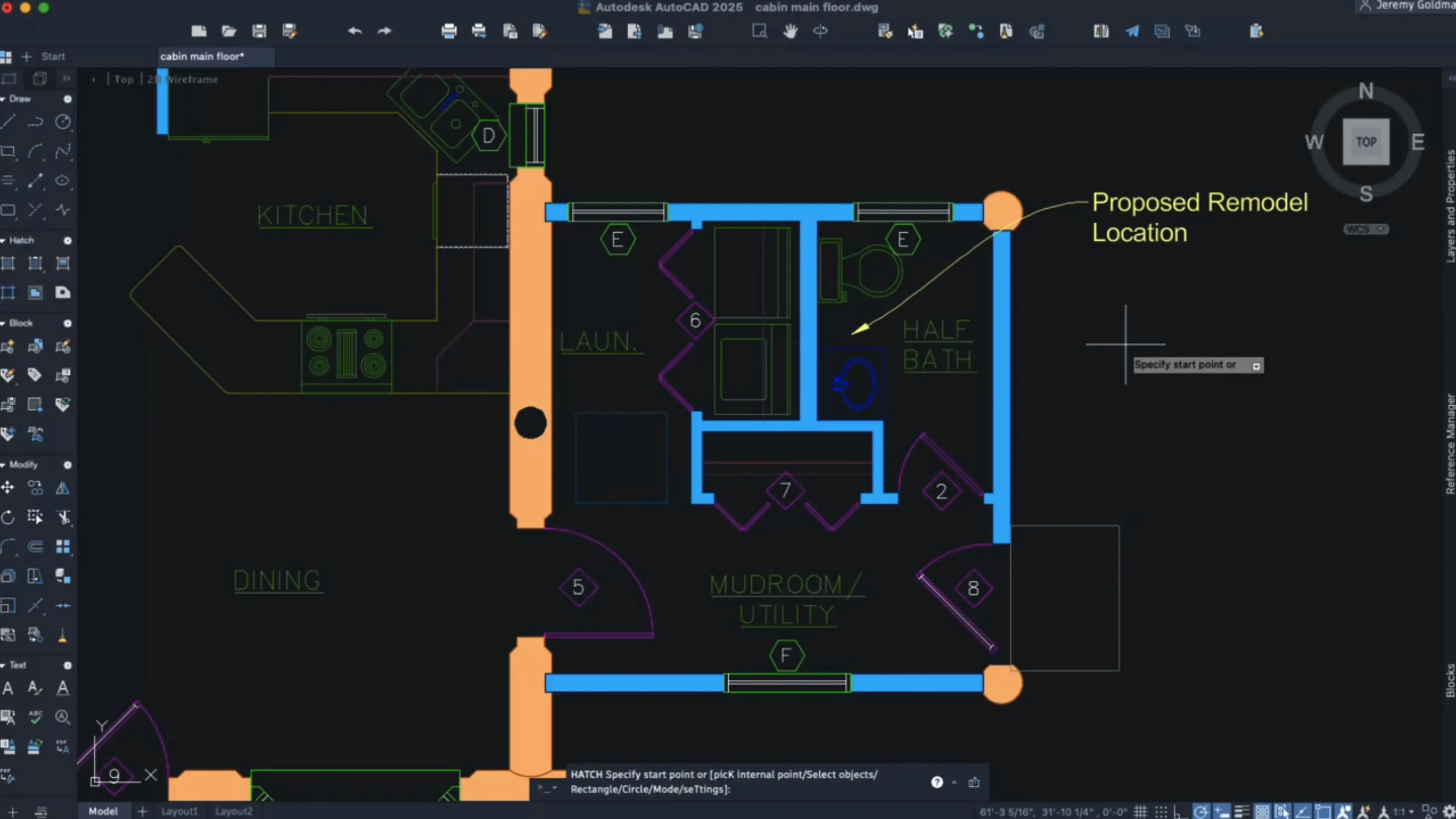
First task: add hatch shading to a new partition wall. The old workflow would have required me to draw a boundary polyline first. With the expanded hatching options in 2027, I select the hatch command, pick the contour option, and click inside the wall area. The software detects the enclosed space without an existing boundary and applies the hatch pattern immediately. That saves about thirty seconds per wall, and over a whole floor plan it adds up.
I notice a set of door symbols that were drawn as individual lines and arcs — a prime candidate for the AI block detection. I run the scan, confirm the suggested blocks, and convert the lot. The file size drops noticeably, and the Properties palette now shows a single block type instead of a long list of disparate objects.
After lunch, I switch to a layout tab to prepare a print sheet. The tab switch is snappy — the performance improvement mentioned in the release notes is real in my experience. I customise the shortcut menu for the layout viewport to include my most-used zoom commands, which saves me from digging through the menu bar.
By late afternoon, the drawing is ready for review. I run Geometry Cleanup one final time as a sanity check — no errors found. The session was straightforward, with the only real slowdown being the initial AI scan on a large drawing, which I have since learned to trigger only on selected areas.
Fix rendering glitches from the Metal 3 graphics requirement
The Metal-only graphics requirement catches a few users off guard. If your Mac has an older GPU that does not fully support Metal 3, you may see rendering glitches or a blank viewport. The fix is to check your Mac model against Apple's Metal compatibility list before upgrading. If you are stuck on an unsupported machine, the previous AutoCAD release with OpenGL remains usable for that hardware.
SIP must be disabled during installation — the package instructions are clear about this, but people forget. If the installer fails silently, check System Settings > Privacy & Security and confirm that System Integrity Protection is turned off. Re-enable SIP after installation if your security policy requires it.
Block conversion via AI sometimes suggests objects that are genuinely different shapes but happen to look similar at the current zoom level. Always expand the preview and inspect the geometry before committing — converting mismatched objects creates a block definition that breaks when you later edit it. The undo command works, but it is faster to be selective from the start.
Geometry Cleanup may remove intentional gaps in construction lines. If you use offset lines or temporary geometry as visual guides, exclude those layers from the clean-up set. The tool lets you filter by layer or by object type in its options panel.
Finally, if you search for autocad for mac or autocad mac torrent to find older versions, remember that the 2027 release has a different graphics engine and file format behaviour — an old crack or patch for a previous version will not work here. Stick with the current package for compatibility with modern DWG files.
Changes in this build
- Autodesk AI scans drawings for objects that can be converted into blocks.
- Geometry Cleanup tool added for fixing common drawing errors.
- OpenGL support removed; Metal is now the only graphics engine.
Before it goes on the Mac
- macOS 12 or later
- Apple silicon or Intel processor
- English interface language
Questions from the room
Does AutoCAD for Mac open the same files as the Windows version?
Yes. The Mac version uses the identical DWG file format, so drawings open with full fidelity on either platform.
Will AutoCAD 2027 run on an Intel Mac?
Yes, it runs on Intel Macs too, but only the Metal graphics engine is supported — OpenGL is no longer available, so the GPU must be Metal-compatible.
Installing it on the Mac
- Disable System Integrity Protection (SIP) before running the installer.
- Follow the installation and activation instructions included in the package.
Notes from the control room
Sign in or open a catalogue account to leave a note.
No notes from the room yet. If you have used this build for a week, a short note helps the next person.