
Home › Utilities › A Better Finder Attributes
A Better Finder Attributes 7.55 (Mac)
Updated
The catalogue note
A Better Finder Attributes runs on any Mac with macOS 14.6 or later, Intel or Apple Silicon. That covers most machines still getting system updates, so the tool fits into a modern workflow without demanding a brand-new computer.
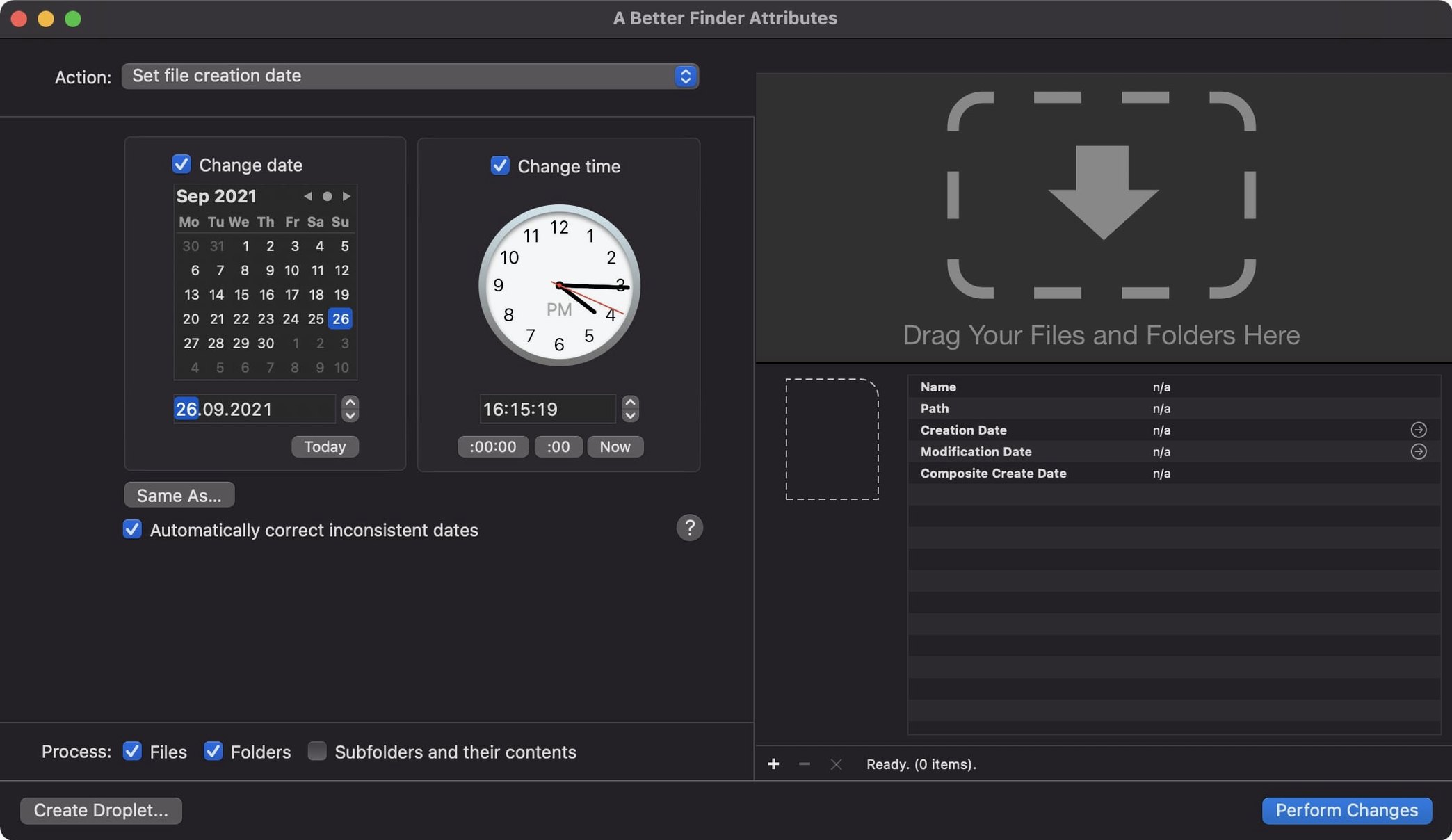
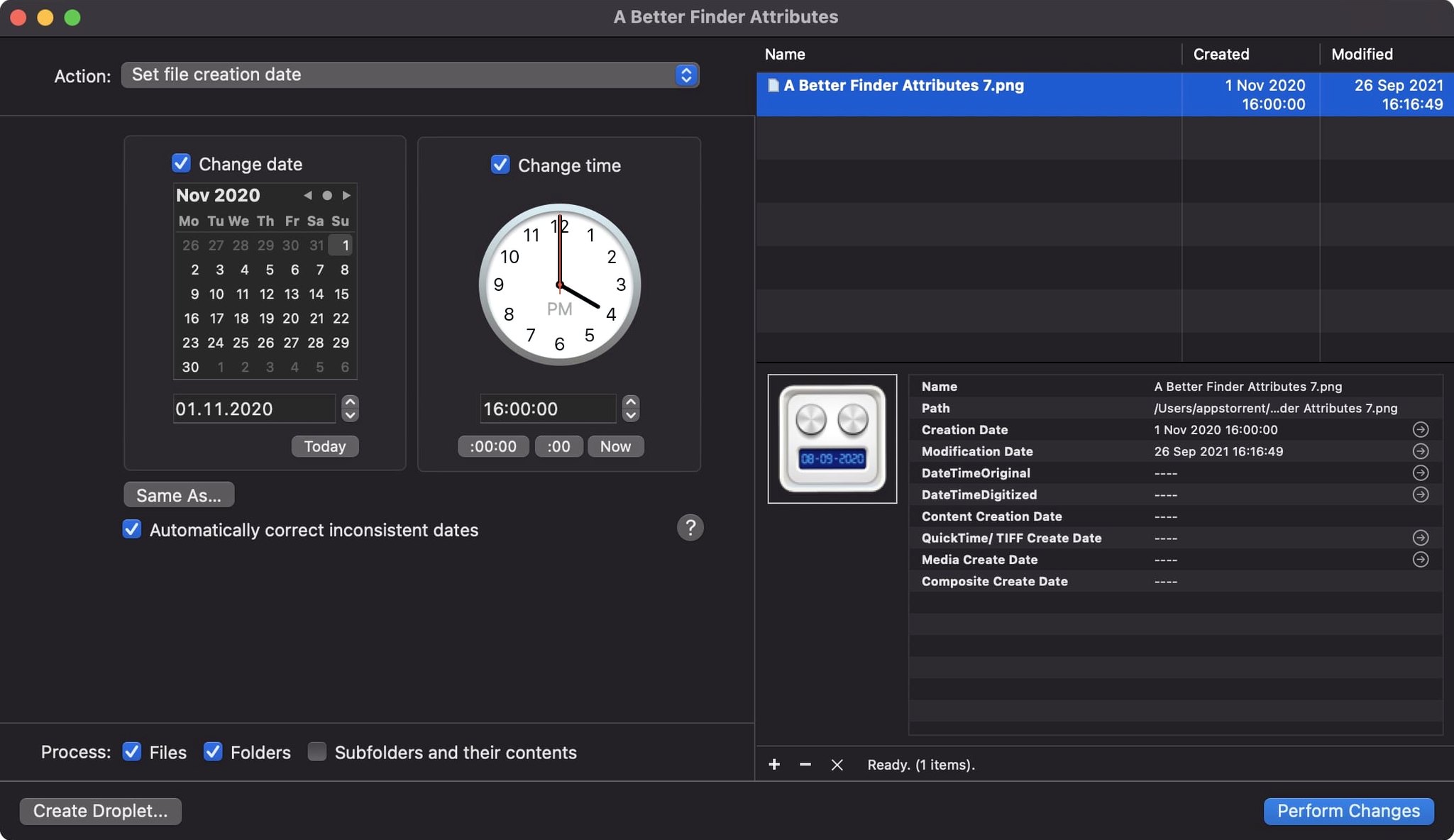
Sets file creation and modification dates in bulk
- Setting file creation and modification dates in bulk, which is the core job and still the fastest part of the app.
- Adjusting date and time data in camera files: JPEG EXIF, CR2, CRW, CIFF and ARF. If you shot with the clock set wrong, this fixes it without re-encoding.
- Syncing a photo's modification date to its shooting date, so sorting by date in Finder actually matches when the picture was taken.
- Version 7.50 writes the Apple QuickTime creation date, which lets Photos and Final Cut Pro pick up movie content dates properly.
- Keeping IPTC Date Created and EXIF time zone offsets in sync when you embed dates, so metadata stays consistent across apps.
- Writing shooting dates back into Photoshop files, a feature that returned in 7.50.
Interface languages and system requirements
- Interface is English, German and French.
- It's a 64-bit app, and the current version requires macOS 14.6 or later.
- RAW support covers the formats listed in the app's description; if you shoot something obscure, check the list first.
Fix a two-hour EXIF timestamp error on NEF files
A wedding photographer loads a card from another camera body and notices the camera's timer was two hours off. Every RAW file from that card — NEF in this case — now carries the wrong EXIF timestamp. Dragging files into Lightroom and shifting by a fixed offset works, but only inside that catalogue; the original files stay wrong. With A Better Finder Attributes, the photographer selects the NEF files on the card, sets a precise time offset, and writes the corrected date directly into the EXIF data. The Finder now sorts them chronologically alongside files from the first body, and the metadata survives any future re-import or catalogue rebuild. The same workflow applies to CR2 and CRW files if you shoot Canon, or ARF from a camcorder.
Drag-and-drop install, native Mac window
The app is a single drag from the disk image into Applications. It launches as a native Mac window, not a web wrapper, and responds immediately to file selections. Since it operates on Intel and Apple Silicon Macs with macOS 14.6 or newer, you require Rosetta only if your OS is older — and then, the application will not launch, as the specification is mandatory. The installer uses the standard macOS packaging: mount the disk image, drag the app, launch from Applications. If Gatekeeper blocks it, the developer provides a Terminal command to authorise it; that is a one-time step per install. No background processes, no helper tools, no menu bar icon.
Test date changes on file copies first
- Before changing dates on a large batch, duplicate a handful of files and test the offset or synchronisation on those. The app writes directly to the files, so a dry run on copies avoids surprises.
- If you work with both RAW and JPEG pairs, check whether the camera wrote different timestamps into the EXIF and the file system. A Better Finder Attributes can read the embedded EXIF date and copy it to the file’s creation and modification dates, which makes sorting in Finder consistent.
- Version 7.50 keeps IPTC and EXIF time zone offsets in sync. If you cross time zones during a shoot, set the correct offset before applying date changes, not after.
- For movie files from a camera or drone, use the QuickTime creation date option introduced in 7.50. This makes Photos and Final Cut Pro treat the clip as if it was shot on the correct date, rather than the date it was copied to the Mac.
- If you notice a one-hour discrepancy in QuickTime dates after an update, check that you are on version 7.50 — that release fixed a DST-related error that earlier builds had.
- The interface is available in English, German and French. Switch languages in the app’s preferences; no separate download is needed.
Changes in this build
Version 7.55 is available now. The developer has published the full release notes, so head over there for the detailed rundown of what changed in this build.
Before it goes on the Mac
- macOS 14.6 or later
- Apple Silicon or Intel 64-bit processor
Questions from the room
Does A Better Finder Attributes work on Apple Silicon Macs?
Yes, the app runs on both Intel and Apple Silicon Macs, as long as you have macOS 14.6 or later.
Can it fix dates in RAW photos?
It supports JPEG EXIF and all RAW file types mentioned in the app's description, including CR2, CRW and CIFF files.
What changed in version 7.50?
Version 7.50 brings back writing shooting dates into Photoshop files, keeps IPTC and EXIF time zone offsets in sync, and writes Apple QuickTime creation dates for Photos and Final Cut Pro.
Installing it on the Mac
- Mount the disk image and run Open Gatekeeper friendly.
- Press Enter in Terminal to bypass Gatekeeper.
- Drag the app to the Applications folder.
- Launch the app from Applications.
Notes from the control room
Sign in or open a catalogue account to leave a note.
No notes from the room yet. If you have used this build for a week, a short note helps the next person.
Also filed under Utilities
The whole Utilities rack 4K YouTube to MP326.4.0 Utilities 218 MB Updated
 4K Video Downloader26.3.5 Utilities 247 MB
 1Password7.9.4 Utilities 70 MB
 Adobe Bridge17.0.0 Utilities 3.6 GB Updated
 Adobe Media Encoder27.0.0 Utilities 2.4 GB Updated
 AirBuddy3.0 Utilities 49 MB
 Airflow3.3.10 Utilities 69 MB
 Alcove1.7.9 Utilities 14 MB