
Home › Logic Pro Plugins › KORG Software Multipoly Native
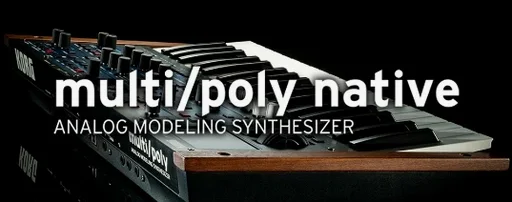
KORG Software Multipoly Native 1.1.3 (Mac)
Updated
The catalogue note
KORG Software Multipoly Native runs on any Mac with macOS 12 (Monterey) or later, on both Intel and Apple Silicon architectures. If you can run a modern DAW, you can run this.
- Download the installer for your Mac. The package contains both the plug-in and standalone versions.
- Run the installer. Follow the on-screen prompts; the software places VST3, AU and AAX versions depending on what you have installed.
- Authorise the software using the included activation instructions. This step connects your licence to the machine.
- Open your DAW or launch the standalone app. Scan for new plug-ins if your host does not do so automatically.
The plug-in is the software counterpart to KORG’s multi/poly hardware synth and can exchange sounds with it. It uses KORG’s next-generation analog modelling and works with third-party sound libraries. You get the sound in AAX, AU, VST3 and standalone form — one install covers every host you use.
Route audio between Multipoly Native and other apps with Audio MIDI Setup
The standalone version of Multipoly Native runs as a normal macOS application, so you can route audio between it and other software using built-in tools like Audio MIDI Setup or Rogue Amoeba’s Loopback-style utilities. If you prefer working outside a DAW, you can send MIDI from any sequencer that supports virtual MIDI ports — the plug-in’s MIDI implementation is the same across all formats, so what works in the standalone app carries over to your host.
On macOS, the AU and VST3 versions register in the standard component and plug-in directories. Most modern DAWs (Logic Pro, Ableton Live, Cubase, Pro Tools, Reaper) will find them automatically after installation. If you use a host that requires manual scanning, point it to the usual /Library/Audio/Plug-Ins/Components or /Library/Audio/Plug-Ins/VST3 folder. The AAX version sits in the Pro Tools plug-in folder and appears after a quick restart of the application.
Because it is a single installer that places all formats, you do not need to download separate packages for different hosts. The architecture is universal, so it runs natively on both Intel and Apple Silicon machines without Rosetta translation.
Open the standalone app before committing to a DAW session
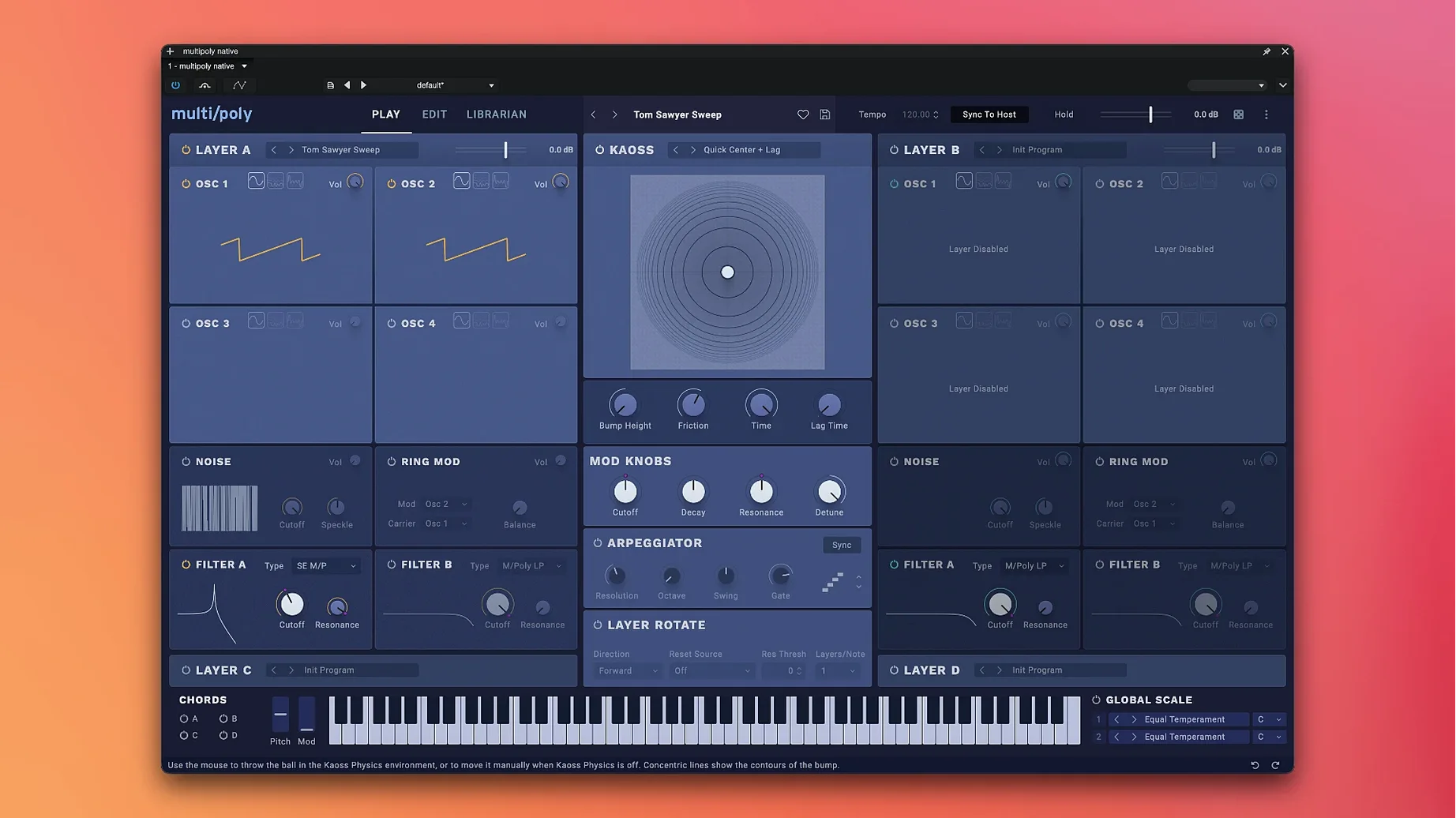
You open the standalone app first, before committing to a DAW session. The interface loads quickly — it is a single window with the classic KORG layout: oscillators on the left, filter and envelope sections in the middle, effects and modulation routing on the right. You dial in a pad sound using the analog modelling engine, tweak the filter cutoff and resonance, then layer a second oscillator with a saw wave an octave up.
Once the sound feels right, you save it as a user preset. The preset system is identical to the hardware version, so you can export it later to the multi/poly hardware if you own one, or import patches from third-party libraries that were designed for the hardware. You do not need to worry about format mismatches — the .mnlgx files are interchangeable between software and hardware.
You close the standalone app and open your DAW. You insert Multipoly Native as a VST3 instrument on a MIDI track. The same patch you just created is still loaded because the plug-in remembers its last state. You record a chord progression, then automate the filter envelope decay over the next eight bars. The automation parameters are exposed to the host — you can map them to hardware controllers or draw them in the arrangement view.
For the final mix, you add a second instance of the plug-in on a return track, this time loaded with a bass preset from a third-party library. The two instances run side by side without conflict, each using its own modulation and effects section.
The software version of a hardware synth, not a new design from scratch
Multipoly Native sits in a specific space: it is the software version of a hardware synth that already exists, not a new design from scratch. That sets it apart from general-purpose virtual analogue synths like u-he Diva or Arturia Pigments. Diva is built around emulating classic circuits with high CPU cost; Pigments is a hybrid engine that blends wavetable, sample and virtual analogue. Multipoly Native uses KORG’s own analog modelling, but its sound is tuned to match a particular hardware instrument — the multi/poly — rather than recreating a vintage synth or offering a universal synthesiser.
Compared to KORG’s own iM1 or KORG Module apps, Multipoly Native is a different category entirely: those are iOS ports or sample-based workstations, whereas this is a full native plug-in with the same architecture as the hardware.
If you already own the hardware multi/poly, the software is a convenient second voice for your studio. If you do not, it gives you the same sound engine without the physical unit. Either way, the plug-in format covers all major hosts on macOS 12 and later, and the standalone mode means you can use it even when your DAW is closed.
Before it goes on the Mac
- macOS 12 (Monterey) or later
- Intel or Apple Silicon processor
- English interface language
Questions from the room
Can I use sounds from the hardware multi/poly synth in the software version?
Yes. The software and hardware versions can exchange sounds directly, making it a fully compatible counterpart.
Does Multipoly Native support third-party sound libraries?
Yes. The plug-in can work with third-party sound libraries alongside its own engine.
Which plug-in formats are included on macOS?
The macOS installer provides AAX, AU (Audio Unit), VST3 and standalone versions, covering Pro Tools, Logic Pro and other major DAWs.
Installing it on the Mac
- Follow the installation and activation instructions included with the download.
- Complete the activation process as described; the steps are provided in the package.
Notes from the control room
Sign in or open a catalogue account to leave a note.
No notes from the room yet. If you have used this build for a week, a short note helps the next person.
Also filed under Logic Pro Plugins
The whole Logic Pro Plugins rack KORG Collection1.0.3 Logic Pro Plugins 175 MB
 KORG TRITON1.4.7 Logic Pro Plugins 586 MB
 LANDR Vocal Bundle2025.12 Logic Pro Plugins 447 MB
 Komplete FX Bundle2026.1 Logic Pro Plugins 3.2 GB
 Kalifornia Dynamic KD Alkane1.0.17 Logic Pro Plugins 270 MB
 iZotope Tonal Balance Control3.0.0 Logic Pro Plugins 264 MB
 iZotope RX12.1.0 Logic Pro Plugins 3.6 GB
 iZotope Neutron5.2.0 Logic Pro Plugins 928 MB