
Home › Logic Pro Plugins › iZotope Tonal Balance Control
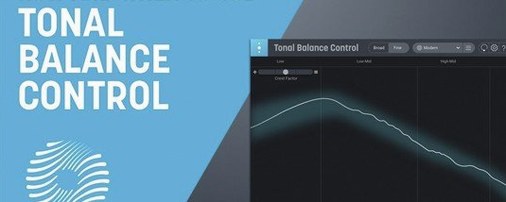
iZotope Tonal Balance Control 3.0.0 (Mac)
Updated
The catalogue note
Version 3.0.0 of iZotope Tonal Balance Control was released on 17 March 2026. It runs on macOS Sonoma 14.7, Sequoia 15.4, or Tahoe 26.1, and supports both Intel and Apple silicon M-series Macs. Interface language is English.
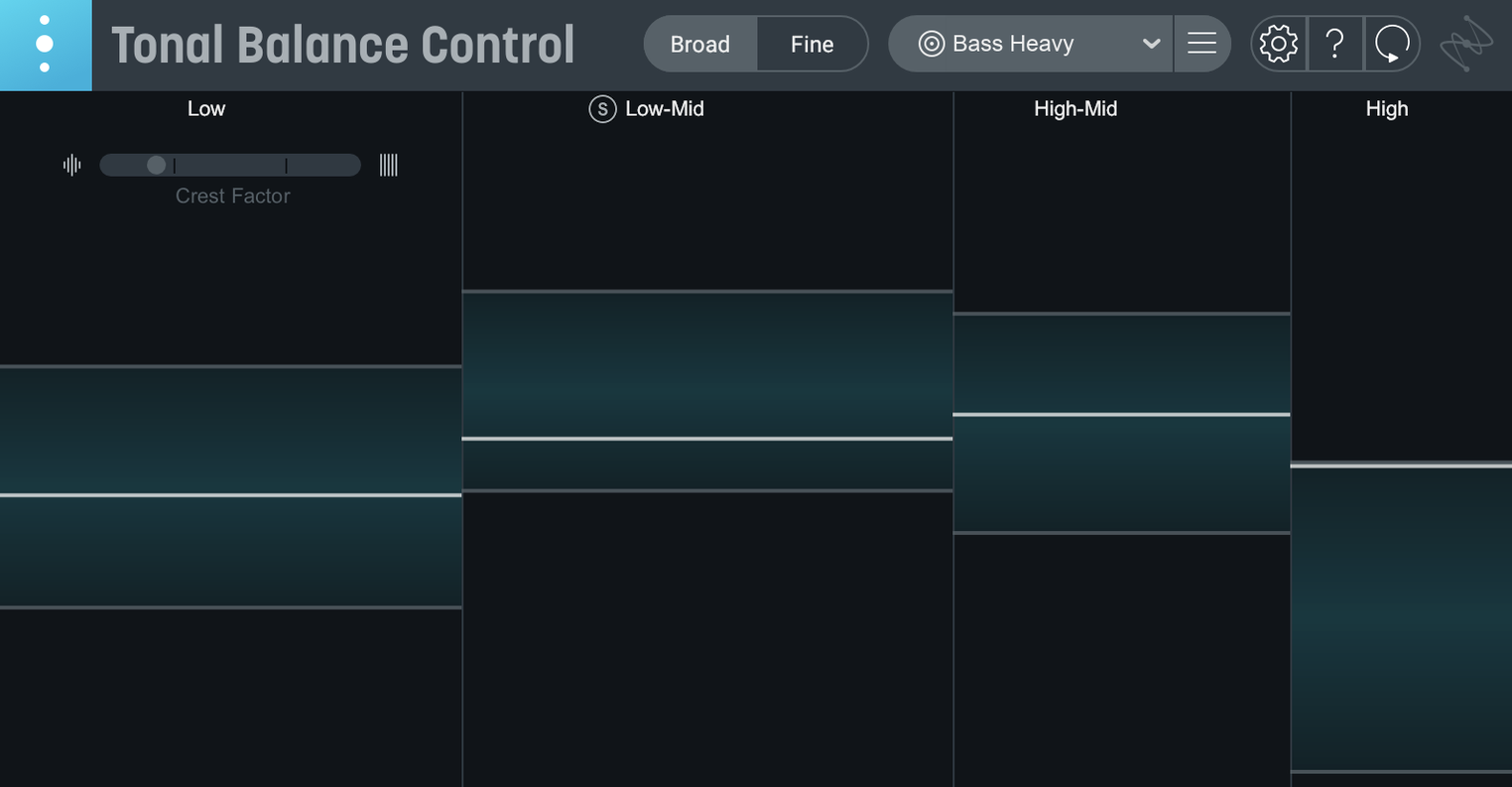
Balances a mix against 12 genre-specific target curves
- Balancing a mix against 12 genre-specific target curves — pop, rock, hip-hop and others.
- Opening and controlling Ozone and Neutron equalizers directly from the plugin window.
- Using the new built-in hybrid EQ for targeted adjustments without leaving the window.
- Checking vocal balance, dynamics and stereo width with the added meters.
- Working in a standalone desktop app when you need metering without a DAW.
Requires macOS 14.7 or later and the Relay companion plugin
- Requires macOS 14.7 or later — no support for older systems.
- Relay companion plugin is needed for inter-plugin communication with compatible iZotope processors.
- Settings can be imported from Tonal Balance Control 2, but the new features (hybrid EQ, standalone app) are version 3 only.
- Audio units, VST3 and AAX formats are available; check with your DAW host for format support.
Load one of the 12 genre target curves right after installing
When you open Tonal Balance Control 3 for the first time, take a moment to load one of the 12 genre target curves. The plugin defaults to a flat reference, so the first useful step is to select a curve that roughly matches your material. Pop and hip-hop curves differ substantially in low-end energy — picking the wrong one gives you a misleading target.
If you work across several DAWs, install the plugin in all three formats (Audio Units, VST3, AAX) during the initial setup. The installer handles this, but it is worth confirming that your preferred host sees the right format. Some DAWs scan only a specific format folder.
Run the standalone app once to confirm activation works outside a DAW context. The standalone version is useful for referencing mixes on a second monitor while the DAW plays, so verifying it early saves frustration later.
Adjust smoothing time for faster response on transient-heavy material
Open the plugin's settings panel and adjust the smoothing time for the tonal balance display. The default value works for general listening, but a shorter smoothing time responds faster to transient-heavy material. A longer setting helps when you are comparing broad tonal shifts across a whole mix.
Enable the Relay companion plugin on every track where you want to control gain or pan from inside Tonal Balance Control 3. Without Relay active on the target track, the inter-plugin communication with Ozone and Neutron equalizers does not work. Relay is included with the install — just insert it on the relevant tracks and set its output to match your routing.
If you imported settings from Tonal Balance Control 2, check that the imported target curves still reference the correct genre. The import process preserves custom curves but occasionally renames them; a quick glance at the curve list confirms everything is where you expect it.
Works inside any DAW with Audio Units, VST3 or AAX plus a standalone app
Tonal Balance Control 3 works as a plugin inside any DAW that supports Audio Units, VST3 or AAX — Logic Pro, Ableton Live, Pro Tools and Cubase all qualify. The standalone app can run alongside your DAW without conflict, useful for a dedicated metering screen on a second display.
On macOS Sequoia and Tahoe, the standalone app respects Stage Manager and window tiling. You can snap it to one side of the screen while your DAW occupies the other. The plugin window itself behaves like any other audio plugin window within the host.
If you use iZotope Ozone or Neutron, the direct EQ link inside Tonal Balance Control 3 bypasses the need to switch between plugin windows. Adjust the EQ curve in Tonal Balance Control and the change applies inside the target processor. This integration only works when both plugins are inserted on the same track or bus, and Relay must be present for the communication path.
The hybrid EQ built into version 3.0.0 is independent of the Ozone/Neutron link. You can use it for quick tonal fixes without opening a separate EQ plugin, which keeps the session tidy.
Fix missing plugin by checking format, rescanning, and 64-bit mode
- Plugin not showing in the DAW. Check that you installed the correct format for your host. Some DAWs require a rescan of the plugin folder after installation. Also verify that the DAW is running in 64-bit mode — 32-bit hosts are not supported.
- Relay not communicating with Tonal Balance Control. Insert Relay on the same track or bus as the iZotope processor you want to control. Ensure both plugins are active (not bypassed). If the link still does not appear, remove and re-insert Relay.
- Target curves looking wrong on imported projects. Projects created in Tonal Balance Control 2 may map to a different genre curve after import. Re-select the correct curve from the dropdown, then save the project.
- Standalone app not detecting audio from the DAW. The standalone app needs a virtual audio driver or an aggregate device to capture DAW output. On macOS, set up an aggregate device in Audio MIDI Setup and route both the DAW and the standalone app to it.
- Hybrid EQ causing high CPU in large sessions. The hybrid EQ adds processing per instance. If you are running many instances of the plugin, consider disabling the EQ on tracks where you only need metering. The meters remain active without the EQ section engaged.
- Activation fails after a system update. Re-run the included activation instructions. macOS updates sometimes reset plugin permissions or security profiles.
Changes in this build
Before it goes on the Mac
- macOS Sonoma 14.7, macOS Sequoia 15.4, or macOS Tahoe 26.1
- Intel or Apple silicon M-series Mac
- Interface language: English
Questions from the room
Does Tonal Balance Control 3 work with Ozone and Neutron?
Yes. It can open and control Ozone and Neutron equalizers, and can access compatible iZotope plugins from inside its interface.
Installing it on the Mac
Notes from the control room
Sign in or open a catalogue account to leave a note.
No notes from the room yet. If you have used this build for a week, a short note helps the next person.
Also filed under Logic Pro Plugins
The whole Logic Pro Plugins rack iZotope RX12.1.0 Logic Pro Plugins 3.6 GB
 iZotope Neutron5.2.0 Logic Pro Plugins 928 MB
 Kalifornia Dynamic KD Alkane1.0.17 Logic Pro Plugins 270 MB
 Komplete FX Bundle2026.1 Logic Pro Plugins 3.2 GB
 KORG Collection1.0.3 Logic Pro Plugins 175 MB
 KORG Software Multipoly Native1.1.3 Logic Pro Plugins 137 MB
 KORG TRITON1.4.7 Logic Pro Plugins 586 MB
 LANDR Vocal Bundle2025.12 Logic Pro Plugins 447 MB