
Home › Logic Pro Plugins › KORG Collection
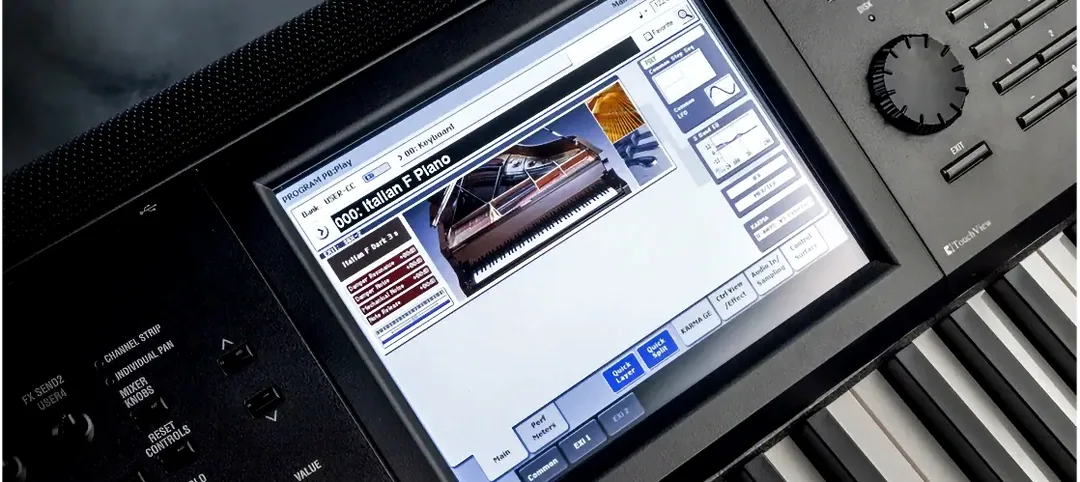
KORG Collection 1.0.3 (Mac)
Updated
The catalogue note
If you already work with a DAW that supports VST, AU, or AAX, KORG Collection slots in as a familiar set of virtual instruments. The 2026 version — Collection 6 — adds TRINITY, PS-3300, SGX-2, and Filter Ark, broadening the palette beyond the earlier synths. The suite runs on both ARM and 64-bit Intel Macs under macOS 10.13 or later, and activation instructions come with the package.
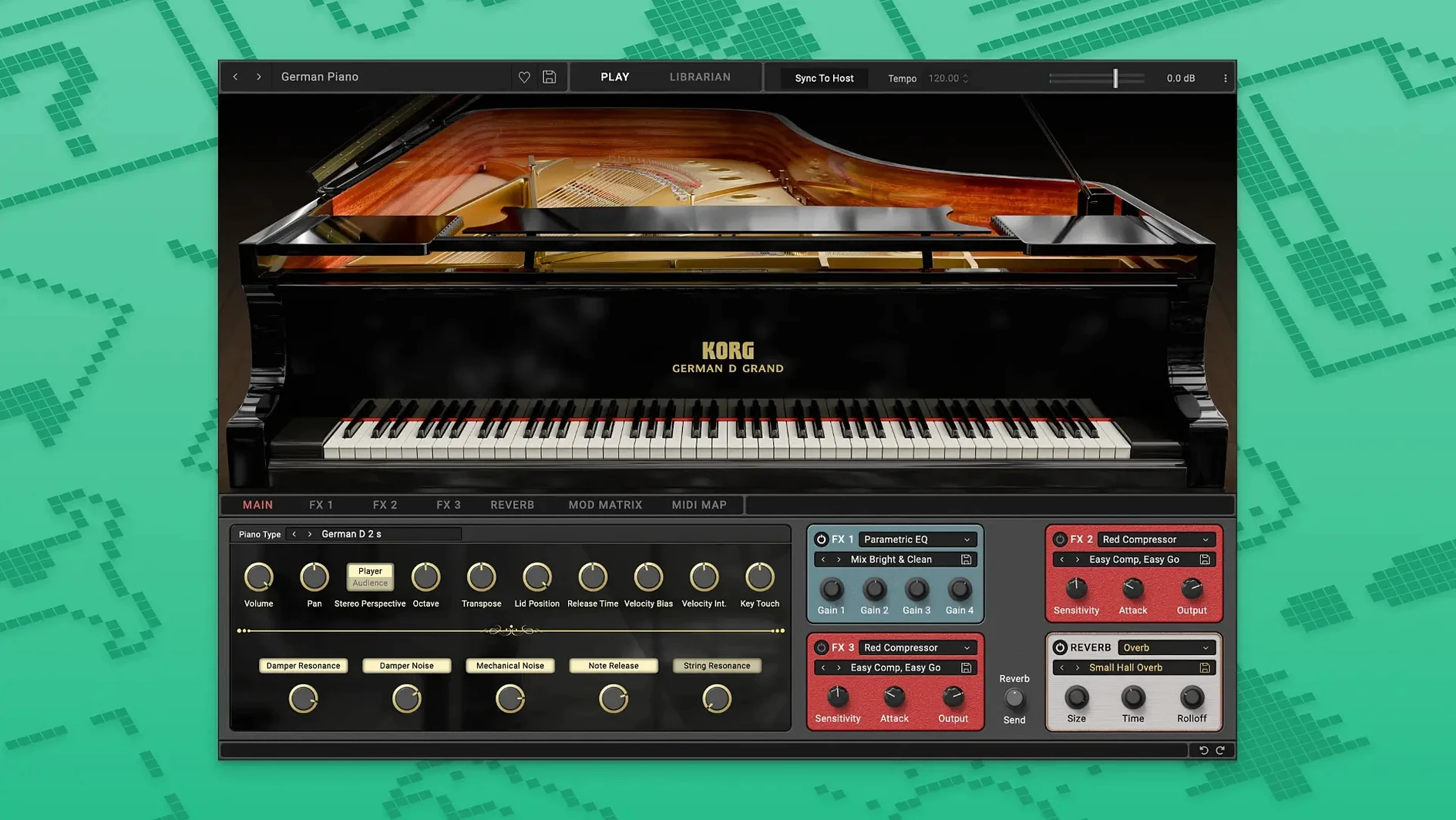
For studio use, the SGX-2 concert grand piano is a practical addition to pop, soundtrack, or classical work; the other synths cover the analogue and digital range KORG is known for. The interface stays in English throughout, which keeps things straightforward in a multi-language session.
As a sound engineer, I appreciate that the Collection doesn’t demand a specific host — it works in Logic, Cubase, Pro Tools, and most other environments that load standard plugin formats. The 2026 update brings newer instruments without changing the core compatibility, so if you already own a previous version, the transition is clean.
Keyboard players working in the box rely on it most
KORG Collection suits several types of Mac users, but not every musician needs the full suite. The people who tend to rely on it most are:
- Keyboard players working in the box — if your primary instrument is a keyboard and you want the feel of hardware synths without the cable management, the Collection’s modelled behaviour (filter response, envelope shapes, oscillator drift) matters more than a generic soft synth. The SGX-2 piano is particularly useful here because its pedal and decay modelling responds to how you actually play.
- Film and game composers — the combination of analogue-style pads (PS-3300, TRINITY) and a realistic grand piano covers a lot of scoring territory. You can layer a TRINITY string pad under the SGX-2 for a hybrid orchestral/synth sound without leaving one plugin.
- Sound designers who need character — the PS-3300 and Filter Ark are less common in other suites, so they add textures that aren’t just another subtractive synth. If you design for electronic music or post-production, those two alone justify a look.
- A 2017 iMac or a 2018 MacBook Air still works here.
What the Collection is less suited for: someone who only needs one specific synth and doesn’t want the rest, or a producer who works entirely in Ableton Live with no interest in KORG’s specific filter character. The suite makes sense when you want several of its voices, not just one.
Scenario: a composer working to picture
Consider a media composer who has a tight deadline for a short documentary. The brief calls for an intimate piano bed during interview sections and a subtle, evolving pad under narration. They open Logic, load the SGX-2 on one track, and adjust the brightness control to soften the tone — the piano sits behind the voice without cutting. On a second track, they load the PS-3300, dial in a slow filter sweep, and add a touch of reverb from the plugin’s own controls. The two tracks blend without needing additional processing. The composer doesn’t touch the synth’s preset library; they find a starting point and tweak the keyboard response and softness to fit the scene. No external hardware, no MIDI routing — just two instances of the Collection in a single session. When the client asks for a darker piano tone the next day, the brightness slider is a one-move fix.
Missing plugins in your DAW and how to fix them
No software is immune to setup hiccups. Here are the issues people run into with KORG Collection, and what usually fixes them:
- Plugins don’t appear in the DAW after installation — this happens when the installer places the components in a folder the host doesn’t scan. Check that the AU and VST versions are in
/Library/Audio/Plug-Ins/Componentsand/Library/Audio/Plug-Ins/VSTrespectively. If they’re there, restart the DAW or rescan plugins from its preferences. - Activation fails or the plugin asks for a licence — the package includes activation instructions. Follow them step by step; a common mistake is skipping the authorisation file placement or running the installer without admin rights. Run the installer from an admin account.
- High CPU usage with multiple instances — the PS-3300 and TRINITY are more processor-heavy than the simpler synths. If you’re running several instances, bounce the MIDI to audio once you have the part right. Alternatively, freeze the track in your DAW.
- No sound from the SGX-2 — the piano defaults to a velocity-sensitive curve that may feel unresponsive if your controller has a light touch. Adjust the keyboard response control inside the plugin. Also confirm that the DAW track isn’t muted or set to a different output bus.
- Compatibility with macOS updates — the suite supports macOS 10.13 and later, but a major macOS version upgrade sometimes breaks plugin validation. If you update macOS, re-run the installer once to re-register the components. This is standard for any AU/VST plugin, not specific to KORG.
Works with Logic, GarageBand, Cubase, and more
KORG Collection integrates with the wider Mac ecosystem in a few practical ways:
- Audio Unit and VST hosts — because the plugins use standard formats, they work in Logic, GarageBand, Cubase, Ableton Live, Reaper, Digital Performer, Studio One, and Pro Tools. No proprietary shell or wrapper needed.
- MIDI routing — you can use macOS’s built-in MIDI Studio (Audio MIDI Setup) to route external hardware controllers to the Collection. A KORG microKEY or any class-compliant MIDI keyboard connects without drivers.
- Sidechain and routing in the DAW — like any instrument plugin, you can route audio from other tracks into the Collection’s sidechain input for ducking or envelope following. Filter Ark is particularly useful with a sidechain signal to create rhythmic filter movement.
- Preset management — the plugins save their presets as standard AU/VST preset files, which macOS’s Finder can index. You can organise them in folders or back them up via Time Machine like any other file.
- Multicore Macs — the plugins distribute processing across cores when your DAW supports it, which helps when running multiple instances on an Intel Mac or an Apple Silicon machine. No special configuration is needed.
If you search for terms like korg collection crack or korg collection 6 mac torrent, you’ll find unofficial sources, but the official installer handles activation cleanly. The same applies to korg collection mac torrent or korg collection 6 torrent — the proper workflow avoids compatibility headaches later.
Before it goes on the Mac
- macOS 10.13 or later
- Both ARM and 64-bit Intel architectures supported
- Interface language: English
Questions from the room
What plugin formats does KORG Collection support?
KORG Collection supports VST, AU, and AAX formats, making it compatible with most major DAWs on Mac and PC.
Which macOS versions are supported?
The suite requires macOS 10.13 or later and runs on both ARM (Apple Silicon) and 64-bit Intel architectures.
What is new in KORG Collection 6?
The 2026 update adds TRINITY, PS-3300, SGX-2, and Filter Ark instruments to the software suite.
Installing it on the Mac
- Download the installer package for your platform.
- Run the installer and follow the on-screen prompts.
- Activate the software using the instructions provided in the package.
Notes from the control room
Sign in or open a catalogue account to leave a note.
No notes from the room yet. If you have used this build for a week, a short note helps the next person.
Also filed under Logic Pro Plugins
The whole Logic Pro Plugins rack KORG Software Multipoly Native1.1.3 Logic Pro Plugins 137 MB
 Komplete FX Bundle2026.1 Logic Pro Plugins 3.2 GB
 KORG TRITON1.4.7 Logic Pro Plugins 586 MB
 LANDR Vocal Bundle2025.12 Logic Pro Plugins 447 MB
 Kalifornia Dynamic KD Alkane1.0.17 Logic Pro Plugins 270 MB
 iZotope Tonal Balance Control3.0.0 Logic Pro Plugins 264 MB
 iZotope RX12.1.0 Logic Pro Plugins 3.6 GB
 iZotope Neutron5.2.0 Logic Pro Plugins 928 MB