Home › Mac Apps › Watermark Sense

Updated

The catalogue note
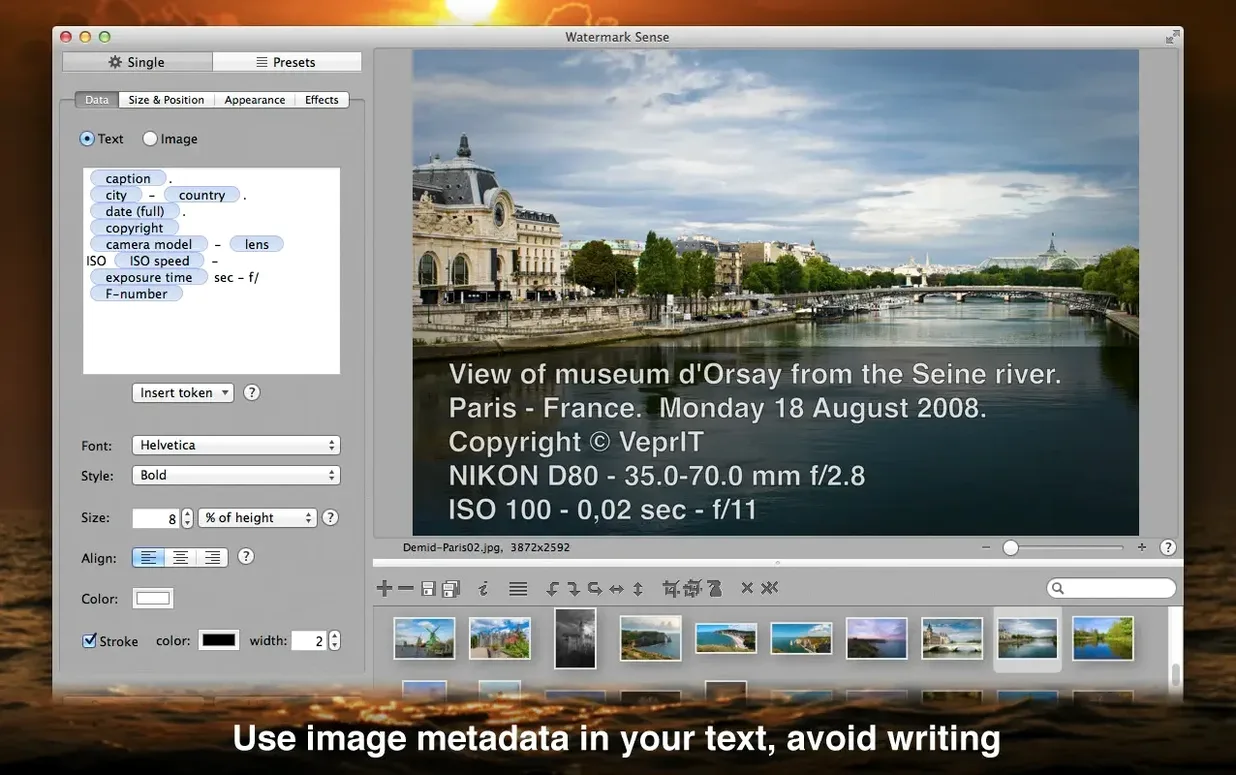
A photographer exports a folder of TIFF proofs and needs a copyright notice on each one, with the camera description pulled from the file's metadata. Watermark Sense handles that in one pass.
New TIFF metadata token and coordinate fixes
The only new feature is the TIFF description metadata token, letting you embed that field as a text watermark. Two location‑fixes for South latitude and West longitude coordinates round out the release.
Text, image, or both watermarks with adjustable opacity and shadow
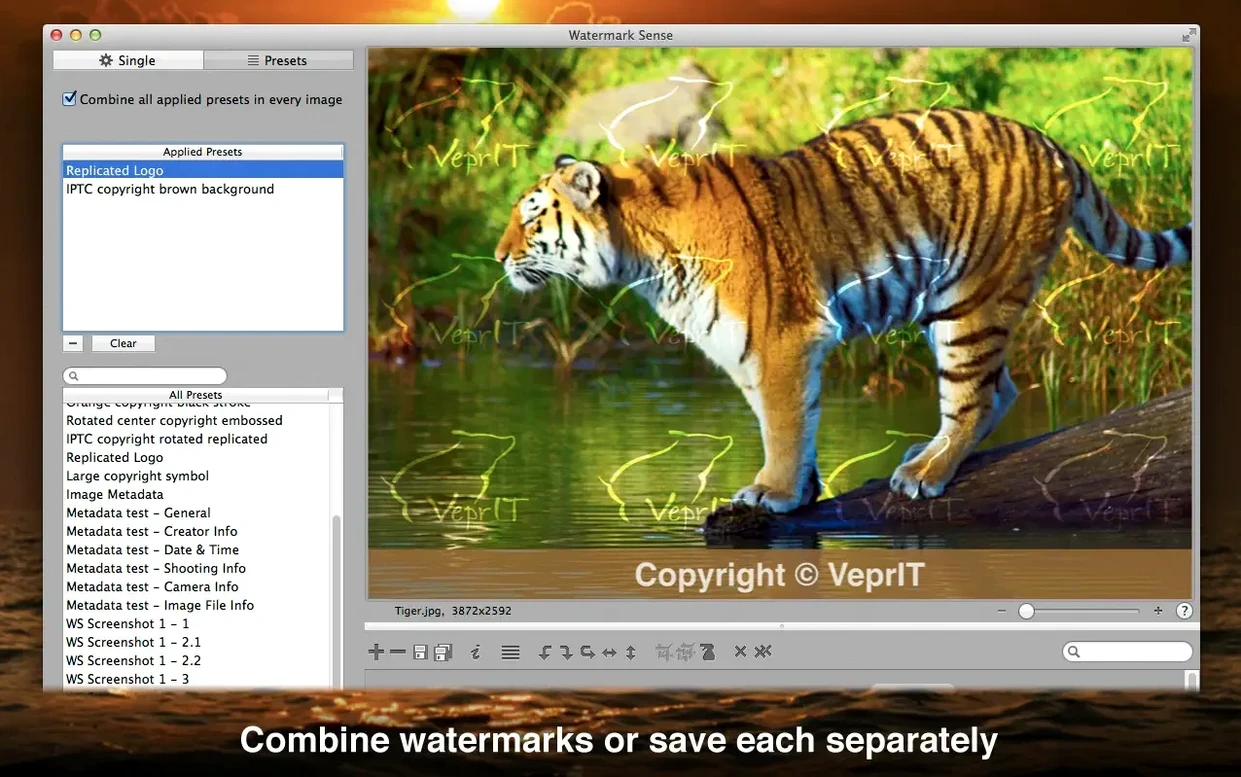
You can use text watermarks, image watermarks, or both. Each watermark supports opacity adjustment, shadow effects, and repeating across the canvas. Manual positioning in the preview allows per‑image tweaks, or you can synchronise positions across a batch.
Can you save different watermark versions at once?
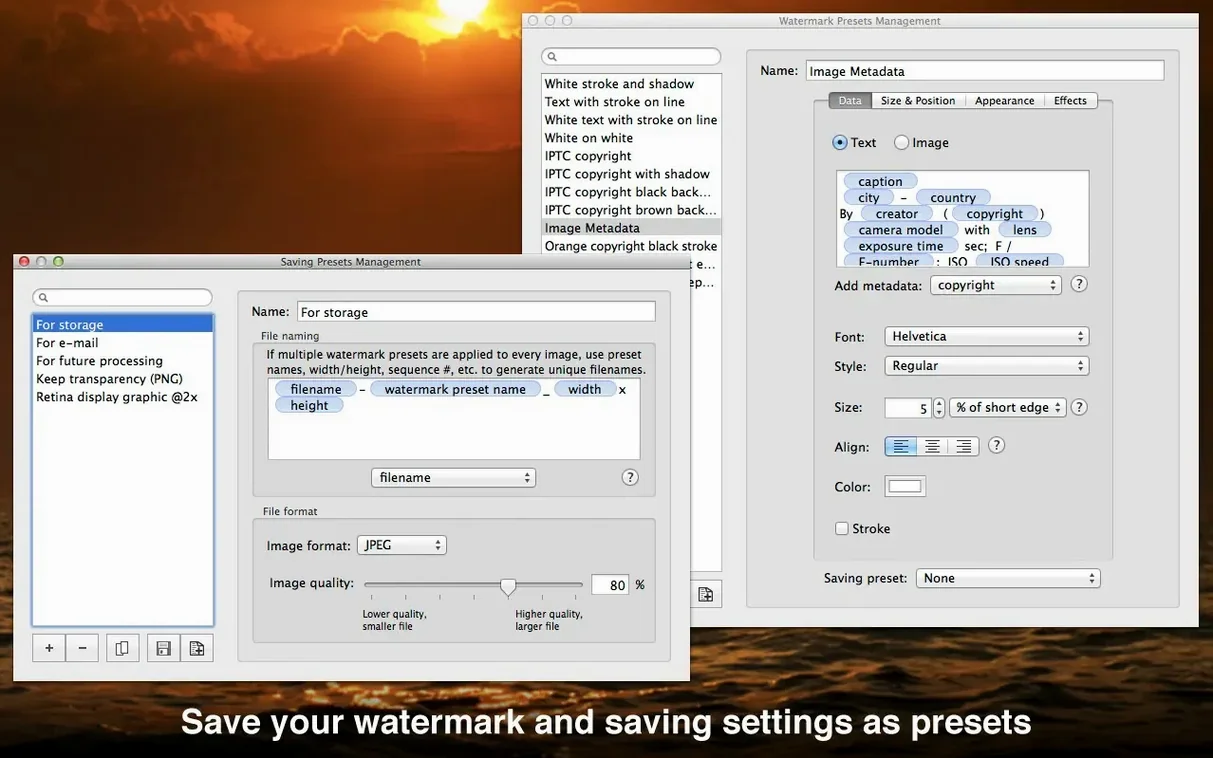
Yes. The app can save each image multiple times with different watermarks in a single batch operation. Watermark and export settings can be saved as user presets for recurring jobs.
Complements Lightroom and Capture One for batch watermarking
Watermark Sense runs as a standalone application, but it complements the tools you already use. Export a batch from Lightroom or Capture One, then drop the folder into Watermark Sense for the final watermark pass. The batch renaming and metadata editing functions mean you can skip a separate renaming utility for most jobs. The TIFF description token in version 1.4.4 is particularly handy if you catalogue images with Photo Mechanic or similar software that reads that field.
The app sits well with Automator workflows too. You can set it up as the last step in a folder action — process incoming images, apply the watermark, and move the results to a delivery folder. No scripting required beyond a basic Automator action to launch the app with a chosen preset.
Source files stay untouched; high-resolution batch processing
Some users ask whether watermarks degrade the source files. They don't. Watermark Sense exports new copies; your originals stay untouched.
Another question is whether the app handles high‑resolution images without slowing down. It processes images in batches and uses standard macOS image libraries, so the speed depends more on your Mac's hardware than the app itself. For very large batches, saving a preset with your watermark and export settings lets you queue the job and come back later.
People also wonder about the Gatekeeper bypass in the install steps. The included terminal command allows the app to run — it is a common approach for unsigned software on older macOS versions. Once installed, it works like any other application.
Photographers and stock contributors save time on proofs and metadata
Photographers delivering proofs or client galleries benefit most — one preset applies a consistent copyright notice to hundreds of images. Stock contributors who need to embed metadata and add a repeating watermark across the frame save significant time. Social media managers processing batches of product shots with a logo overlay also fit the profile.
Users who work with mixed image sources — some with EXIF data, some without — can set text watermarks to fall back to a static string when metadata is missing. That flexibility reduces manual checking. The batch rotation and flipping is a small addition, but it saves an extra app launch when a batch arrives rotated from the camera.
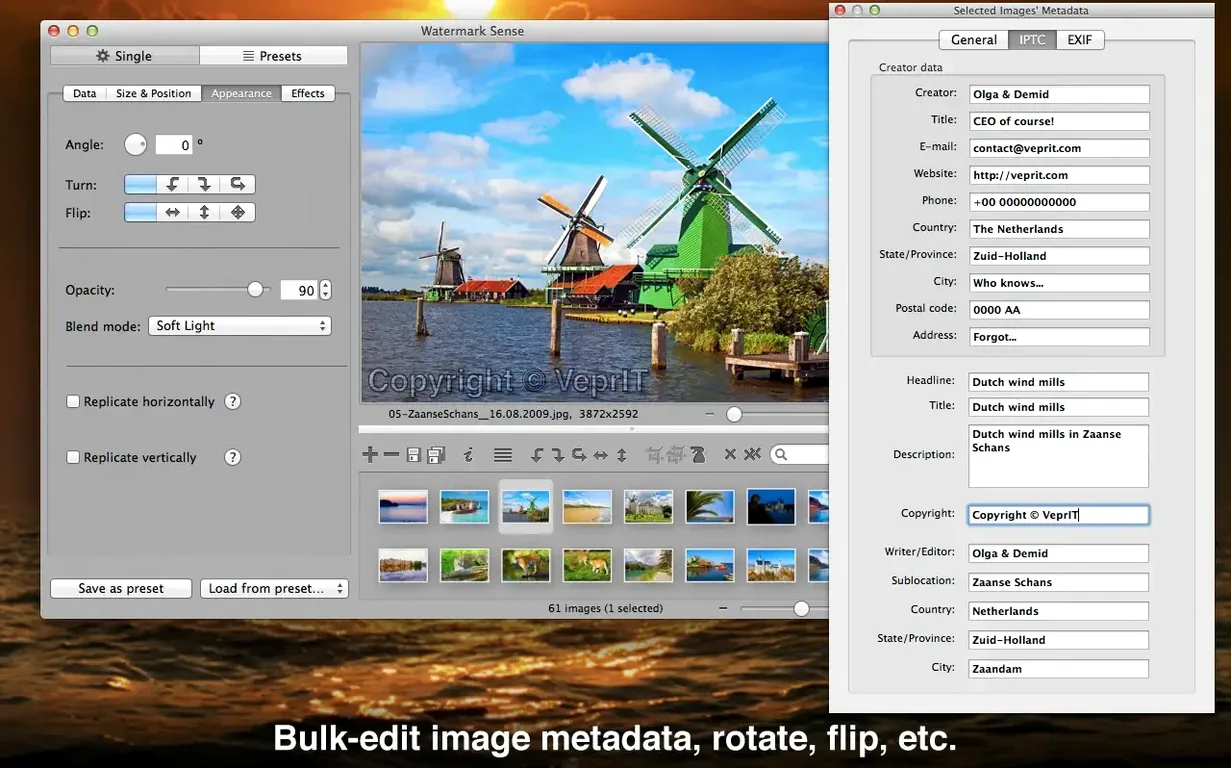
Beyond watermarking, the app includes batch rotation and flipping — useful for straightening a set before applying marks.
Changes in this build
Before it goes on the Mac
- macOS OS X 10.9 or later
- Intel processor
- Interface language: English
Questions from the room
Does Watermark Sense work on Apple Silicon Macs?
No. The app requires macOS 10.9 or later and runs natively on Intel processors only. It may run under Rosetta 2, but that is not officially supported by the developer.
Can I add the same watermark to hundreds of images automatically?
Yes. The app is designed for batch processing. You set the watermark once and apply it to an entire folder; per‑image adjustments are optional.
Installing it on the Mac
Notes from the control room
Sign in or open a catalogue account to leave a note.
No notes from the room yet. If you have used this build for a week, a short note helps the next person.