TablePlus 6.8.0 (Mac)
Updated
The catalogue note
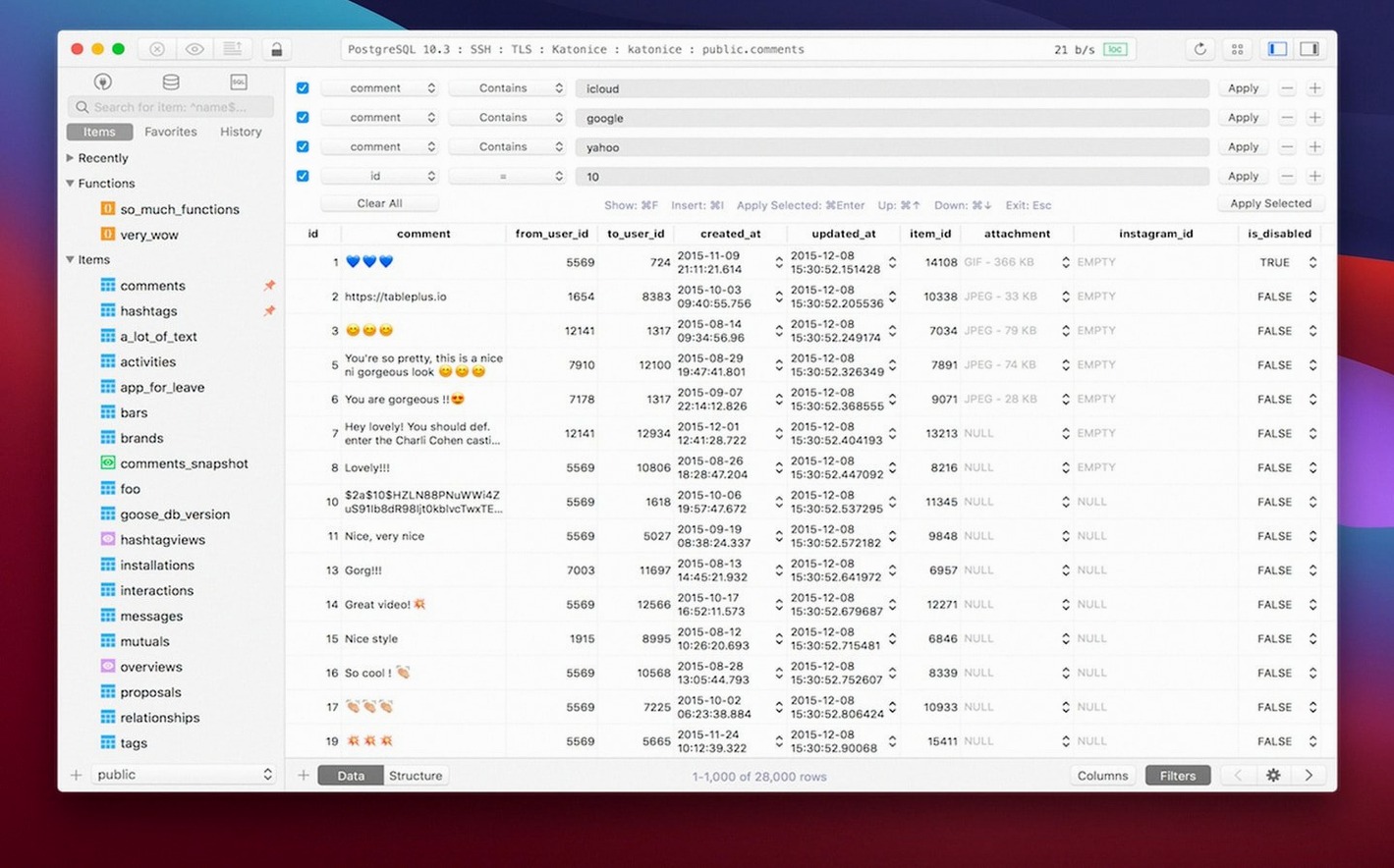
Relational databases are fiddly. You need a client that doesn't get in the way, especially when you're just starting out. TablePlus for macOS keeps the interface clean while still offering depth for when you grow into it.
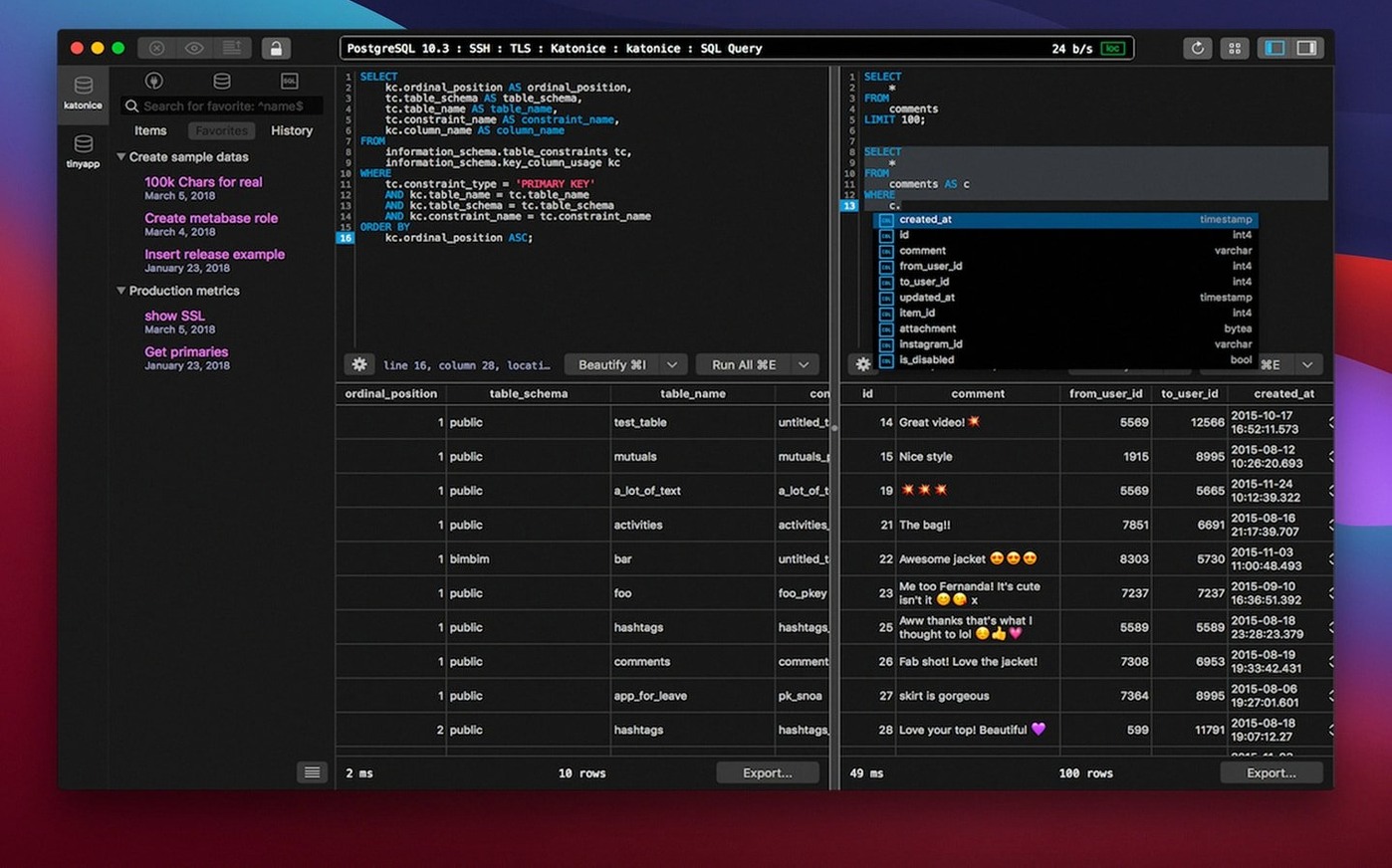
Tabs, windows, and a script editor that catches errors before you run them
- Tabs and windows. Open several databases side by side. The tab system feels natural on macOS.
- The script editor. Write queries with syntax highlighting. It reports errors before you run them, which saves a trip to the server log.
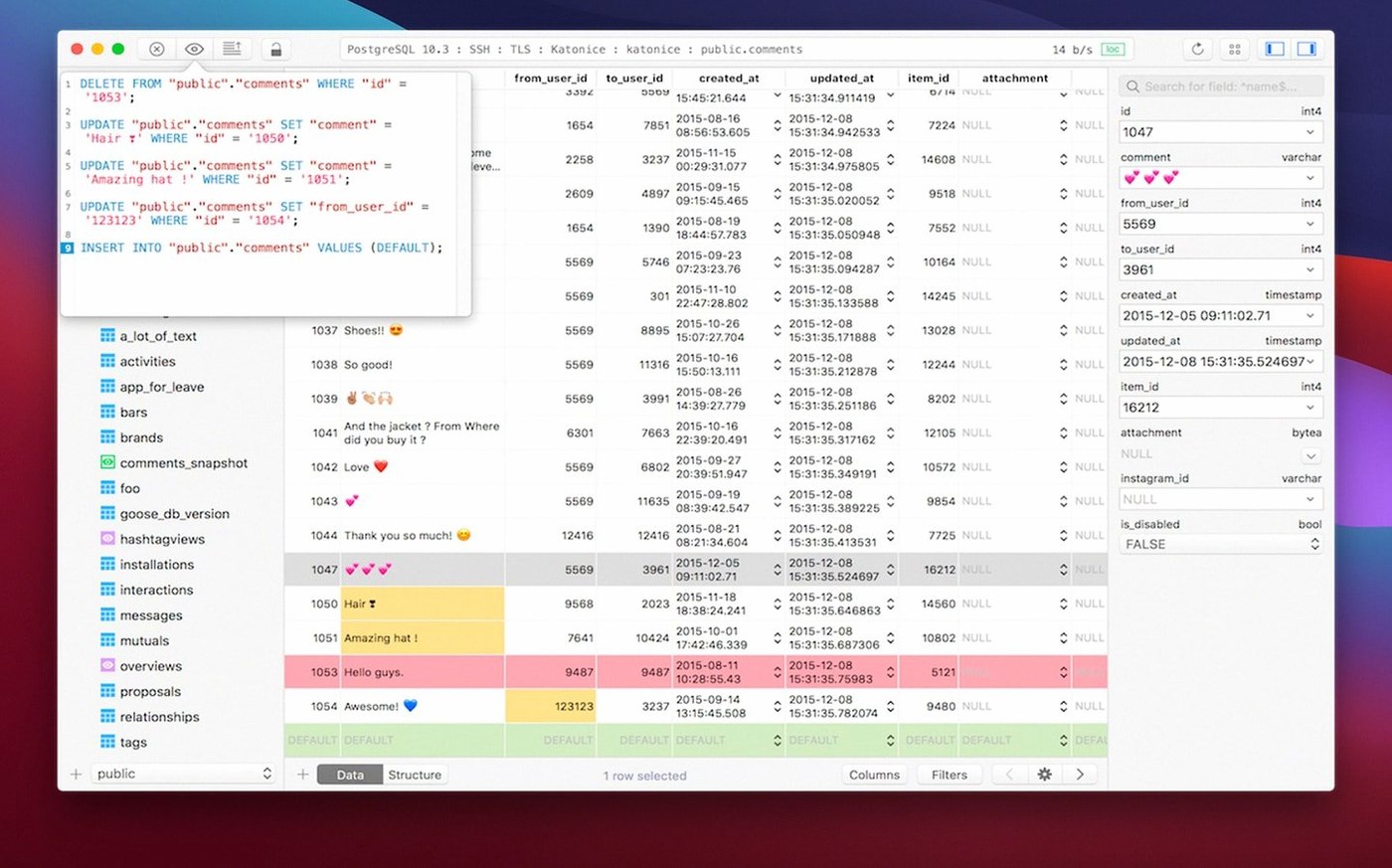
- Code preview. Before you commit a change, see the generated SQL. It's a good way to learn what the GUI actually does.
- Dark mode. Optional, but easy on the eyes during late sessions.
- Keyboard shortcuts. Most common actions have one. A quick look at the menu bar pays off.
Covers MySQL, PostgreSQL, SQLite, and SQL Server out of the box
TablePlus supports MySQL, PostgreSQL, SQLite, and Microsoft SQL Server out of the box. If you need another driver, plugins cover that. The app runs on Apple Silicon and Intel Macs, and works with macOS 10.13 and later. For a newcomer, the balance between simplicity and capability is the main draw.
Mac-specific expectations
TablePlus is a native macOS application, not a port or an Electron wrapper. The developer page confirms support for Apple Silicon and Intel architectures, and the minimum requirement is macOS 12.6. The app uses native libs for TLS connection encryption, which means it relies on your system's certificate store rather than bundling its own. On a practical level, this keeps the install size modest and avoids certificate conflicts that sometimes appear in cross-platform tools.
The application runs as a standard macOS window with native title bar controls. It supports multiple windows alongside multiple tabs, so you can arrange database connections across virtual desktops if you prefer. The dark mode option follows the system appearance setting on recent macOS versions, though it can be toggled independently.
Because it is a GUI tool for relational databases, TablePlus does not install background services or daemons. It connects to your database servers on demand and closes connections when you close the tabs. This behaviour suits a development machine where you do not want persistent database processes running.
Scenario: a freelancer maintaining several client sites
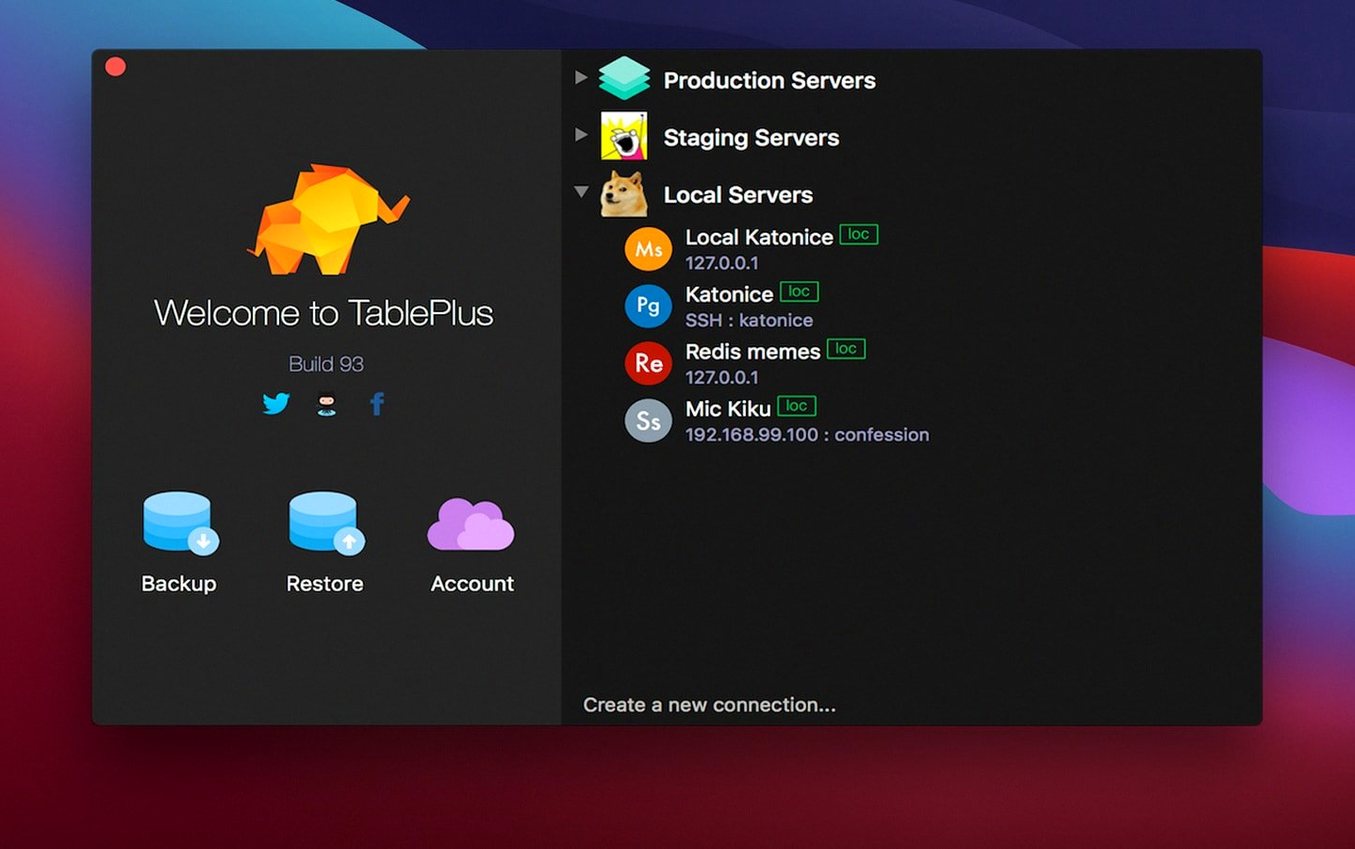
A web developer manages five small WordPress sites, each using MySQL, plus a custom Laravel application on PostgreSQL. Switching between different database clients for each engine wastes time. With TablePlus, all connections live in one window. The syntax-highlighting editor works the same way whether the target is MySQL or PostgreSQL, and the safe mode catches accidental destructive queries before they hit production. The developer keeps one tab per client site, uses keyboard shortcuts to switch between them, and relies on the code preview to verify UPDATE statements before execution. No command-line jumping, no context switch between different tools.
How TablePlus fits with macOS and other apps
TablePlus integrates with the macOS clipboard and drag-and-drop system, so you can copy query results and paste them into a spreadsheet or a text editor. The app respects the standard Cmd+C and Cmd+V behaviour. It also supports opening database files from the Finder by association, which is useful when working with SQLite files dropped into a project directory.
The application works alongside command-line tools like psql and mysql without conflict. Many developers use TablePlus for browsing and visual tasks, then switch to the terminal for migrations or bulk operations. The connection details stored in TablePlus are separate from your shell configuration, so there is no risk of overwriting a production credential stored in a .env file.
How it differs from Sequel Ace's MySQL-only focus
- Sequel Ace. A solid MySQL-only client with a similar native feel. It is open-source and focused on MySQL, whereas TablePlus covers PostgreSQL, SQLite, and Microsoft SQL Server as well. If you work with only MySQL, Sequel Ace is a good alternative, but the multi-engine support in TablePlus reduces tool sprawl.
- DBeaver. A cross-platform Java application that supports many database engines. DBeaver is more feature-rich in some areas, but it feels heavier on macOS because of the Java runtime overhead. TablePlus launches quickly and uses less screen space for its interface.
- Postico. A PostgreSQL-focused native client. Postico has a clean interface and excellent query building, but it does not handle MySQL or SQLite natively. For PostgreSQL-only work, Postico is a strong contender. For mixed database work, TablePlus keeps everything in one app.
None of these alternatives are wrong choices. The deciding factor is usually the range of database engines you need to touch regularly and how much you value a consistent interface across them.
Changes in this build
- Build dated 2026-03-05.
Before it goes on the Mac
- macOS 12.6 or later
- Intel or Apple Silicon
- English interface
Questions from the room
Which databases does TablePlus support?
The documentation lists MySQL, PostgreSQL, SQLite, and Microsoft SQL Server among supported systems. Additional drivers can be added via plugins.
Does TablePlus work on Apple Silicon?
Yes, the developer page states support for Apple Silicon chips, alongside Intel Macs.
Installing it on the Mac
- Open the downloaded disk image.
- Drag the app to the Applications folder alias.
- After the copy finishes, launch the app from Launchpad.
Notes from the control room
Sign in or open a catalogue account to leave a note.
No notes from the room yet. If you have used this build for a week, a short note helps the next person.