Home › Mac Apps › Room Arranger

Room Arranger 11.0.2 (Mac)
Updated
The catalogue note
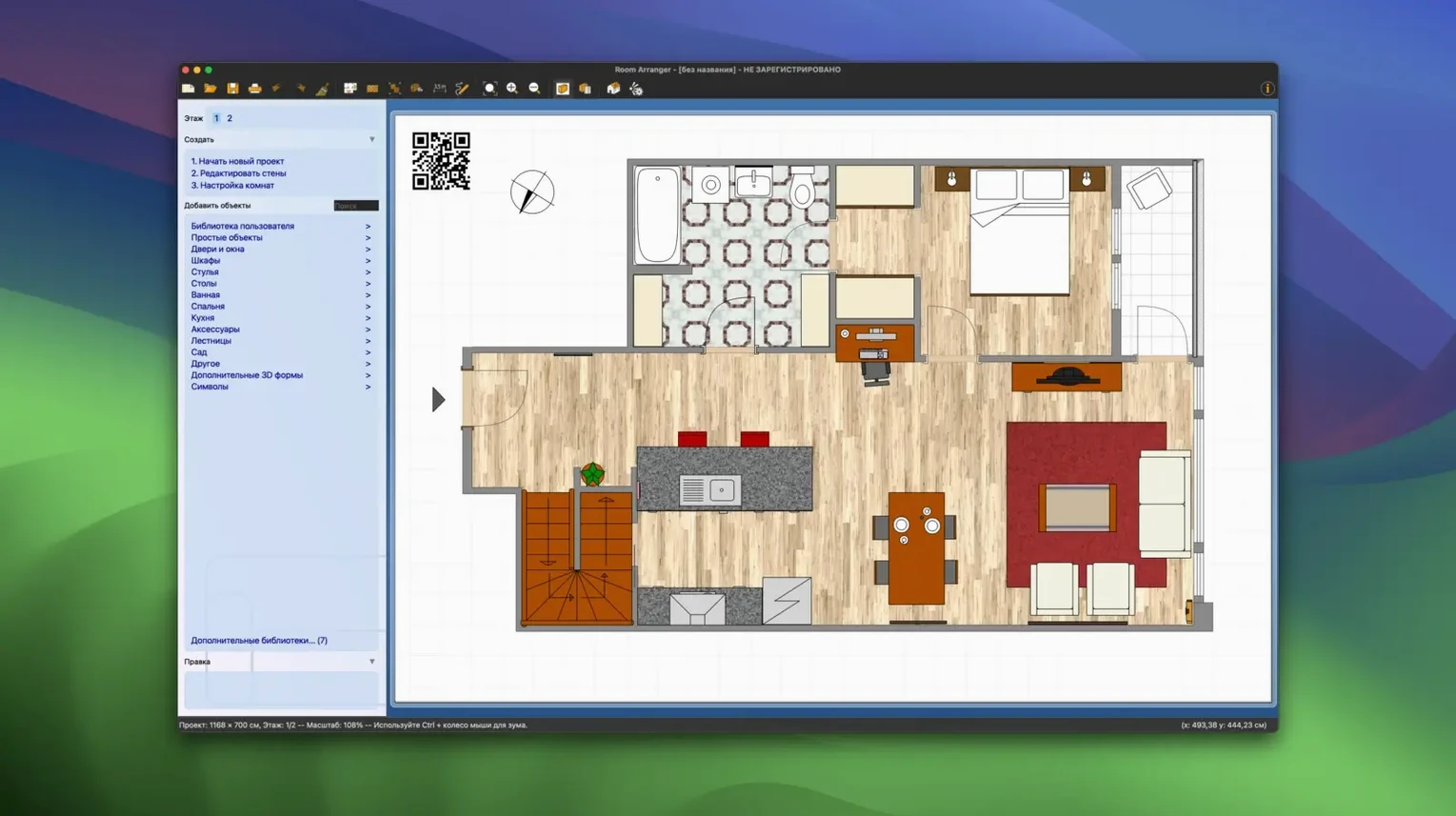
Architects, interior designers, and anyone sketching out a new layout tend to end up in the same place: a flat 2D grid that fights you when you try to think in three dimensions. Room Arranger takes a different route — it builds the room, apartment, or multi-story house in 3D from the start, so you can place a wall, stand back, and see what the space actually feels like.
Built-in library of doors, windows, and garden items
| Item | Detail |
|---|---|
| Version | 11.0.2 |
| Developer | Jan Adamec |
| Category | Apps |
| macOS | 11.0 or later |
| Architecture | Apple Silicon, Intel 64-bit |
The built-in library covers doors, windows, stairs, cabinets, and garden items, and every object can be rotated, moved, recolored, and resized. Wall height and thickness are your call, and walls and floors take color and texture. Custom elements you create are saved locally, and if you want more, the Additional Libraries option pulls in extra object packs. For a room arranger mac free download, this is a surprisingly complete package — the kind of tool that stays on the Dock long after the initial sketch is done.
Runs on older Macs without a dedicated GPU
People sometimes wonder whether a 3D planner will run on an older Mac or whether it needs a dedicated graphics card. Room Arranger uses a simple rendering approach — it does not demand a gaming GPU or the latest Metal features. The macOS requirement is 11.0 or later, and the app runs on both Apple Silicon and Intel 64-bit machines, so a 2019 Intel MacBook Air handles it the same way a current Mac Studio does. You download, drag, and start placing walls.
Another common question is whether the library is enough for real furniture. The built-in selection covers the basics: doors, windows, stairs, cabinets, and garden items. Small objects like plates, cups, and glasses are also there. If your project needs something specific — a particular sofa shape or a kitchen island you designed yourself — you create a custom element and save it locally. The library grows with use.
Language support is broad: Room Arranger ships in English, German, French, Spanish, Italian, Chinese (both traditional and simplified), Japanese, Korean, and many others — over three dozen in total. The interface adapts on first launch, so you do not need to dig through a settings panel.
Installs via standard DMG drag-and-drop method
Room Arranger is a standalone application, but it integrates with the operating system in practical ways. The disk image install method is standard for Mac software — open the DMG, drag the app to the Applications folder alias, then launch from Launchpad. No installer wizard, no background processes.
Exporting your project for use elsewhere is straightforward. The program lets you view completed work in 3D, and you can capture that view with macOS screen capture tools or QuickTime for walkthrough videos. If you need to bring measurements into a spreadsheet or a word processor, the built-in calculator for basic building parameters gives you numbers you can copy manually. The app does not depend on other software to function — it is self-contained — but it complements tools like Numbers, Pages, or even a photo editor if you want to overlay textures you photographed yourself.
For Mac users who run multiple displays, the 3D view works well on an external screen while you edit the floor plan on the built-in display. The one-click object movement keeps the workflow fast enough that you do not need a second app for quick adjustments.
Shows 3D view to clients for instant feedback
The obvious audience is anyone planning a renovation, a new furniture layout, or a room addition. Interior planners who work with clients who cannot read 2D floor plans can show the 3D view during a meeting and get instant feedback.
Beginners benefit most from the low learning curve. There is no CAD terminology to learn, no layer system, no complex snapping rules. You enter room dimensions, choose wall height and thickness, apply colours and textures, and drop furniture in place. The calculator for basic building parameters helps if you need to estimate material quantities without switching to a separate app.
People who manage multi-story houses — landlords, property managers, or homeowners planning an extension — can build one floor at a time and see the whole structure in 3D. The program handles single rooms, entire apartments, and multi-story houses without changing the workflow. If you have ever tried to explain to a builder where a wall should go using a napkin drawing, this is the upgrade.
Changes in this build
- Added the ability to toggle the flashlight during LiDAR scanning.
Before it goes on the Mac
- macOS 11.0 or later
- Apple Silicon or Intel 64-bit
Installing it on the Mac
- Open the downloaded disk image.
- Drag the app into the Applications folder alias.
- Once the copy finishes, launch Room Arranger from Launchpad.
Notes from the control room
Sign in or open a catalogue account to leave a note.
No notes from the room yet. If you have used this build for a week, a short note helps the next person.