Home › Video › Wondershare Filmora

Wondershare Filmora 14.8.17 (Mac)
Updated
The catalogue note
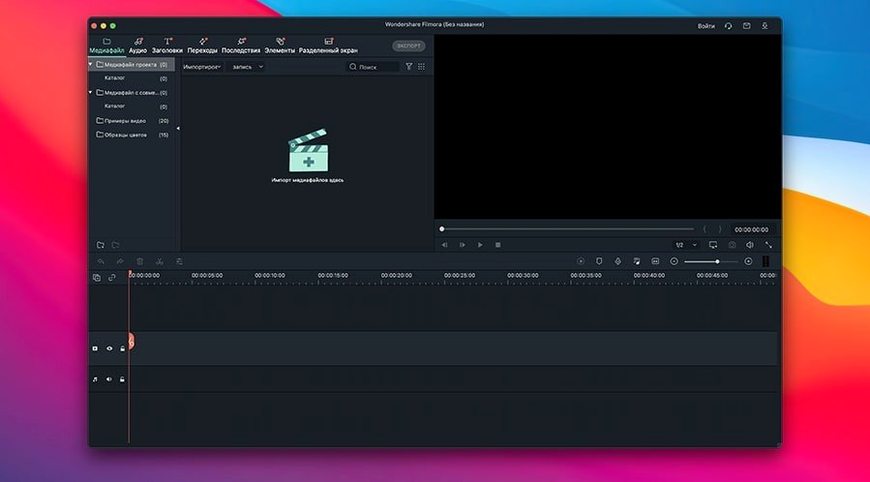
Wondershare Filmora is a Mac video editor built for cutting, trimming, and assembling clips into finished videos.
Check compatibility
Filmora requires macOS 10.14 or later and runs on both Intel and Apple Silicon. The interface is available in English, Russian, German, and a dozen other languages, so most users will find a comfortable setup.
Edit your footage
You can split video into separate clips, cut out unwanted sections, and rearrange scenes on the timeline. Projects save and reopen later, which matters when you are working on something longer than a single sitting.
Add polish
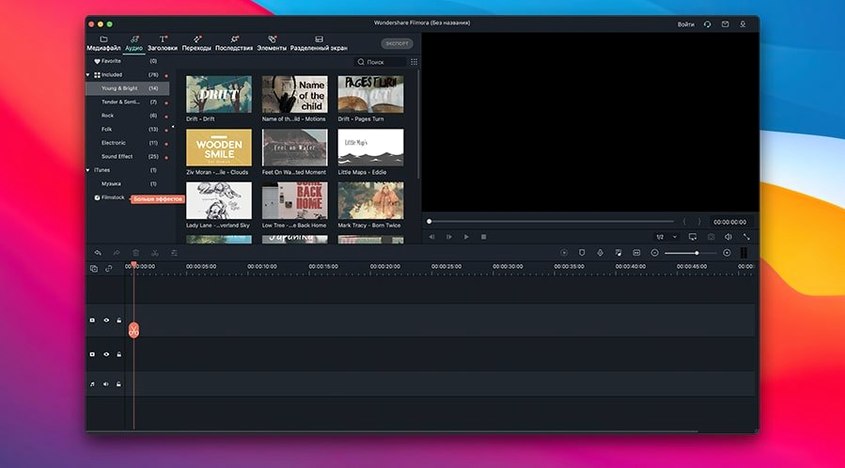
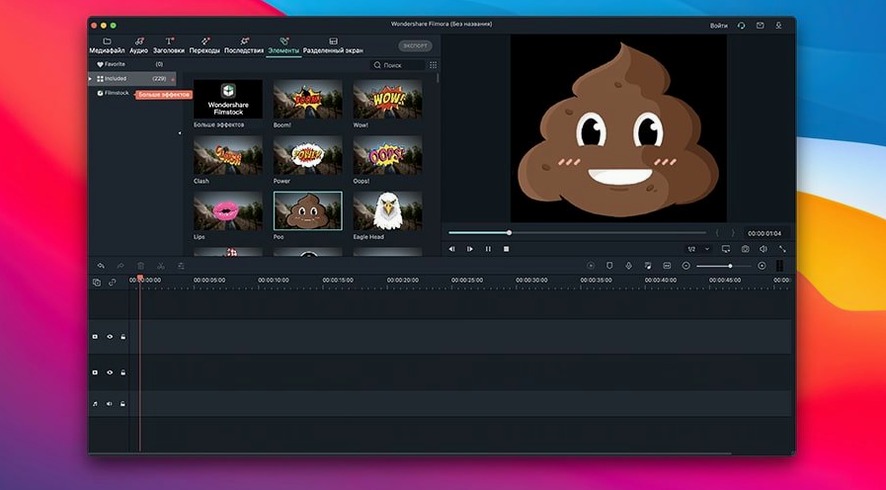
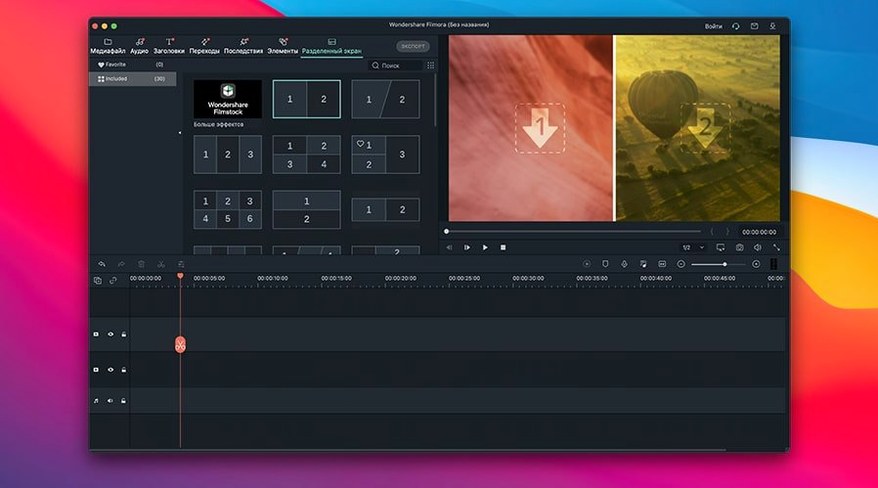
Beyond basic cutting, Filmora includes transitions, filters, overlays, and other effects. You can also add text to video — titles and subtitles included — which covers most casual and semi-professional needs.
Split tool is the most-used thing
From there, the split tool is the most-used thing: I tap the playhead where a clip needs dividing, hit split, and the timeline now has two segments. Cutting out dead air or a flubbed line is just a matter of selecting the unwanted piece and deleting it. Rotating a clip that was shot sideways takes a single toggle in the properties panel, which saves re-recording or re-importing.
Once the rough assembly is in place, I drop in transitions between scenes. The library of overlays and filters is straightforward to browse — no deep menu digging. Text overlays for titles or subtitles are added to a separate track, which keeps them off the video itself until export. After finishing a section, I save the project file to the desktop and come back the next day without losing the timeline state.
Exporting to a file for the computer or directly to a service is the last step. The format list covers common containers and codecs, so there is no need to convert outside the app unless a very specific delivery spec is required.
Drag clips straight from Finder or QuickTime
Filmora works well with the macOS file system, meaning you can drag clips straight from Finder or another video app onto the timeline. If you have QuickTime Player installed, previewing a clip before importing is faster than loading it into the editor first. For audio work, I sometimes export a simple soundtrack from a dedicated editor and bring it into Filmora as a separate track — the timeline handles audio and video layers without fuss.
The app also respects macOS window management: you can keep the Filmora project window on one side of the screen and a browser or notes app on the other. This is practical when you are following along with a tutorial or referencing a script. The interface language options mean that if a colleague prefers French or Turkish, the same install can switch without reinstalling.
Some users look for alternative ways to access the software, such as a filmora crack for mac or a filmora torrent, but the official installer from the developer ensures you get the current version without compatibility surprises. A filmora mac torrent found elsewhere might carry an older build that does not support the latest macOS release or Apple Silicon chips properly.
Runs on Macs from 2016 onward, including Apple Silicon
Will it run on an older Mac? Yes, as long as the system is macOS 10.14 or newer. That covers most Macs from 2016 onward, including those with Intel processors. Apple Silicon machines from M1 to M4 are supported, so no hardware generation is left behind.
Can I work on a project started in an older version? In general, project files from recent versions open without issue, though it is wise to keep a backup of the original project folder before opening it in a newer build. The save/load system is straightforward — Filmora writes a single project file plus a folder of cached media, and moving both to another Mac works as long as the same source clips are present.
Do I need an internet connection to edit? No. Filmora works offline for all editing tasks. Exporting directly to an online service requires a connection at that moment, but you can always export a local file and upload separately.
Is the interface usable in my language? The app ships with sixteen languages including Russian, Arabic, Korean, and traditional Chinese. Switching languages is a preference change inside the app, no need to reinstall.
For occasional editors and YouTube talking-head creators
The clear audience is someone who edits video occasionally but wants more control than a phone app offers. YouTube creators who shoot talking-head clips and need to cut out pauses, add a title card, and export in 1080p will find the workflow fast. Small business owners producing social media spots or internal training videos also benefit — the learning curve is shallow enough that you can produce a usable video in an hour without reading a manual.
Mac users who already have Final Cut Pro or DaVinci Resolve installed will probably stay with those tools because they offer deeper color grading and advanced audio routing. But for someone who edits a few times a month and does not want to memorise a professional NLE's layout, Filmora fills the gap between basic iMovie and a full post-production suite.
Split before deleting or you lose the whole clip
The most common one is not splitting clips before deleting. New users sometimes select a segment in the middle of a clip and hit delete, which removes the entire clip instead of the portion they wanted. The rule is: split first, delete second.
Another frequent error is forgetting to save the project before closing. Filmora does not auto-save by default in every scenario, so losing twenty minutes of work after a crash is a lesson learned once. Get into the habit of pressing the save shortcut or using the menu every few edits.
Beginners also tend to pile on too many effects at once — three transitions overlapping, a filter over the whole timeline, and a moving overlay — which makes the final video look cluttered rather than polished. Try applying one effect, previewing it, and then adding another. The same applies to text: one readable subtitle font beats three decorative ones competing for attention.
Finally, users sometimes export at the wrong resolution because they did not check the project settings before rendering. If your source clips are 1080p but the timeline is set to 720p, the output will be downscaled. A quick look at the export dialogue prevents having to re-render the whole thing.
Changes in this build
- No version-specific changes for 14.8.17 were stated in the provided sources.
Before it goes on the Mac
- macOS 10.14 or later
- Intel or Apple Silicon
Questions from the room
What macOS version do I need for Filmora?
Filmora requires macOS 10.14 or later. It runs on both Intel and Apple Silicon Macs.
Can Filmora add subtitles to a video?
Yes, Filmora lets you add text to video, including titles and subtitles.
Does Filmora support project saving?
You can save a project and reopen it later to continue editing.
Installing it on the Mac
- Mount the disk image and drag the app into the Applications folder.
- Open the app and quit it once it finishes launching.
- The app is ready to use.
Notes from the control room
Sign in or open a catalogue account to leave a note.
No notes from the room yet. If you have used this build for a week, a short note helps the next person.