
Home › Logic Pro Plugins › Addictive Keys
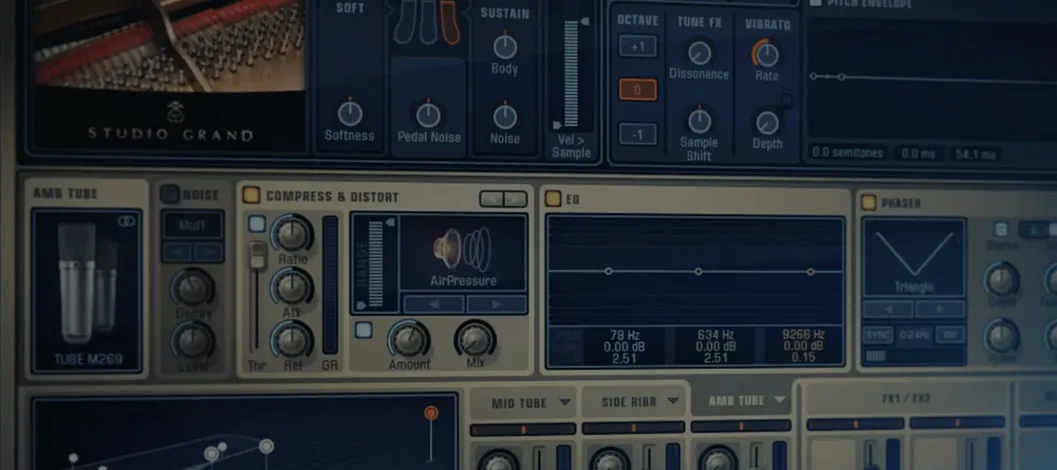
Addictive Keys 1.7.3 (Mac)
Updated





The catalogue note
Four instruments – Studio Grand, Modern Upright, Mark One and Electric Grand – put Addictive Keys at the centre of most keyboard sessions, and version 1.7.3 keeps that core simple. The Mac version runs on macOS 10.13 or later, on both ARM and x86_64, and loads as VST, VST3, AU or AAX.
- Track duty: one instance per piano part, with the internal effects handling tone before the channel strip.
- Bus work: route several instances to a piano bus for glue compression or a shared room reverb.
- Songwriting sketch: a single instance on a MIDI track, playing while you audition chord changes.
- Layering: stack Mark One with a pad on the same MIDI input for electric piano texture.
- Post-production: a dry instance in a mix session, replacing a DI recording without touching the arrangement.
Apple Silicon native support in version 1.7.3
Version 1.7.3 is a maintenance release rather than a feature overhaul. The most noticeable change for regular users is the expanded compatibility layer: the plugin now runs natively on Apple Silicon without Rosetta, which means it appears in your DAW’s plug-in manager as an ARM binary alongside any Intel versions you might still have installed. If you work on a newer Mac, this removes the extra translation step and keeps the instance count predictable inside a session.
On the Intel side, the x86_64 build remains the same as previous releases. No new presets, no redesigned interface – the workflow you already know is untouched. The update is primarily about keeping the plugin viable on current hardware without breaking existing projects.
Three velocity curve adjustments I make before playing
Out of the box, Addictive Keys loads with its factory default preset. For most sessions, I change three things before playing a note:
- The velocity curve. The default curve is neutral, which suits a weighted controller. If you use a synth-action keyboard or a smaller MIDI controller, switch to one of the softer curves – the plugin responds more naturally to lighter playing.
- The reverb send. The internal reverb is set quite wet on many presets. The dry signal is cleaner to work with later.
- The compressor. Several presets include a compressor that can squash the transient. For tracking, bypass it and add your own compression after the fact. The plugin’s internal compressor is fine for sound design, but it commits you to a sound early.
These adjustments take about thirty seconds and give you a more neutral starting point that mixes better with your own processing chain.
Fixing issues when moving between Macs or updating your DAW
A few issues crop up regularly with Addictive Keys, particularly when moving between machines or updating your DAW.
Plugin not found after installation
If you run the installer and the plugin doesn’t appear in your DAW, check the plug-in format. The installer places files in the standard locations – VST in /Library/Audio/Plug-Ins/VST, AU in /Library/Audio/Plug-Ins/Components, AAX in /Library/Application Support/Avid/Audio/Plug-Ins. Some DAWs scan only specific folders or require a manual rescan. Logic Pro, for example, may need a restart before it picks up new AU components.
Standalone mode won’t open
The standalone version relies on your system’s default audio output. If it launches but produces no sound, open Audio MIDI Setup and verify your interface or built-in output is selected and running at a sample rate the standalone app supports – 44.1 kHz or 48 kHz usually works. The standalone mode is handy for quick sketches without a DAW, but it can be fussy about aggregate devices.
MIDI controller not responding
Addictive Keys listens on all MIDI channels by default, so a non-responsive controller often means the MIDI port isn’t selected in the plugin’s MIDI input settings. In the standalone version, check the MIDI configuration panel. In a DAW, the track’s MIDI input routing usually handles this, but some hosts let you override it inside the plugin itself.
High CPU on older Macs
The plugin is not particularly heavy, but the polyphony can stack up if you hold long sustain pedal notes. If you’re on an Intel Mac that’s struggling, reduce the maximum polyphony in the plugin’s settings – dropping from 128 to 64 voices is rarely audible in a dense mix and frees up processing headroom.
Five MIDI tracks on a 2019 Intel MacBook Pro with Logic Pro
Consider a songwriter who works on a 2019 Intel MacBook Pro running Logic Pro. They have a session with five MIDI tracks: two acoustic piano parts (Studio Grand and Modern Upright), a Rhodes part (Mark One) and two electric piano layers (Electric Grand). The writer wants to capture a live feel, so they play all parts in one pass using a single weighted controller, switching patches between sections.
Here, Addictive Keys works well because each instance loads independently. The writer keeps the Studio Grand on the main verse, then switches to the Mark One for the chorus – the plugin’s fast loading means the switch is quick enough to stay in the creative flow. The internal effects are bypassed on all instances except the Modern Upright, which uses the built-in EQ to cut some boxiness before it hits the Logic channel EQ.
When the session moves to a Mac Studio for mixing, the ARM-native version loads without any Rosetta overhead. The project file opens cleanly, and the plugin’s settings – velocity curve, effects bypass, polyphony – carry over exactly as set. The writer doesn’t need to tweak anything; the sound is identical to what they heard on the laptop.
For anyone who has searched for addictive keys complete collection or looked into addictive keys download options, this is the version that runs on current hardware without surprises. The workflow is unchanged, the compatibility is modern, and the core instruments remain the same four pianos that have made the series a reliable choice for keyboard parts in production and songwriting.
For a session where pianos are the harmonic backbone, Addictive Keys covers the tracking, the layering and the repair work without forcing a specific workflow.
Before it goes on the Mac
- macOS 10.13 or later
- Apple Silicon or Intel 64-bit
Questions from the room
Which plugin formats does Addictive Keys support on Mac?
The plugin supports VST, VST3, AU and AAX formats, so it works in Logic, Pro Tools, Cubase and most other Mac DAWs.
Installing it on the Mac
- Open the downloaded disk image.
- Run the standard installation process.
Notes from the control room
Sign in or open a catalogue account to leave a note.
No notes from the room yet. If you have used this build for a week, a short note helps the next person.
Also filed under Logic Pro Plugins
The whole Logic Pro Plugins rack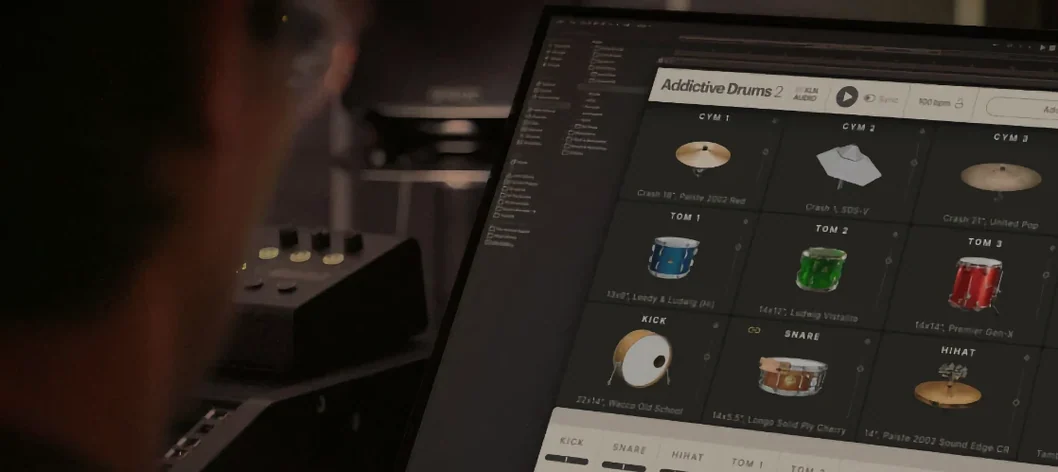 Addictive Drums 22.9.1 Logic Pro Plugins 14.5 GB
 AIR Music Technology AIR Vocal FX Collection1.2.1 Logic Pro Plugins 218 MB
 AIR Music Technology Hype1.2.1 Logic Pro Plugins 801 MB
 Ample Sound Ample Guitar LP III4.0.1 Logic Pro Plugins 9.2 GB
 Arturia Efx AMBIENT1.0.0 Logic Pro Plugins 285 MB
 Arturia FX Collection2026.02 Logic Pro Plugins 16.1 GB
 Arturia V Collection 11 Pro2025.20.26 Logic Pro Plugins 53.8 GB
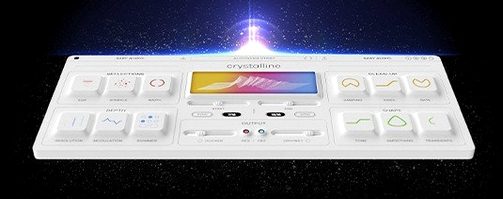 BABY Audio Crystalline1.5 Logic Pro Plugins 107 MB