Home › Games › Super Mario Bros

Super Mario Bros 1.0 (Mac)
Updated
The catalogue note
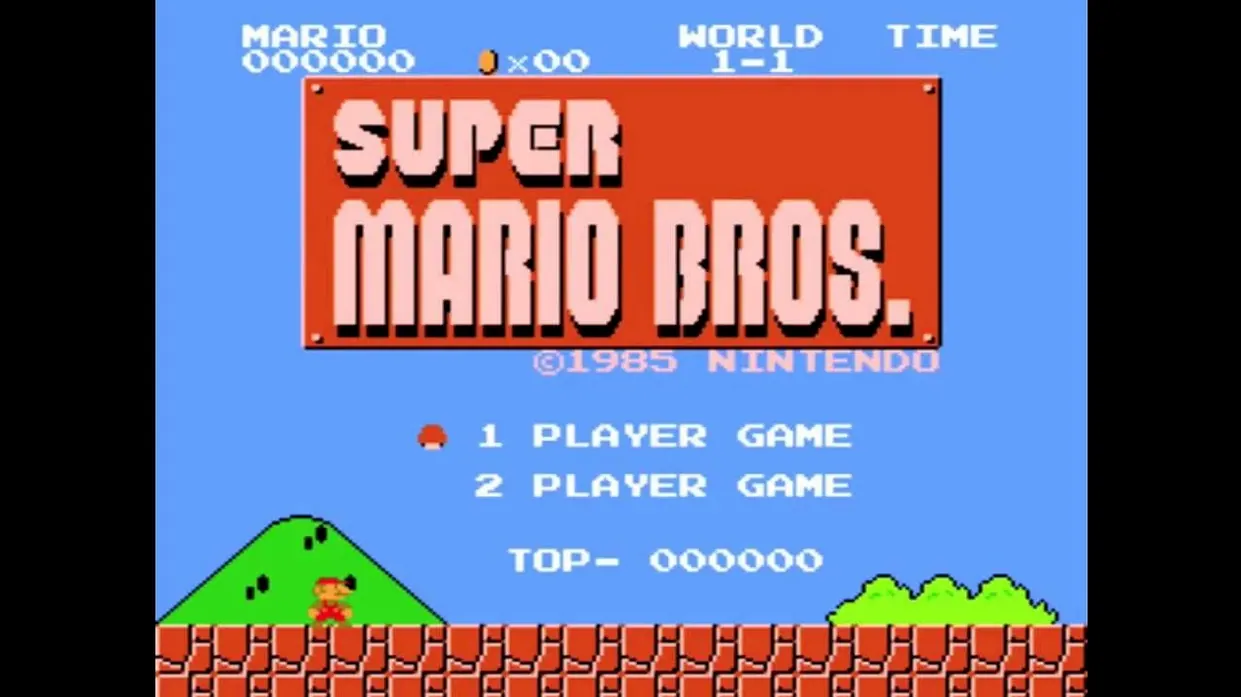
The problem is straightforward: you have an Apple Silicon Mac and you want to play the original 1985 side-scrolling platformer without a console. Super Mario Bros, the game that defined a genre, runs on macOS under emulation — but not every version handles the timing and input the same way.
Playing through the Mushroom Kingdom with Mario's original moves
- Playing through the Mushroom Kingdom with Mario’s original moves — running, jumping on Goombas and Koopa Troopas, and collecting power-ups.
- Experiencing the classic eight-world structure where each of the first seven castles ends with Toad telling you “Your princess is in another castle” before you finally face Bowser.
- Quick sessions: levels are short and the game saves no state, so you can start and stop without fuss.
Game listed as version 1.0 for NES, runs on Apple Silicon only
- The game is listed as version 1.0, released 13 September 1985 for the Nintendo Entertainment System. The Mac version runs under emulation on Apple Silicon only; Intel Macs are not supported.
- Controls rely on keyboard mapping — expect to configure directional keys, jump and run to your preference before starting. Responsiveness depends on the emulator, not the ROM itself.
- Test a few levels before committing to a playthrough.
Remap directional keys to arrow keys or WASD before starting
Before you press start, open the emulator's input mapping panel. The default keyboard layout rarely suits muscle memory from the NES era. Remap the directional keys to whatever feels natural — arrow keys work for most people, but WASD is a common alternative. Assign jump and run to separate keys; holding run while jumping gives you the longer, higher arc that clears larger gaps. If the emulator offers a turbo or rapid-fire option, leave it off. The original game expects precise single presses, not repeated inputs.
Check the video scaling setting next. The 256×240 resolution looks blocky on a modern screen if you let it stretch to fill. A 4:3 aspect ratio with integer scaling keeps pixels square and sprites crisp. Some emulators add scanline filters; try them if you want the CRT look, but the game is perfectly playable without.
Save states let you freeze progress anywhere in the original
- The emulator likely supports save states. The original game has no save system — you get three lives and continue from the start of the world when you lose them all. A save state lets you freeze progress at any point. Useful for practising World 8-4 without replaying the entire castle.
- If the emulator allows rewind, you can undo a single mistake without restarting the level. Handy for the notorious moving-platform sections in World 7-4 and World 8-2.
- Full-screen mode is worth switching on. The small original viewport becomes distracting on a laptop screen, and the game's timing does not suffer from full-screen rendering.
- Audio defaults may be louder than expected. The music and sound effects were designed for TV speakers; on headphones, the coin-collect chime and the death jingle can feel piercing. Lower the volume in the emulator's audio settings before the first level.
Holding the run button while jumping changes Mario's arc
The most common error is treating the jump as a simple one-button press. Holding the run button while jumping changes the arc dramatically — Mario covers more horizontal distance and clears pits that look too wide. New players who skip the run button often find themselves falling into gaps that are perfectly jumpable with the correct technique.
Another mistake is rushing. Super Mario Bros rewards patience in certain sections. The Koopa Troopas that walk back and forth can be avoided, not killed. Beginners who try to stomp every enemy in a narrow corridor often take damage from the second one before landing. Similarly, the hidden blocks that contain coins or power-ups are invisible until you hit them from below. Players who never test suspicious empty spaces miss extra lives and the Warp Zones entirely.
World 1-1 teaches the basics well, but some beginners skip the Mushroom power-up at the start of the level and stay as Small Mario. Taking even one hit kills Small Mario instantly. Grabbing that first Mushroom gives you a health buffer and the ability to break bricks with your head — a small change that makes the early worlds far less punishing.
Finally, remember that the false Bowser fights end with Toad's message. Some players reset the game thinking they missed something. Keep going. The real Bowser is in World 8-4, and the path to Princess Peach is straight ahead after you defeat him.
Before it goes on the Mac
- macOS ?
- Architecture: Apple Silicon
- Interface languages: English
Installing it on the Mac
- Open the downloaded disk image.
- Drag the app to the Applications folder shortcut.
- After copying finishes, open the app from Launchpad.
Notes from the control room
Sign in or open a catalogue account to leave a note.
No notes from the room yet. If you have used this build for a week, a short note helps the next person.