
Home › Games › Shogun Showdown

Updated
The catalogue note
You start the game, choose a hero, and face the first enemy. One wrong step and your run ends — but that is part of the plan. Shogun Showdown is a turn-based tactical roguelike where you build a deck of attacks before confronting the Shogun. The setting draws from medieval Japan, and the music sets the tone.
Tactical combat where every move decides the outcome
- Players who like tactical combat where every move decides the outcome
- Roguelike fans comfortable with death as a learning mechanic
- Anyone who enjoys building a deck over a run, unlocking new skills and attacks
- People who want a game with many interface languages — English, German, Spanish, French, Italian, Polish, Portuguese, Russian, Japanese, Korean, and both Chinese variants
Intel-only and requires Rosetta 2 on Apple Silicon
- The game is Intel-only; run it on Apple Silicon through Rosetta 2
- Installation is straightforward: mount the disk image, run the installer, and choose the Applications folder when prompted
- Version 1.0.2.1a includes the final ascension day 7, a new hero (The Chain Master), a new location (Ieyasu's Garden), plus extra tiles, skills, quests, and enemies
Attack tiles show range and damage before you commit
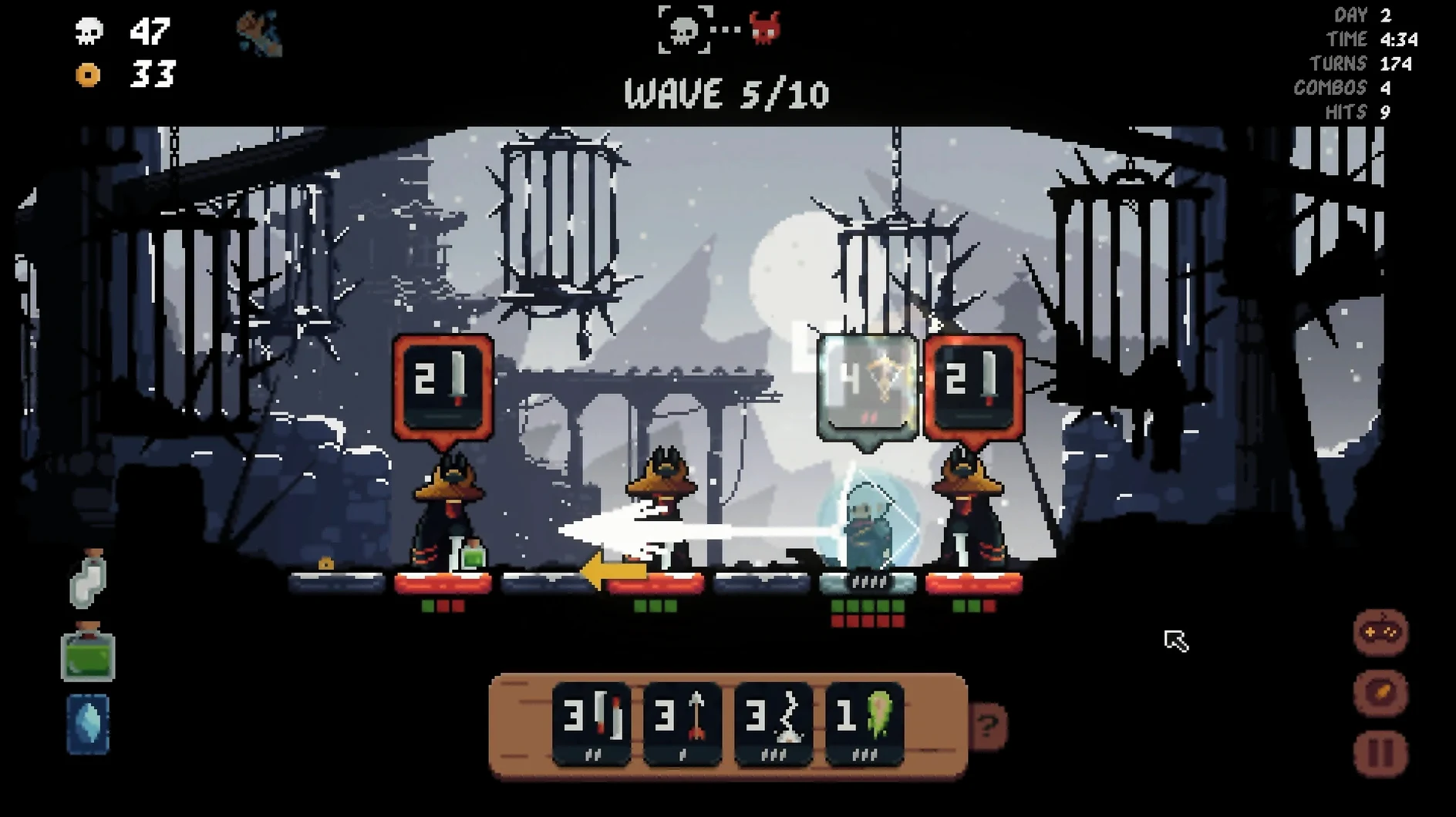
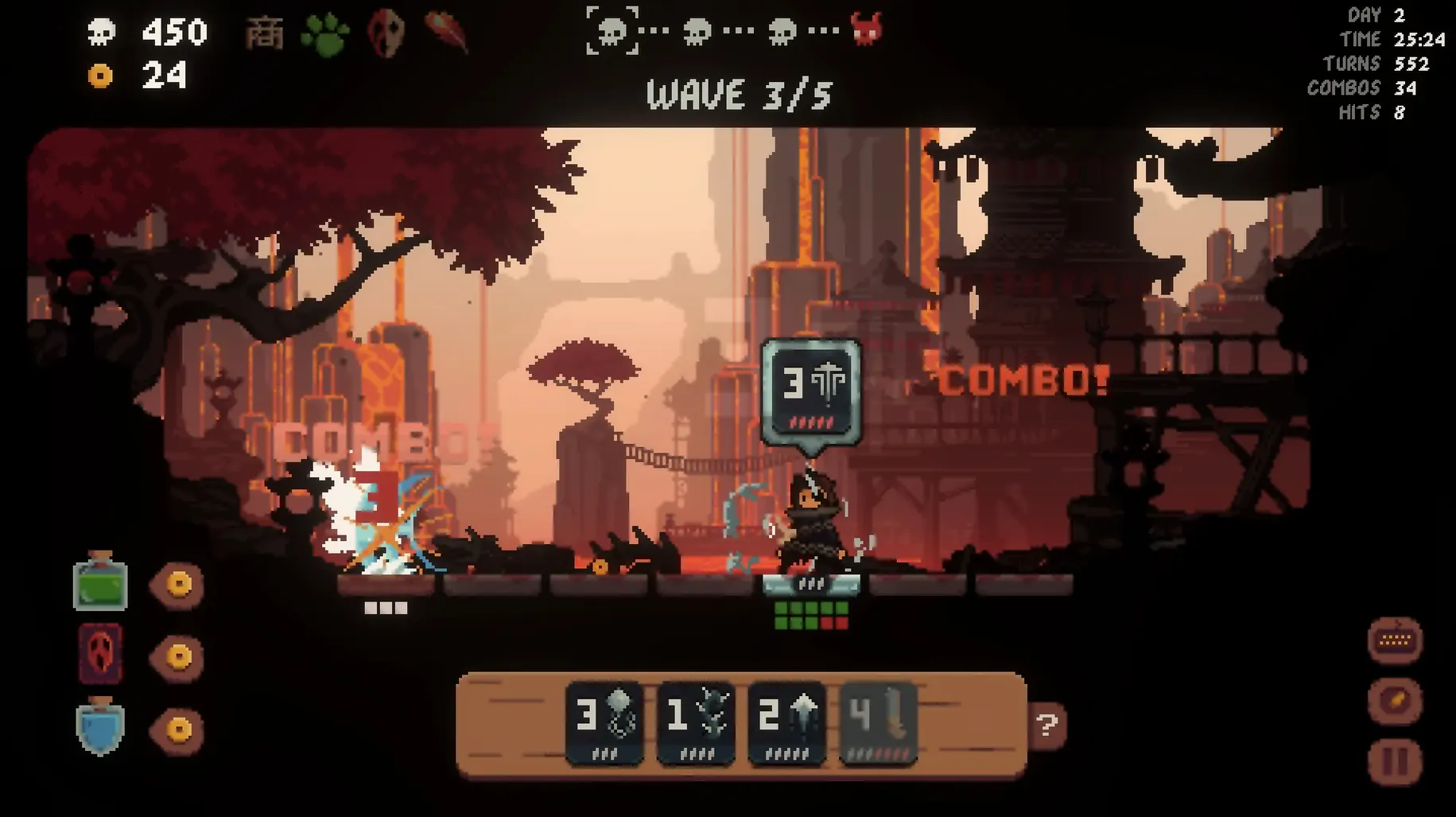
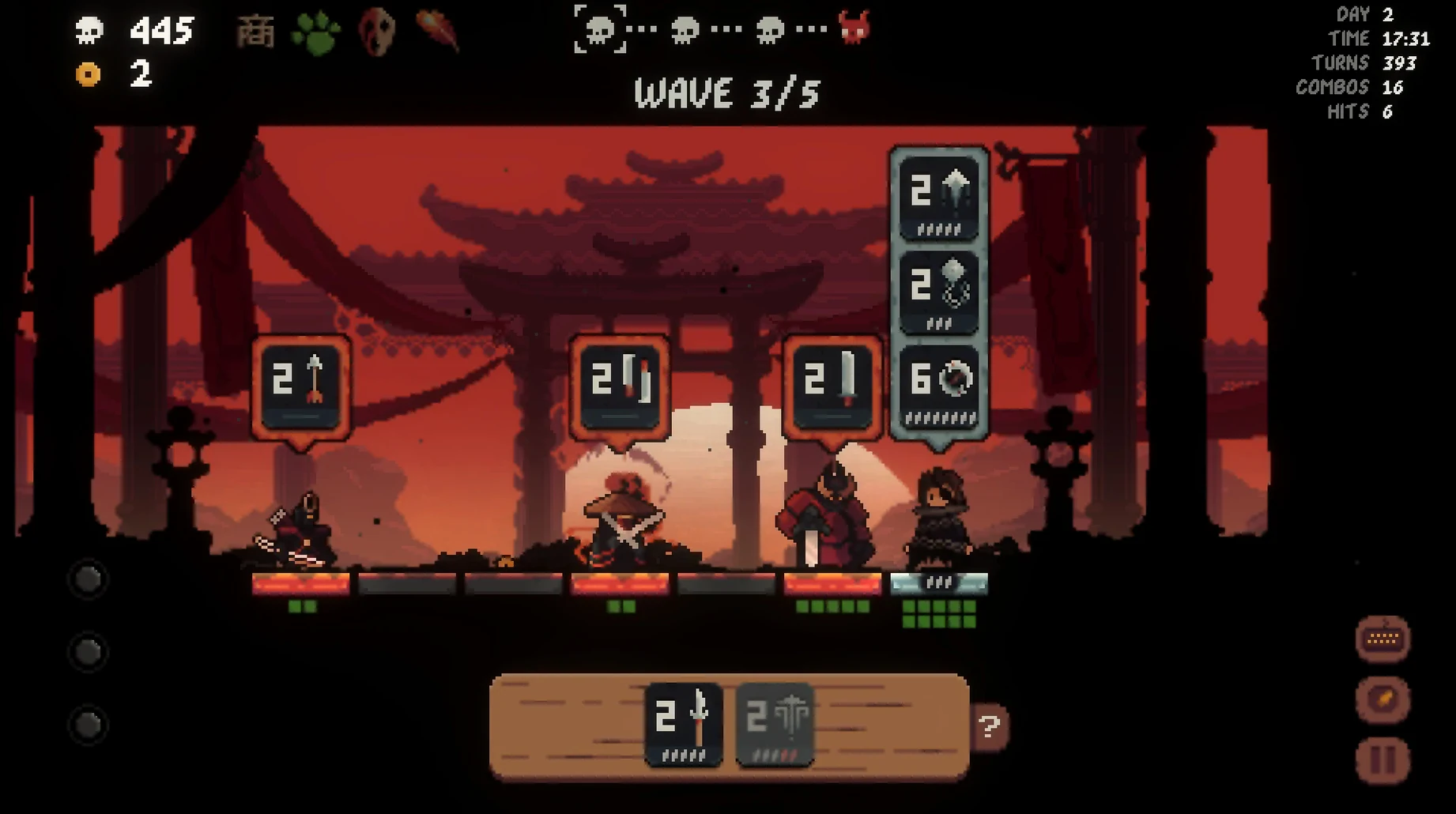
Several details in the interface reward a second look. The attack tiles show their range and damage before you commit, so you can plan a turn without rushing. Positioning markers on the combat grid highlight where your character can move and where an enemy might strike next — useful when you are one tile away from a fatal blow.
The deck screen displays your current hand and the tiles remaining in your draw pile. This is not unusual, but Shogun Showdown shows the exact order of upcoming tiles after a shuffle, which lets you sequence a multi-turn combo without memorising anything. The music changes subtly when you enter a new location, which gives an audio cue that the area’s enemy set has shifted.
Pressing the escape key during combat pauses the game and shows a summary of your current stats — health, attacks equipped, and the Shogun’s remaining favour. No menu diving to check your build mid-fight.
Resizable window lets you keep a notes app open
Shogun Showdown runs in a window by default. You can resize it, and macOS memory management handles the rest — the game does not demand exclusive full-screen focus. This matters if you keep a notes app open for tracking tile combos or a browser with a wiki page for enemy patterns.
Because the game uses standard macOS installer formats, it integrates with the system’s uninstall routine. Drag it to the Trash or use the Applications folder removal method; no leftover registry entries or config files scattered around. Save data lives inside your user folder under the game’s app data directory, so backups via Time Machine or rsync capture your progress without extra steps.
On a Mac with multiple displays, the game stays on the screen where you launched it, which helps if you run it on a secondary monitor while working on something else. The pixel-art style scales cleanly at non-native resolutions, so it looks the same on a Retina display as it does on an external 1080p monitor.
No questions in original heading
Can I play this on an Apple Silicon Mac?
The Mac build is 64-bit Intel. On an M-series Mac, it runs under Rosetta 2.
Does the game have controller support?
The interface is designed for keyboard and mouse. There is no built-in gamepad mapping in version 1.0.2.1a. Third-party tools like Joy2Key can bridge controller input, but I have not tested that route.
Run length depends on side paths and unlocks after death
A run from first combat to facing the Shogun depends on how many side paths you take. Death resets progress, but you keep unlocked characters and skills for future runs.
Can I save mid-run?
The game uses a save-on-exit system. You can close the game between battles and return to the same point. During combat, the game does not auto-save, so quitting mid-turn loses the current fight state.
Start with Shogun mode and choose your starting hero
You launch the game and see the title screen. Choose the Shogun mode — this is the standard roguelike loop. Pick a starting hero; the unlocked roster appears here. On a fresh install you begin with the default character, but after a few runs you will see others available.
The first combat encounter is a group of two enemies. Look at your starting hand: three basic attack tiles and one movement tile. Move your character diagonally to avoid being flanked. Play an attack tile that hits the left enemy. The enemy turn follows; they step forward but cannot reach you because of the gap you created. On your second turn, combine the remaining attack tiles into a combo if the game indicates they chain — the tile border changes colour when two attacks sequence. Execute the combo and clear the first wave.
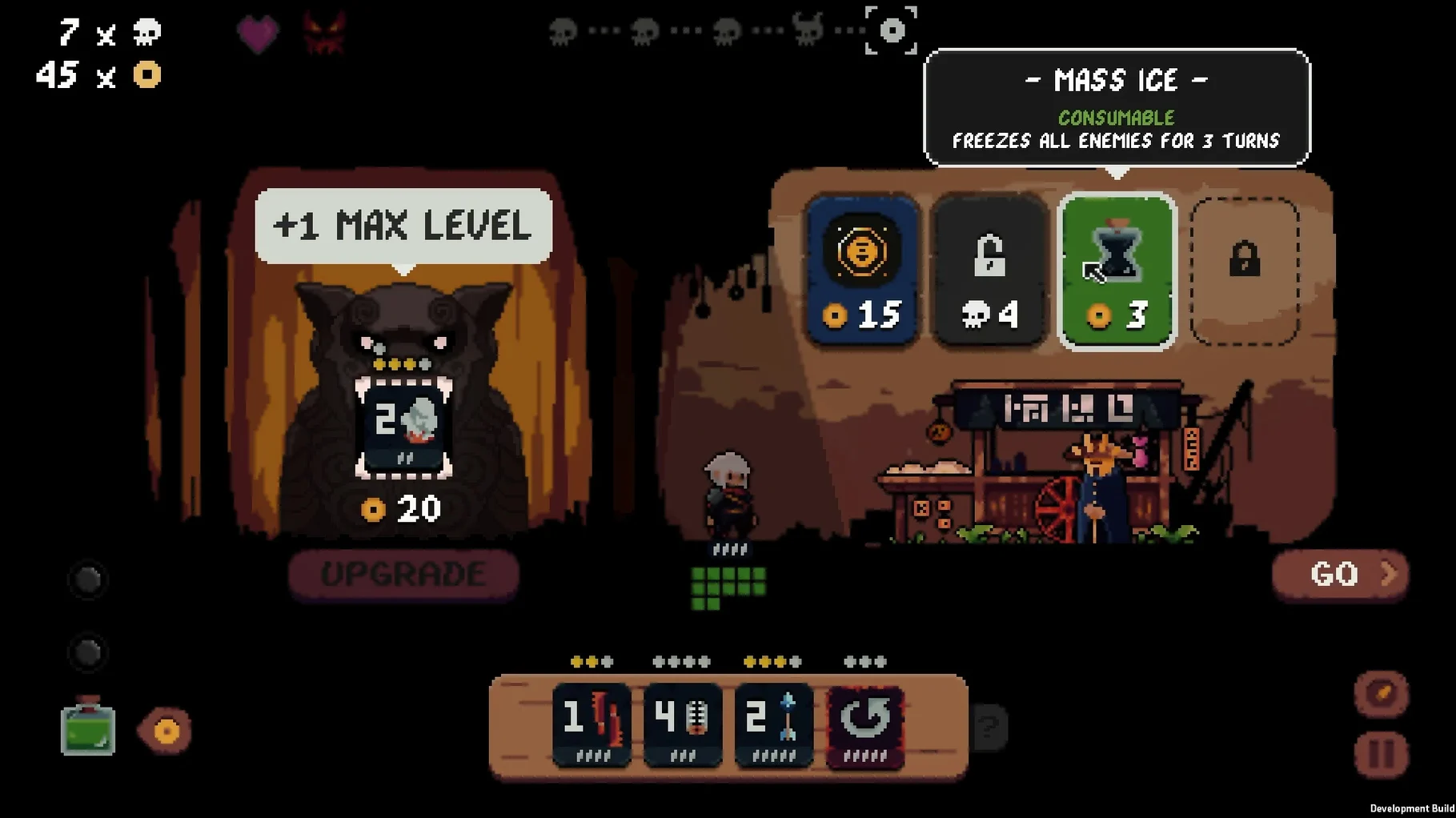
After combat, you choose a reward. The game offers three options: a new attack tile, a skill upgrade, or a health recovery. This increases the power of one of your existing attacks for the rest of the run.
Between encounters you see a map node. Paths branch: one leads to a shop, another to a challenge room, and the third straight to the next fight. Take the shop if you have currency saved — check the top of the screen for your gold counter.
Repeat this loop until you reach the day 7 ascension fight. The Shogun appears with a unique tile set. Spend your accumulated upgrades and combos here. If you die, note which enemy pattern caused the loss, then start a new run with that knowledge.
Shogun Showdown for Mac free download is a turn-based strategy game where you command armies on a pixel-art battlefield.
Changes in this build
Before it goes on the Mac
- macOS ?
- Intel processor
Questions from the room
What happens when I die in Shogun Showdown?
Death is treated as part of progression, which is standard for roguelikes. You start a new run with the knowledge you gained.
Installing it on the Mac
Notes from the control room
Sign in or open a catalogue account to leave a note.
No notes from the room yet. If you have used this build for a week, a short note helps the next person.
Also filed under Games
The whole Games rack Sid Meier’s Civilization VII1.5.0 Games 18 GB
 Software Inc1.8.41 Games 273 MB
 RollerCoaster Tycoon Classic +1.0.435 Games 255 MB
 Rogue Legacy 21.2.2a Games 770 MB
 Spiritfarer35325a Games 1.7 GB
 Starcom: Unknown Space1.0.13c Games 1.9 GB
 Resident Evil Village1.1.2 Games 32 GB
 Stardew Valley1.6.15 Games 467 MB