
Home › Mac Apps › Affinity Photo
Affinity Photo 2.6.5 (Mac)
Updated
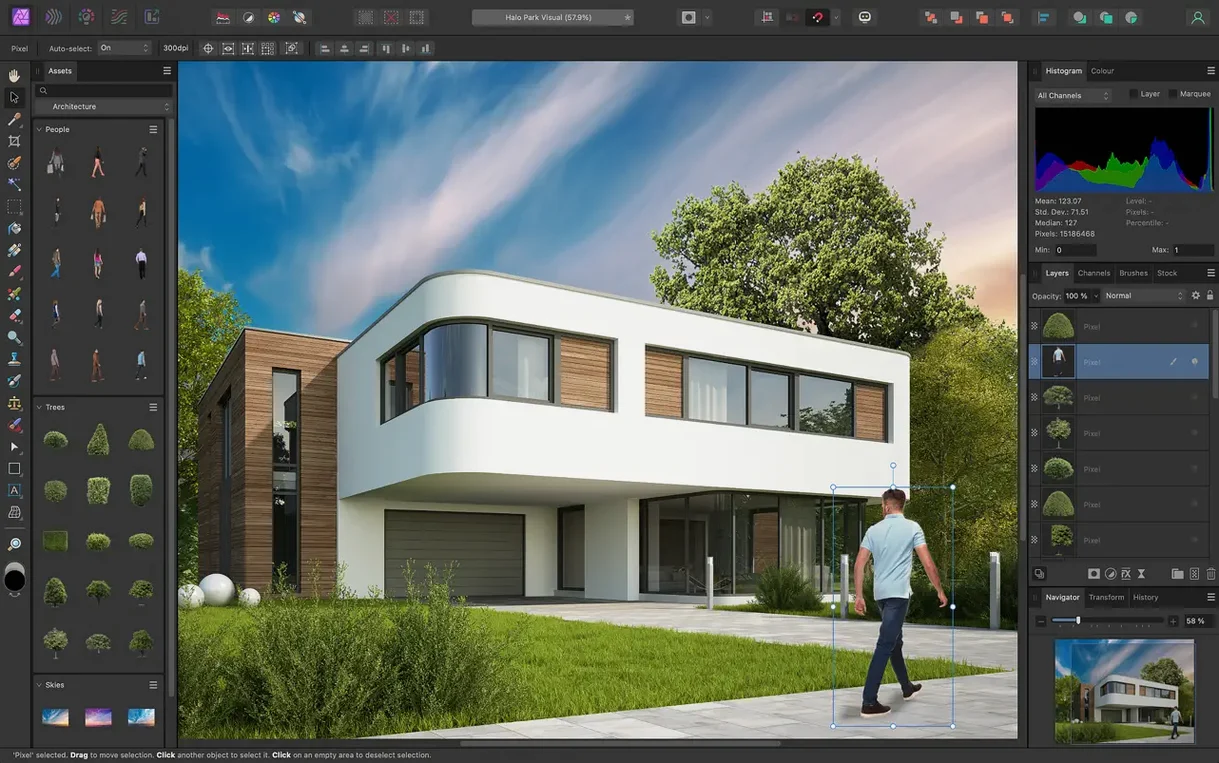
The catalogue note
You shoot RAW, you need to strip out chromatic aberration, and you want to keep every adjustment live until the last export.
Start with the RAW workspace
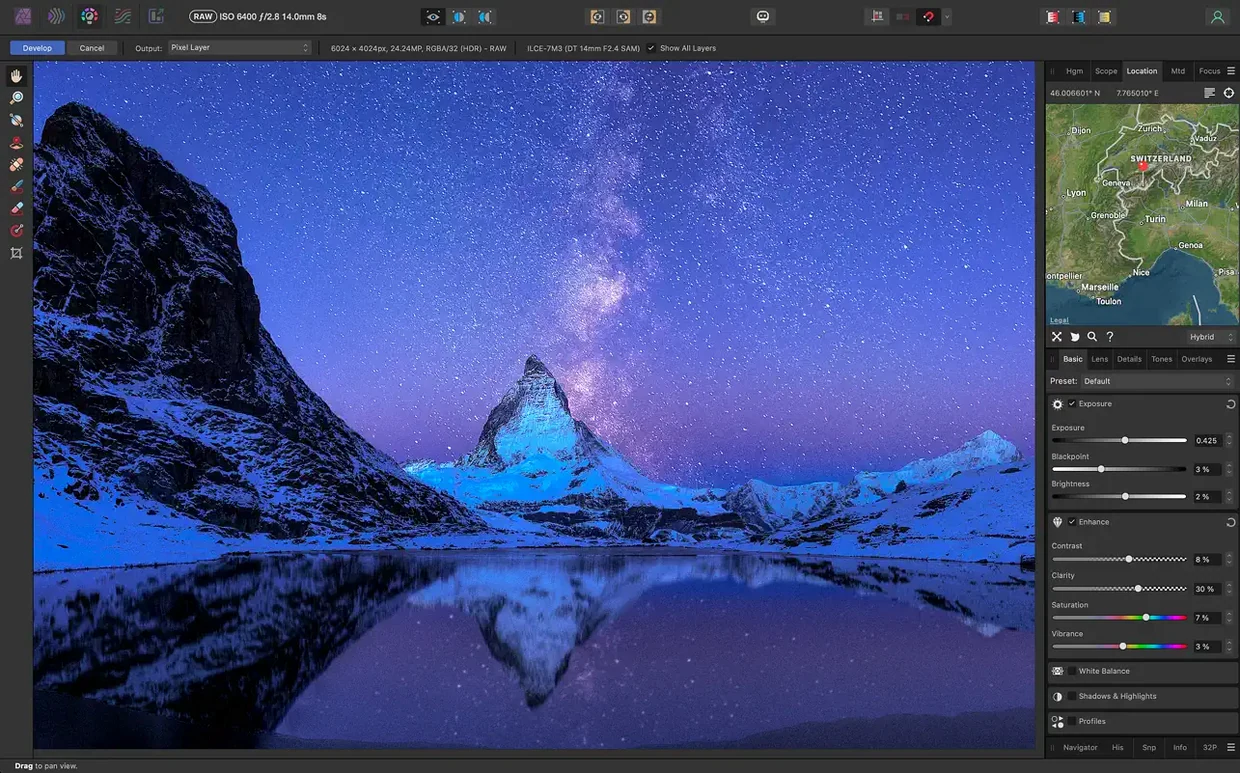
Open a RAW file and you land in a dedicated pre-processing space. Correct exposure, white balance, and lens distortion before you ever touch the pixel layer. Vignetting, fringing, and noise reduction are all there, so the image is clean before the real work starts.
Build a layer stack that stays editable
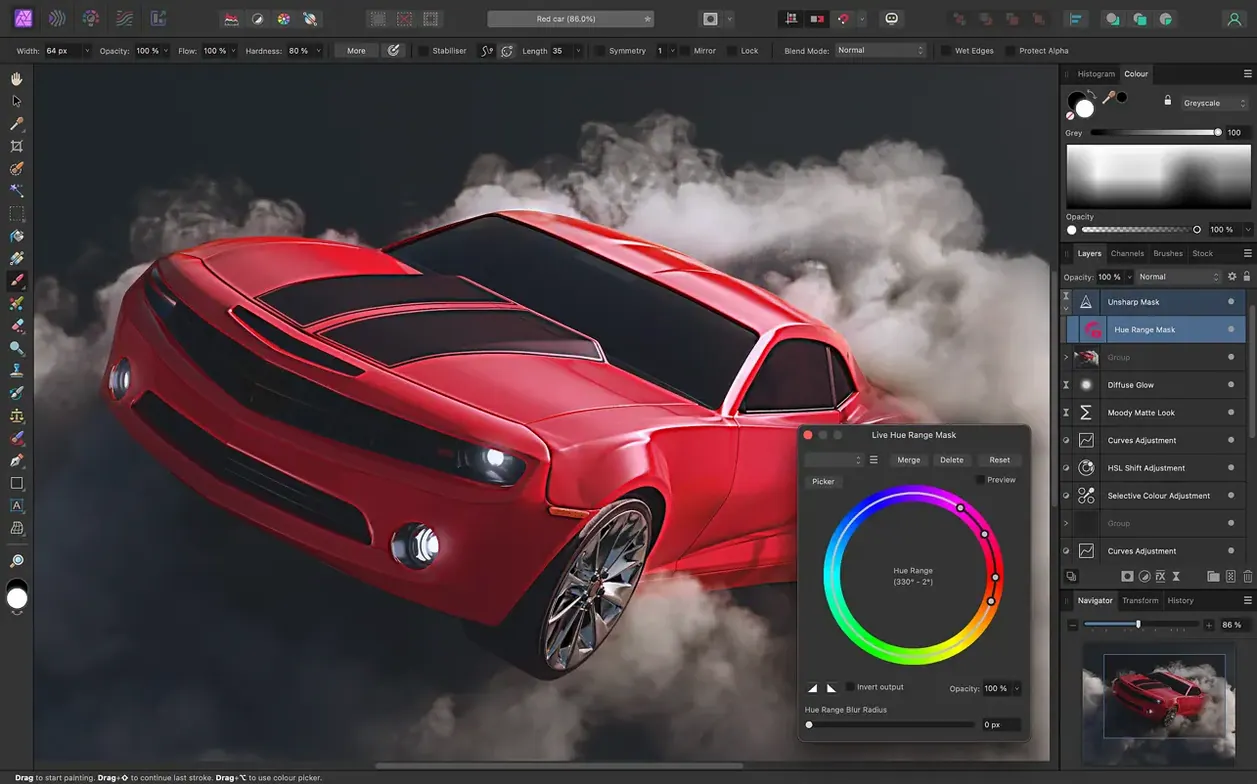
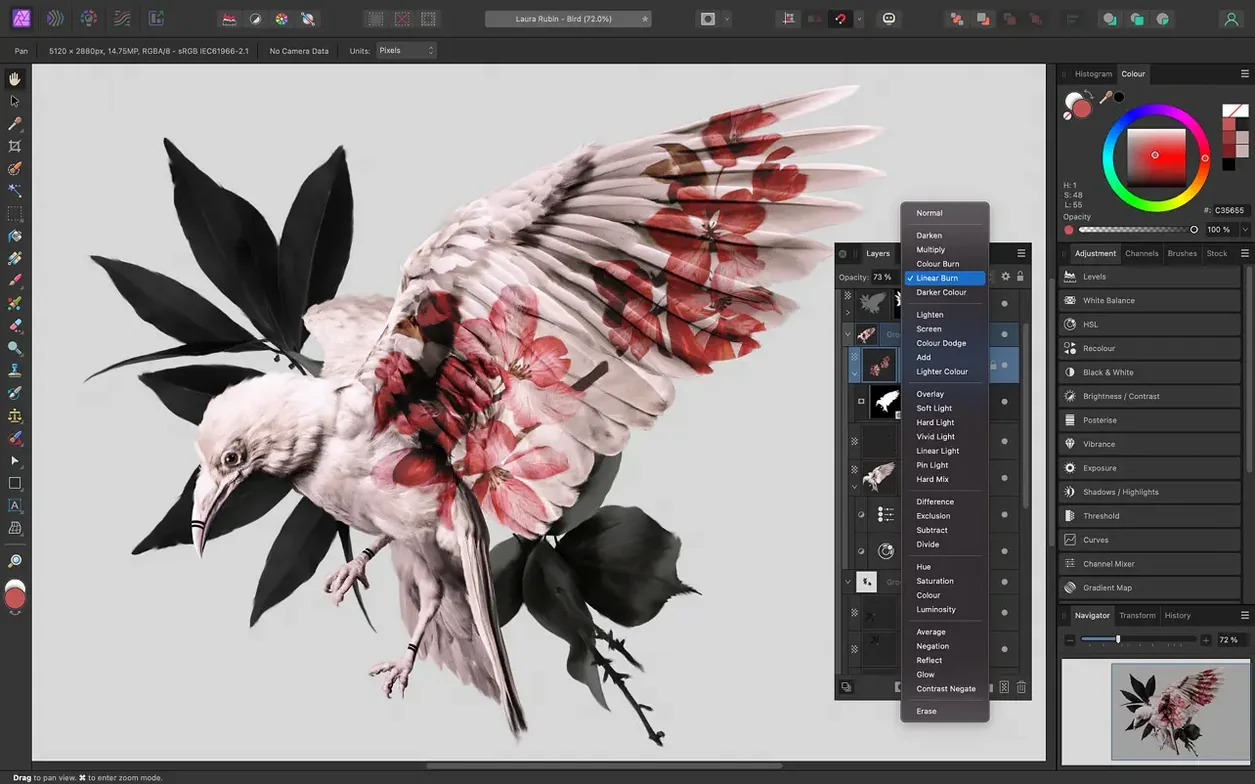
Unlimited layers, group them, drop in adjustment layers and masks, and everything stays live. Real-time editing means you see the result as you drag. If you are coming from Photoshop, PSD files open and save without conversion headaches.
Try frequency separation for skin
For portraits, the frequency separation route separates texture from tone. Smooth the low frequencies, keep the detail in the high ones. The Inpainting brush handles unwanted objects in the same session, and pressure-sensitive tablets work as expected.
Bypassing Gatekeeper to install Affinity Photo
Gatekeeper can be the first hurdle. The workaround is straightforward: open Terminal, type the command that bypasses Gatekeeper, and press Enter. Once that is done, drag the app to the Applications folder and it is ready. If the app still refuses to open, check that you are running macOS 10.15 or later — older versions will not work at all.
Another recurring issue is that the interface language defaults to something unexpected. The app ships with English, German, Spanish, Italian, Simplified Chinese, Portuguese, French, and Japanese. If the menu suddenly reads in a language you do not understand, head to the preferences and switch it back. The setting sticks after a restart.
PSD files open correctly most of the time, but layer effects and smart objects from newer Photoshop versions may appear flattened or missing. That is a format limitation, not a bug. For critical layered work, keep a native .afphoto file as the master and export PSD only when the client demands it.
Affinity Photo vs. Photoshop for photographers and designers
Can it replace Photoshop? That depends on your workflow. For RAW development, retouching, compositing, and print prep, it handles everything a working photographer or graphic designer needs. The layer stack is genuinely unlimited, adjustment layers stay live, and the macro recording feature saves time on repetitive edits. If you rely heavily on Photoshop-specific plugins or Actions that use unsupported scripting, you may need to find alternatives or adapt.
Does it work on Apple silicon natively? Yes, the app runs on both ARM and Intel Macs without emulation overhead. No Rosetta translation layer is required, so performance on M-series machines is what you would expect from a native app.
Can I open and edit 32-bit images? Yes. The app supports 16-bit and 32-bit per channel editing across RGB, CMYK, LAB, and grayscale colour spaces. HDR merging and tone mapping are built in, so you can assemble bracketed exposures and adjust the result without leaving the app.
Is there any support for batch processing? The macro system allows you to record a sequence of steps and replay it on multiple files. For large shoots, that saves time on applying the same exposure correction or lens profile to every frame.
Tethered portrait workflow with RAW corrections and a Wacom tablet
A portrait photographer working with a Wacom tablet shoots tethered into a studio setup. They import a RAW file and first correct white balance and exposure in the dedicated RAW workspace. Lens distortion and fringing are cleaned up there. Then they duplicate the layer and apply frequency separation — the low-frequency layer gets subtle smoothing for skin texture, the high-frequency layer keeps detail. The Inpainting brush removes a stray hair in a few strokes. A curves adjustment layer with a mask brings back shadow detail in the eyes. The entire edit stays nondestructive, and the history is saved with the document so the client can request changes later. The whole workflow takes under ten minutes per image.
Why you should never skip the RAW workspace
- Skipping the RAW workspace. Opening a RAW file directly into the main editing area loses the dedicated pre-processing controls for exposure, black point, clarity, vibrance, white balance, shadows, and highlights. Always let the app open RAW files into the RAW workspace first.
- Working on the background layer. Every edit applied directly to the pixel layer is destructive. Beginners should get into the habit of duplicating the layer or using adjustment layers and live filters. That way, nothing is permanent until the export.
- Ignoring the colour space setting. The app supports RGB, CMYK, LAB, and grayscale. If you edit a print-bound image in RGB and convert later, you may see unexpected shifts. Set the document colour space at the start based on the final output.
- Not saving the edit history. The option to save edit history with the document is off by default. If you need to revisit earlier states, turn it on. It increases file size but gives you a full undo trail across sessions.
- Overusing the Inpainting brush. For small distractions it works well. For large areas or repeating patterns, the clone and patch tools produce more convincing results. Match the tool to the problem.
Before it goes on the Mac
- macOS 10.15 Catalina or later
- Apple silicon or Intel Mac
- Interface languages: English, German, Spanish, Italian, Simplified Chinese, Portuguese, French, Japanese
Questions from the room
Does Affinity Photo work on both Intel and Apple silicon Macs?
Yes, Affinity Photo supports both Apple silicon and Intel Macs, so it runs natively on M-series chips and on older Intel models.
Installing it on the Mac
- Mount the disk image and launch Open Gatekeeper friendly.
- Press Enter in Terminal to bypass Gatekeeper.
- Drag the app to the Applications folder.
- The app is ready to use.
Notes from the control room
Sign in or open a catalogue account to leave a note.
No notes from the room yet. If you have used this build for a week, a short note helps the next person.
Also filed under Mac Apps
The whole Mac Apps rack Affinity Designer2.6.5 Mac Apps 779 MB
 Affinity Publisher2.6.5 Mac Apps 783 MB
 Adobe Substance 3D Painter12.1.5 Mac Apps 3 GB
 Adobe Premiere Rush1.5.62 Mac Apps 1.6 GB
 AI Transcription2.16 Mac Apps 5.1 GB
 Adobe Photoshop28.0.0 Mac Apps 3.5 GB Updated
 Aiarty Image Enhancer3.14 Mac Apps 129 MB
 Adobe Lightroom Classic15.6.0 Mac Apps 3.7 GB