Home › macOS › macOS High Sierra

Updated
The catalogue note
The current version 10.13.6 (build 17G66) brings AirPlay 2 multi-room audio support to iTunes, alongside stability and security improvements. It also resolves an issue where Photos failed to recognise AVCHD media from certain cameras, and a Mail bug that prevented moving messages from Gmail to another account.
| Detail | Value |
|---|---|
| Version | 10.13.6 (17G66) |
| Developer | Apple |
| Release | Desktop operating system |
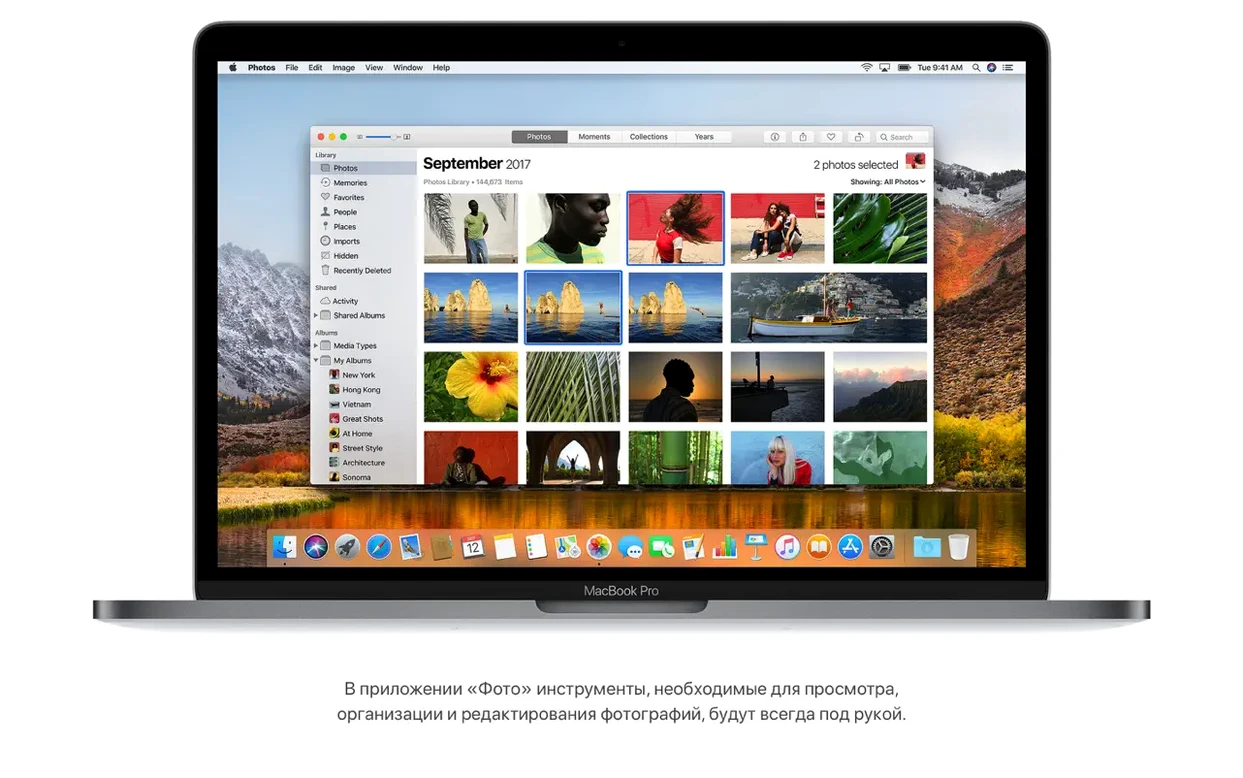
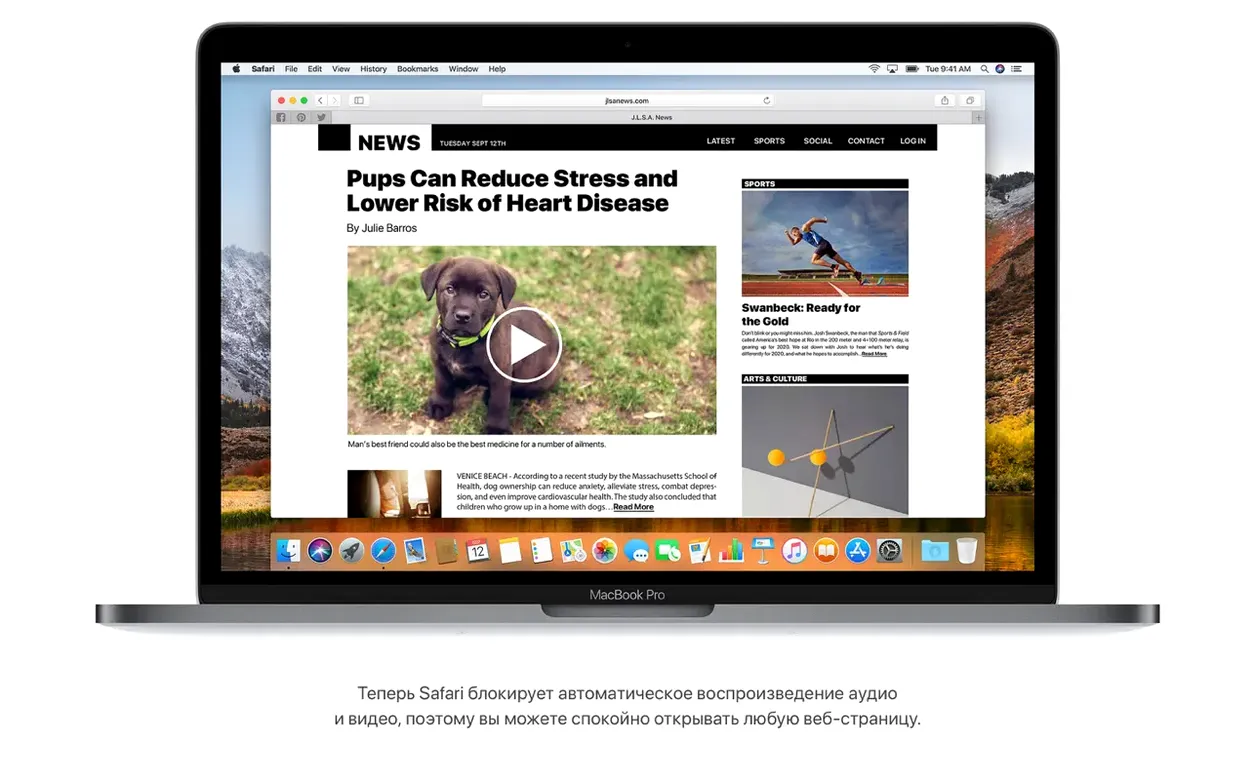
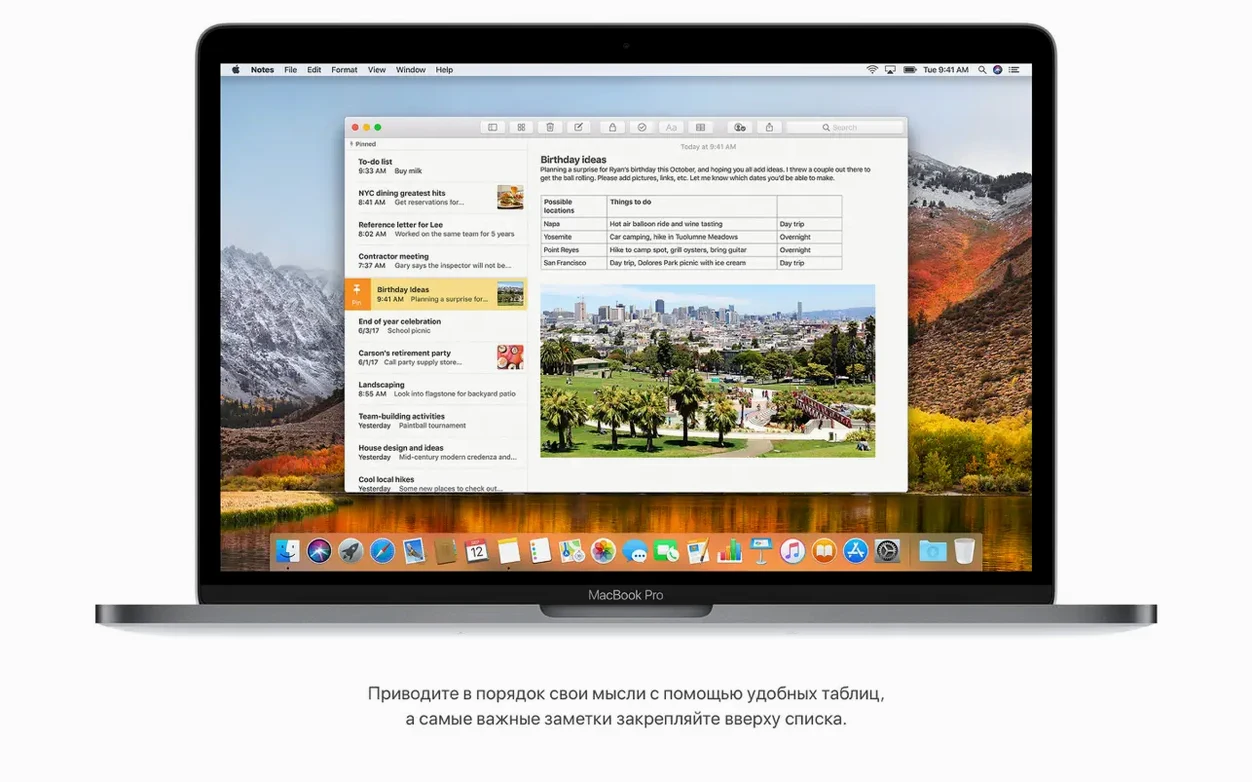
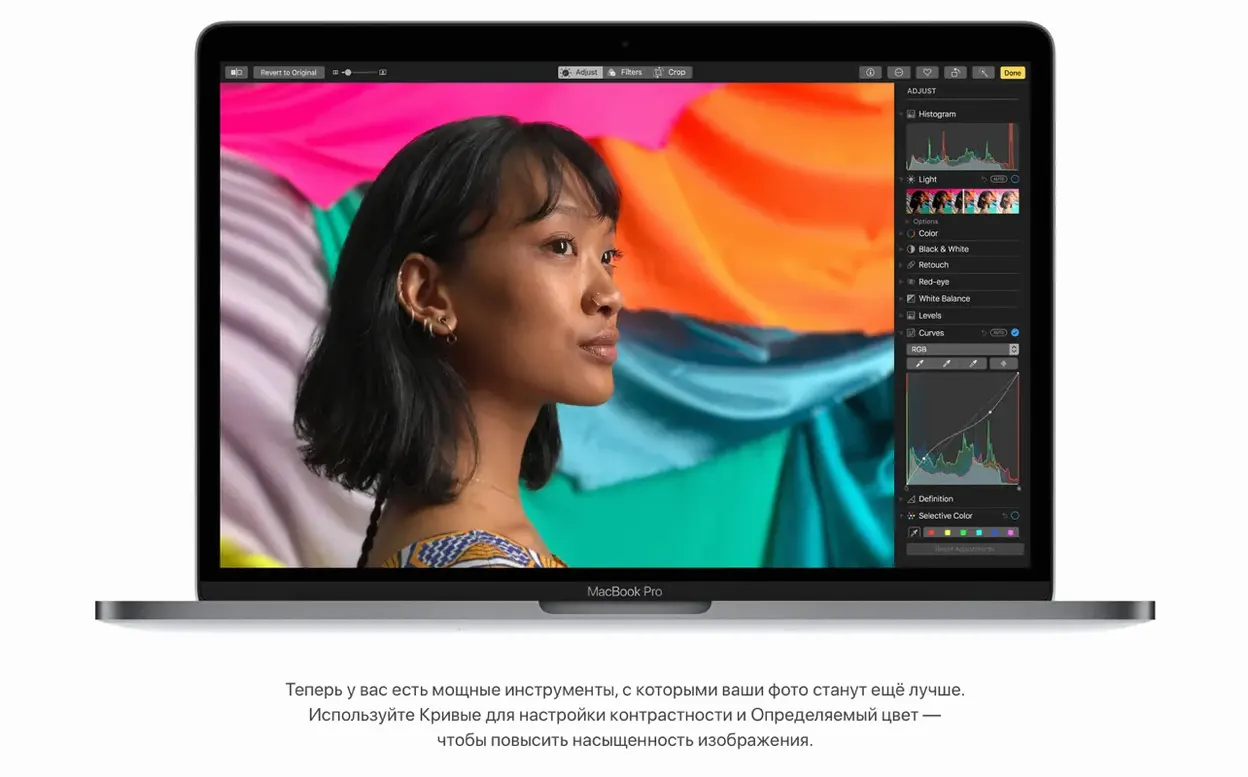
Before downloading a torrent of Mac High Sierra, check your hardware. This OS runs exclusively on Intel-based Macs with at least 2GB of memory and 14.3GB of free storage for the upgrade. It introduces the Apple File System (APFS) with built-in encryption and improved performance, Metal 2 for graphics, and a revised Photos app with a fixed sidebar. Safari now blocks autoplaying sound, and Notes supports simple tables. The installer requires macOS 10.13.5 or later to begin — if your machine meets that, High Sierra will work.
Give High Sierra a day to settle before judging performance
Once High Sierra is running, give the system a day to settle before assuming anything is wrong. Spotlight will re-index your drives after the APFS conversion, which can make the Mac feel sluggish for an hour or two — that is normal. Let it finish before you run any disk-intensive work.
Open System Preferences → iCloud and sign in if you skipped that during setup. iCloud Drive sharing, introduced in this version, lets you share any file or folder with a link, and the recipients see live updates. Turn it on for the folders you use most, especially if you collaborate on project files.
Check that your audio interfaces, printers and other peripherals still work. High Sierra dropped support for some older 32-bit kernel extensions, so anything that relied on a kext may need a firmware update from the manufacturer. If a device stops responding, check the vendor site before rolling back the OS.
If you moved from an earlier macOS version, your drive will be converted to APFS automatically during installation. This is a one-way migration — you cannot revert to HFS+ without erasing the drive and restoring from a backup. Verify that Time Machine or another backup method is running before you do anything else.
Setting up a shared project folder for a small team
Here is a concrete workflow that uses several High Sierra features together: setting up a shared project folder that the whole team can access without copying files back and forth.
- Create a folder on your Mac — call it Studio_Assets or similar.
- Right-click the folder and choose Share → Add People. This uses iCloud Drive sharing. You can send a link via Mail, Messages, or copy it to the clipboard.
- Set permissions to Can make changes so everyone can drop files in and edit them.
- Open Finder and drag the shared folder into the sidebar. Now every team member who accepts the link sees the folder in their own Finder sidebar, and changes sync automatically.
- Use Notes to keep a running log of what was added or changed. Create a simple table with columns for Date, File, Who and Notes. The table feature in Notes is basic — no merging cells — but it is fast and syncs across all devices signed into the same iCloud account.
This avoids emailing files or maintaining a separate server. Because iCloud Drive is built into the OS, there is no third-party app to install. The whole thing takes about two minutes to set up.
Fix the Mail Gmail forwarding glitch by holding Option on relaunch
Mail refuses to move a message from Gmail to another account. This was a known issue in earlier builds of High Sierra, fixed in 10.13.6. If you still see it after updating, quit Mail, hold the Option key and relaunch it to rebuild the mailbox list. If that does not help, remove the Gmail account from Internet Accounts and add it again.
Photos does not recognise AVCHD media from a camera. The same update addressed this. If you imported the files before updating, they may appear as unplayable clips. Open Photos, select the clips and choose File → Export → Export Unmodified Original to save them outside the library, then re-import after the update.
AirPlay 2 speakers disappear from iTunes. Make sure all speakers are on the same Wi-Fi network and that the Home app on your Mac (or iOS device) shows them as configured. Go to iTunes → Preferences → Playback and tick Allow AirPlay speakers to stream audio. If a speaker still does not appear, restart iTunes and the speaker.
The system feels slower after the APFS conversion. This is temporary. Spotlight reindexes the entire drive, and TRIM on SSDs may need a few hours to settle. Leave the Mac plugged in overnight with the lid closed — the process finishes in the background.
An app you rely on does not open. High Sierra is a 64-bit-only environment. If the app is 32-bit, it will not launch. Check the developer site for an updated version or a replacement. You can see which apps on your system are still 32-bit by going to About This Mac → System Report → Applications and looking at the 64-Bit (Intel) column.
Spotlight flight info works with any flight number, no setup required
The Spotlight flight information feature works without any setup. Type a flight number — for example, LH123 — into Spotlight and it shows arrival time, departure time, delays, terminal, gate and a flight map. This is useful if you are picking someone up from the airport and want a quick check without opening a browser.
Safari can be set to open articles in Reader mode automatically. Go to Safari → Preferences → Websites → Reader and choose On for specific sites or All websites. Once enabled, every supported article loads in a clean, ad-free view without clicking anything.
Mail Top Hits puts the most relevant messages at the top of the search results. It learns from your reading habits — messages from frequent contacts or recent threads appear first. You do not need to configure anything; it is on by default.
Notes simple tables are added by clicking the table icon in the toolbar or using the menu bar. You can add and delete rows and columns, but there is no formatting like bold headers or merged cells. It is enough for a quick checklist or a shared to-do list that syncs across devices.
Metal 2 is not something you interact with directly, but it affects anything that uses graphics — video playback, photo editing, games and VR content creation. If you use apps that support Metal 2, you may notice smoother performance in full-screen video and faster rendering in supported creative software.
How High Sierra fits with other apps and macOS features
High Sierra acts as a foundation for the rest of your software. The APFS file system is transparent — you never see it unless you open Disk Utility — but it improves file duplication and snapshot management, which matters if you use Time Machine or run virtual machines.
HEVC video playback is handled at the system level, so any app that uses the QuickTime framework — including Final Cut Pro, Compressor, and third-party video players — can play HEVC files without additional codecs. This is useful if you receive footage from modern cameras or drones.
Safari’s autoplay blocking works across all websites by default. If you need to allow autoplay for a specific site, you can override it in Safari → Preferences → Websites → Auto-Play. This is a per-site setting, not a global on/off switch.
iCloud Drive sharing integrates with Finder, Mail and Messages. You do not need to open a web interface to manage permissions — right-click any file or folder in Finder and choose Share → Add People. The same sharing sheet appears in Mail and Messages, so you can send a link directly from the compose window.
The Photos app’s fixed sidebar and editing tools (Curves, Selective Color) are available in the same window. You can drag and drop images between albums, and the sidebar stays visible even when you are editing a photo. This is a small change from earlier versions, but it saves a click every time you switch between browsing and editing.
If you use a Mac OS High Sierra torrent to obtain the installer, remember that the disk image you download contains a standard Apple installer package. Extract the Install macOS High Sierra.app to your Applications folder, then launch it from there. The process is the same regardless of how you obtained the file — the installer checks your hardware compatibility before it writes anything to the disk.
Changes in this build
- Adds AirPlay 2 multi-room audio support for iTunes.
- Improves the stability and security of the Mac.
- Fixes an issue that may prevent Photos from recognising AVCHD media from some cameras.
- Fixes an issue that may prevent Mail users from moving a message from Gmail to another account.
Before it goes on the Mac
- Intel-based Mac
- macOS 10.13.5 or later
- 2GB of memory
- 14.3GB of available storage to perform the upgrade
Questions from the room
Can I install macOS High Sierra on an Apple Silicon Mac?
No. High Sierra requires an Intel-based Mac; it does not support Apple Silicon processors.
How much storage do I need to upgrade to High Sierra?
You need at least 14.3GB of available storage to perform the upgrade.
What file system does macOS High Sierra use?
High Sierra introduces Apple File System (APFS), which includes built-in encryption and improved performance.
Installing it on the Mac
- Open the downloaded disk image.
- Extract the installer app to the Applications folder.
Notes from the control room
Sign in or open a catalogue account to leave a note.
No notes from the room yet. If you have used this build for a week, a short note helps the next person.