
Updated
The catalogue note
macOS Catalina reached its final update at version 10.15.7 (19H15), and it remains a common choice for studio Macs that need a stable Intel-native environment.
What hardware and software does catalina actually support
Catalina runs exclusively on Intel-based Macs. Compatible models start from Early 2015 MacBooks, Mid 2012 MacBook Airs and Pros, Late 2012 Mac minis and iMacs, through to the 2017 iMac Pro and Late 2013 Mac Pro. The minimum memory is 4 GB, and you need 12.5 GB free for an upgrade from El Capitan 10.11.5 or later. Apple’s own apps — Music, TV and Podcasts — replace the old iTunes media functions, and the Finder now handles iPhone and iPad sync and backup directly. The installer itself is delivered as a disk image: you open it, copy the installer app to Applications, and run it from there.
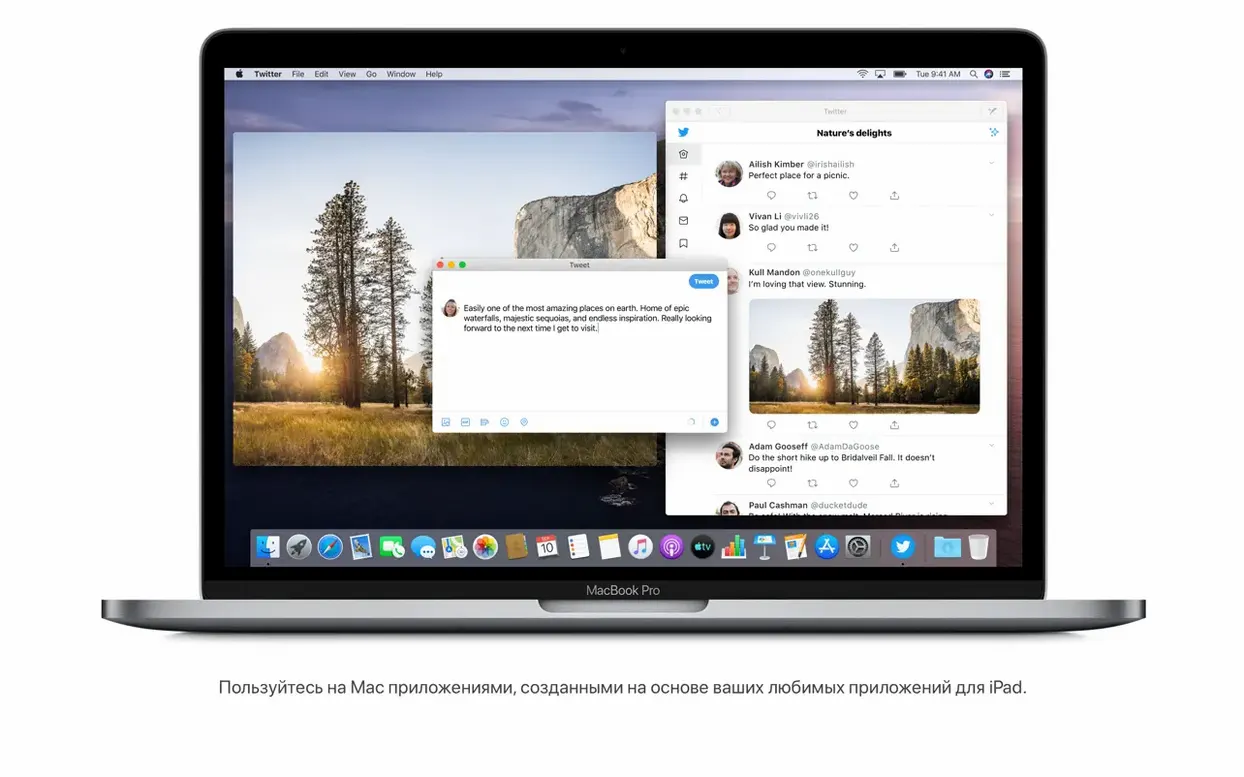
Catalina drops 32-bit application support entirely, so any older plug-ins or utilities must be 64-bit before you migrate. Safari gets a redesigned start page that pulls in browsing history, bookmarks, Reading List, iCloud tabs and Messages links — worth noting if you rely on browser-based cloud services. Notes can now search scanned documents and recognise objects in photos, and iPad apps that the developer makes available can run directly on the Mac. Version 10.15.7 resolves Wi‑Fi reconnection, iCloud Drive syncing, and a display problem for the 2020 iMac Retina 5K 27‑inch with Radeon Pro 5700 XT. A broadband internet connection is required for some features, but the core OS runs fine on a local machine once installed.
Voice Control lets you operate the Mac entirely by speech
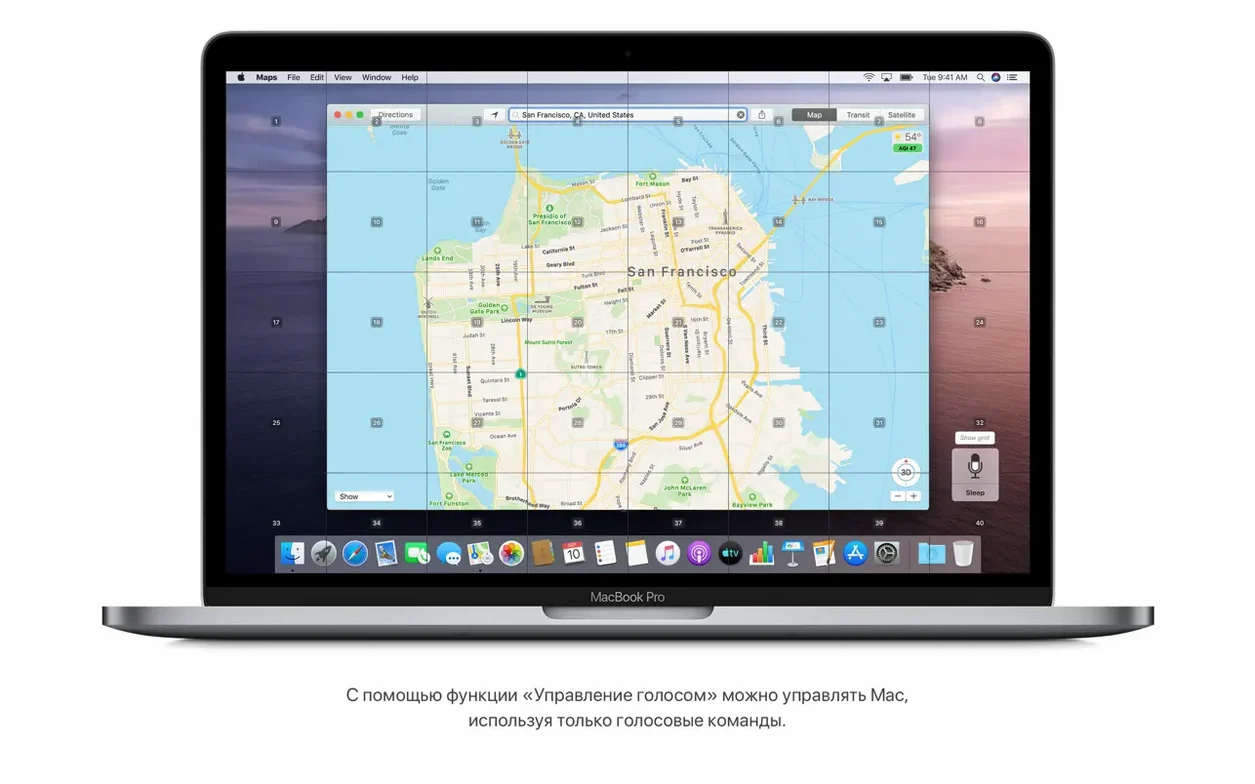
Catalina includes several details that do not announce themselves loudly but make daily work more straightforward once you know they are there. Voice Control is one of them: you can control the Mac entirely with speech, which is useful if your hands are busy with a soldering iron or a guitar cable. It works system-wide, so you can open apps, click buttons and dictate text without touching the keyboard.
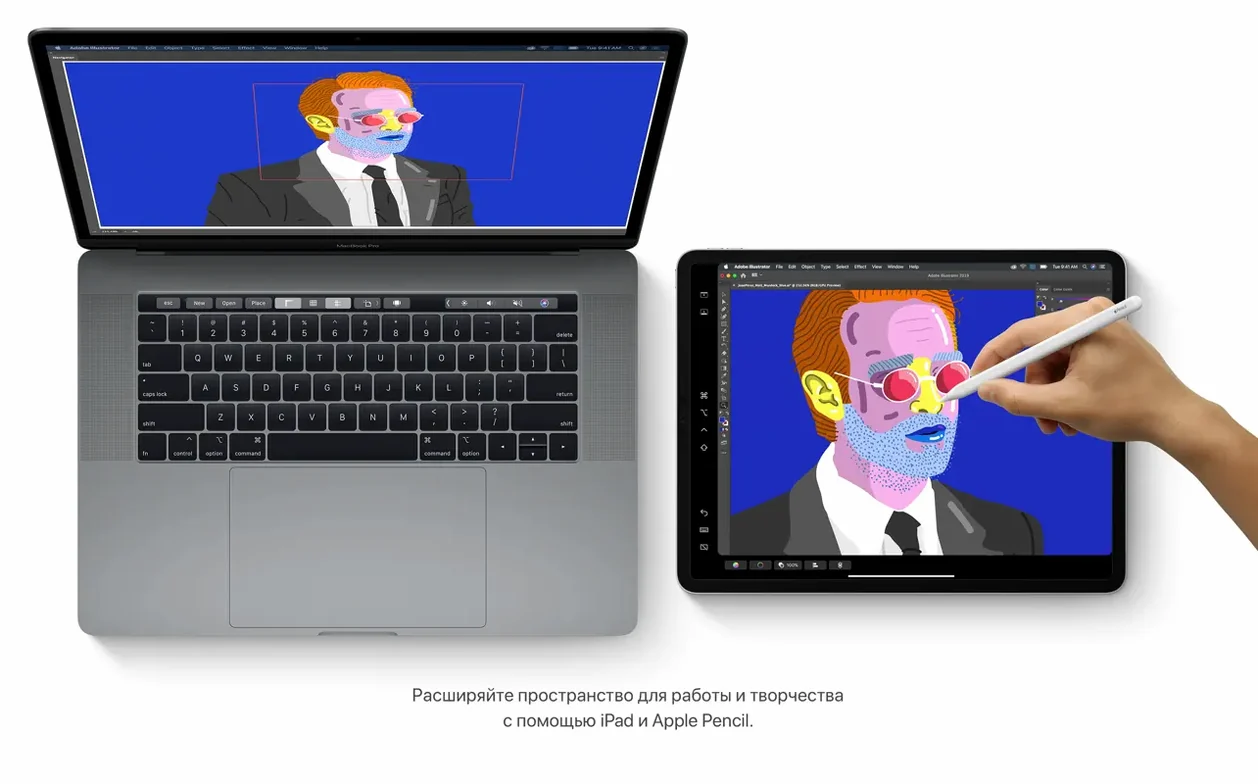
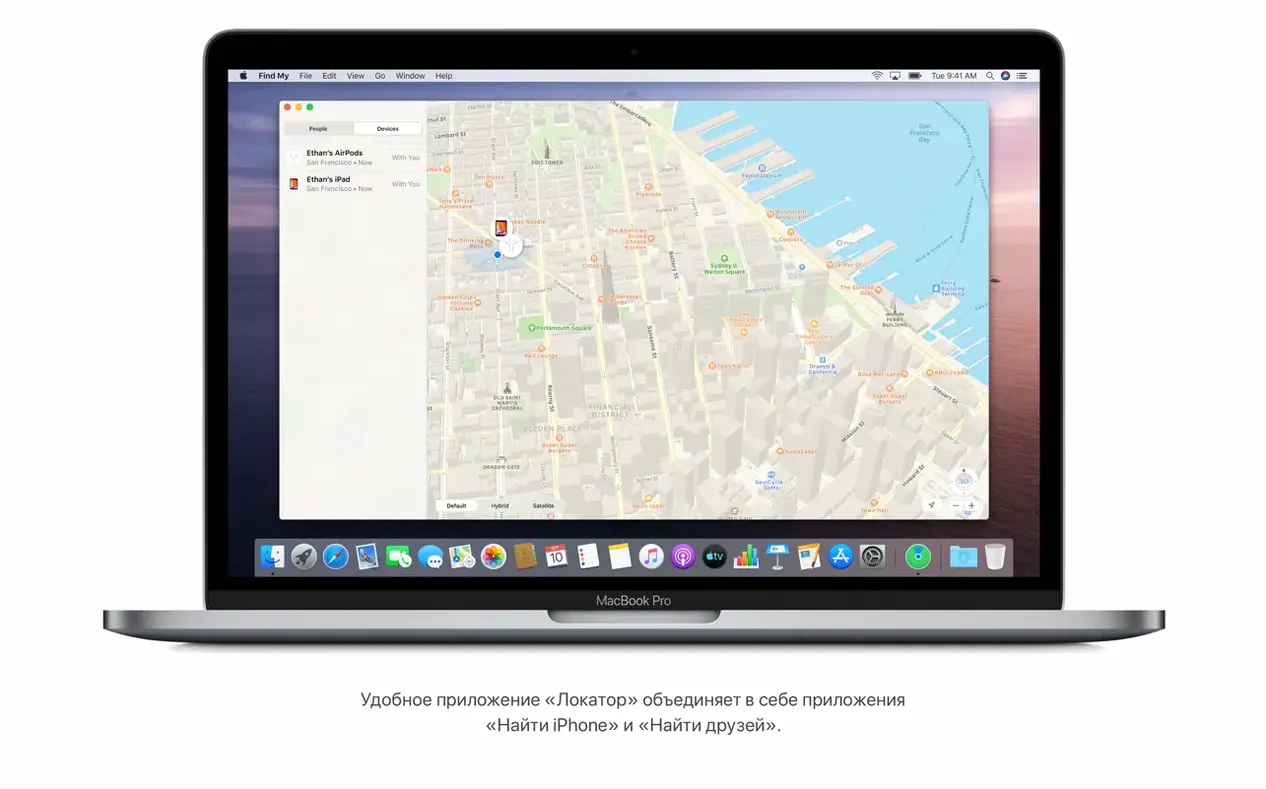
The Find My app combines the old Find My Mac and Find My Friends into a single window. If a studio laptop gets misplaced between sessions, you can locate it from another device without switching between separate apps. With Sidecar, you can wirelessly or via USB use an iPad as an additional monitor. For a studio engineer, that means you can extend your DAW’s mixer view or keep a plugin’s control panel open on the iPad while the main screen shows the arrangement.
Reminders received new editing controls that let you add dates, locations, flags and attachments to individual items. It sounds minor, but if you track maintenance tasks like “back up session files” or “check cable loom” as recurring reminders, the extra fields make them actually useful rather than just a list of text. The Finder now also handles iPhone and iPad sync directly, which removes one more utility from the dock and keeps device management inside the file browser.
Catalina’s final build focuses on reliability, not new features
The current build, 10.15.7 (19H15), is the final release of Catalina. Its changes are not about new features — those arrived in earlier point releases — but about reliability in the areas that matter for a working machine. The update resolves an issue where macOS would not automatically reconnect to known Wi-Fi networks. In a studio environment, where the Mac might sit on a different subnet for file transfers or remote control, having the Wi-Fi fall back to a known network after a reboot saves a trip to the Network pane.
Another fix prevents files from failing to sync through iCloud Drive. If you share session folders or sample libraries across machines, a stalled sync can mean working on an outdated copy without realising it. The fix targets graphical artefacts that could appear under certain conditions, so if you run that configuration, the 10.15.7 update is worth installing for that reason alone.
Beyond these, the update bundles the security patches that have accumulated since the previous build. For a machine that stays offline or on a locked network, the security fixes may feel secondary, but for any Mac that touches the internet — for plugin authorisation, cloud storage or software downloads — they are the usual prudent step.
Requires Intel 64‑bit, 4 GB RAM, and 12.5 GB free storage
Catalina is built for Intel 64‑bit Macs only. It requires at least 4 GB of memory and 12.5 GB of free storage for an upgrade from OS X El Capitan 10.11.5 or later. If your machine is older than the compatible models listed — Early 2015 MacBook, Mid 2012 MacBook Air and MacBook Pro, Late 2012 Mac mini and iMac, 2017 iMac Pro, Late 2013 Mac Pro — the installer will not run.
The OS supports 32 languages, from Russian and English through to Japanese and Vietnamese. That is relevant if you collaborate with engineers who work in a different locale, or if you prefer the interface in your native language. A broadband internet connection is required for some features, particularly iCloud services, the media apps and system updates. The base install does not need a constant connection, but downloading the installer itself obviously does.
Note that the architecture is strictly x86 64‑bit. There is no ARM translation layer and no support for 32‑bit applications. Any plugin, driver or utility that has not been updated to 64‑bit will not load. That includes many older audio units, VSTs and hardware drivers. Before you commit to Catalina, check every piece of software you rely on for a 64‑bit version.
Assuming a 2011 MacBook Pro runs Catalina is the most common error
The most common error is assuming that an older Mac can run Catalina just because it has enough RAM and disk space. The compatibility list is specific: a 2011 MacBook Pro, for example, has 4 GB of RAM and can hold the installer, but it will not boot Catalina because the firmware does not support it. Always verify your exact model year before downloading.
Another mistake is skipping the 32‑bit audit. Catalina does not warn you after installation — it simply refuses to open older apps. Use the System Information app beforehand to list all 32‑bit software on your current system. If you rely on a legacy plugin or a utility that has not been updated, you either replace it or stay on an earlier macOS version.
Beginners also tend to run the installer directly from the disk image without copying it to the Applications folder first. The installer expects to be launched from there, and running it from the mounted image can cause permissions errors partway through. The correct sequence is: open the disk image, copy the installer app to Applications, then launch it from Applications. Once the installation finishes, you can delete the installer to reclaim disk space.
Finally, some users assume that Sidecar works with any iPad. It does, but the iPad must support the feature — models from 2016 onward, including the iPad Pro, iPad (6th generation or later), iPad mini (5th generation or later) and iPad Air (3rd generation or later). Older iPads will not appear as a display option. The connection can be wireless or wired; the wired route is more stable for studio use, as it avoids latency and keeps the iPad charged.
Changes in this build
Before it goes on the Mac
- macOS 10.9 or later (for upgrade compatibility)
- Intel-based Mac
- 4 GB memory
- 12.5 GB available storage (for upgrade from OS X El Capitan 10.11.5 or later)
Installing it on the Mac
Notes from the control room
Sign in or open a catalogue account to leave a note.
No notes from the room yet. If you have used this build for a week, a short note helps the next person.