Ultros 1.3.5 (Mac)
Updated

The catalogue note
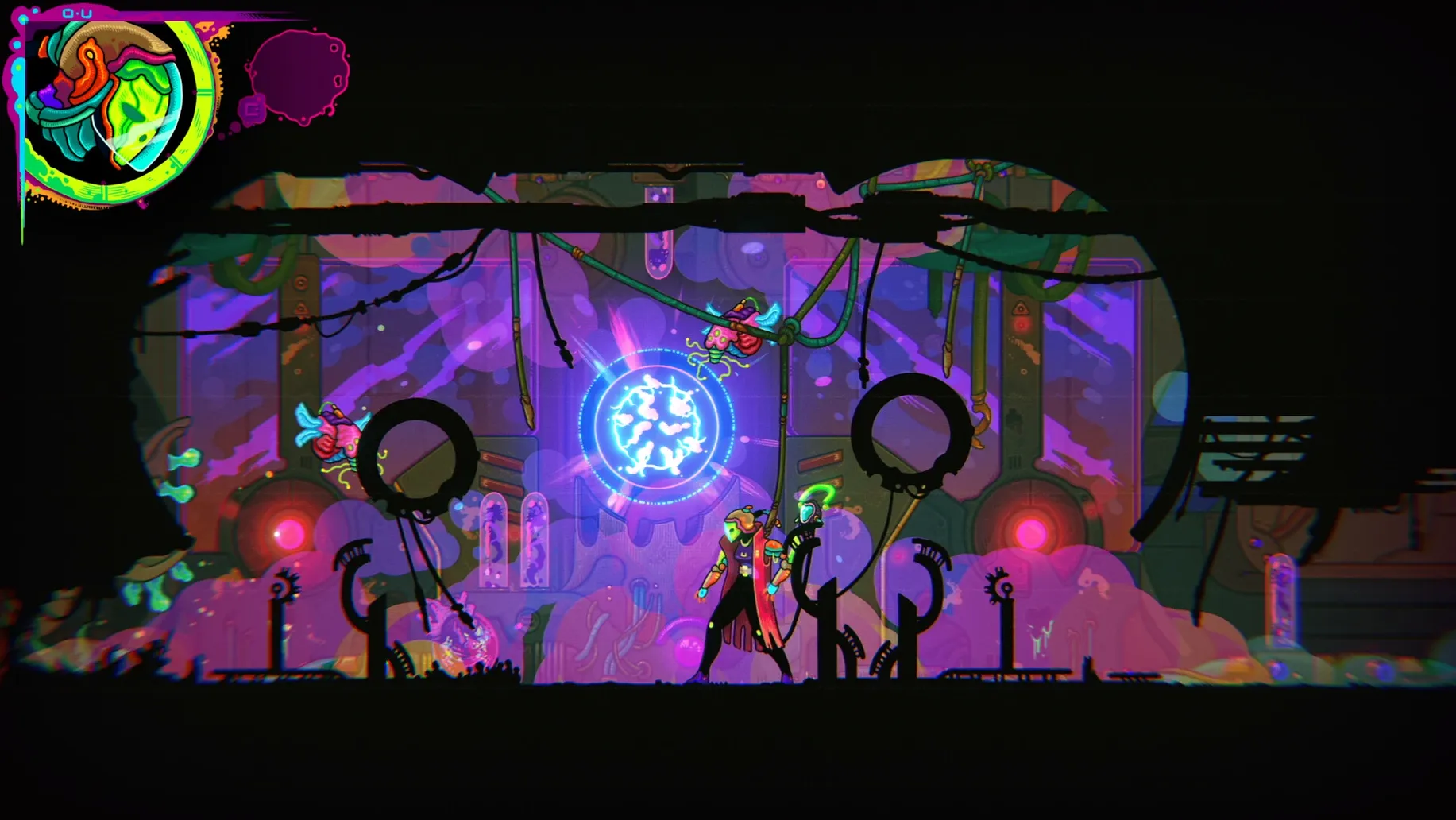
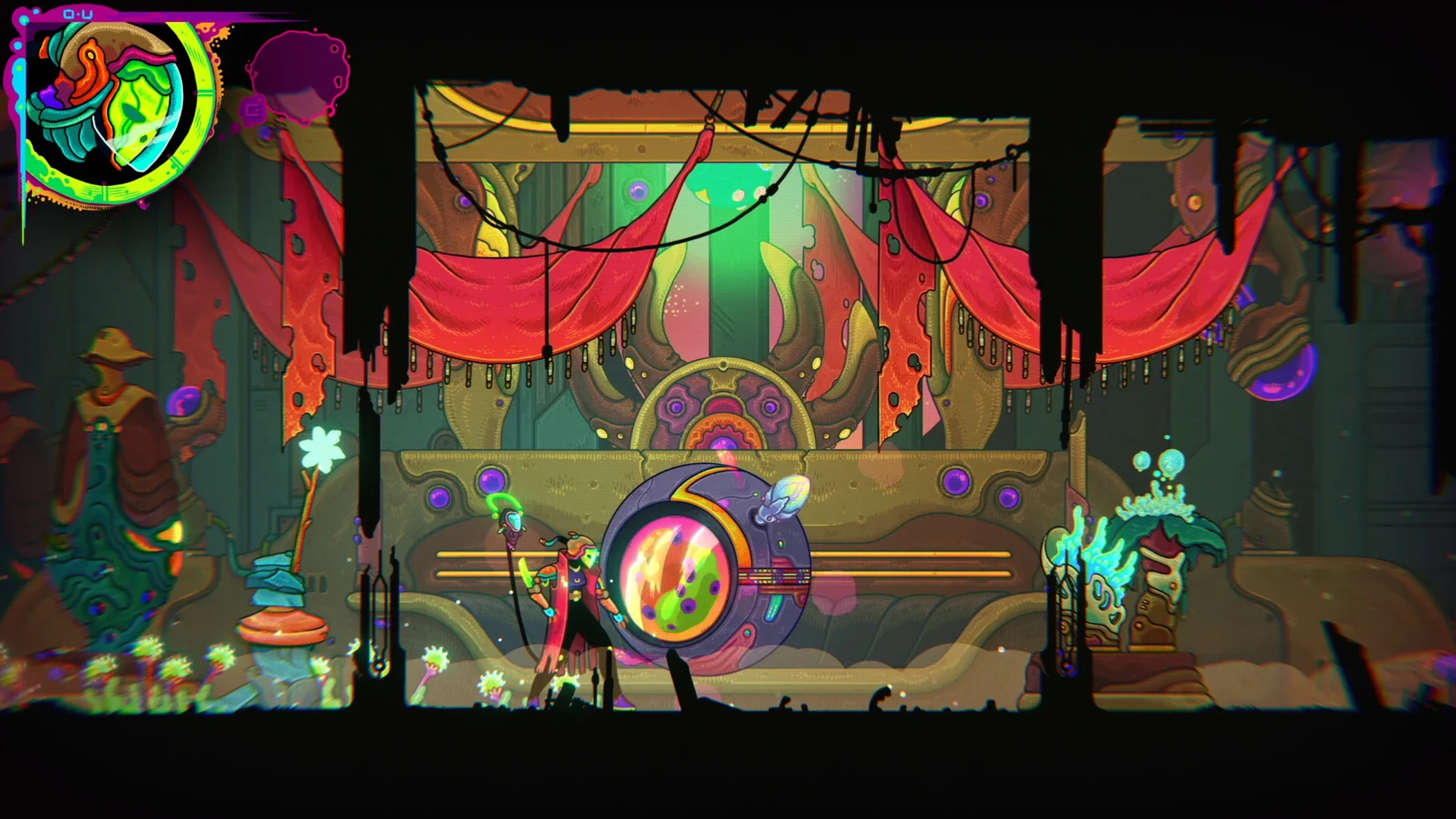
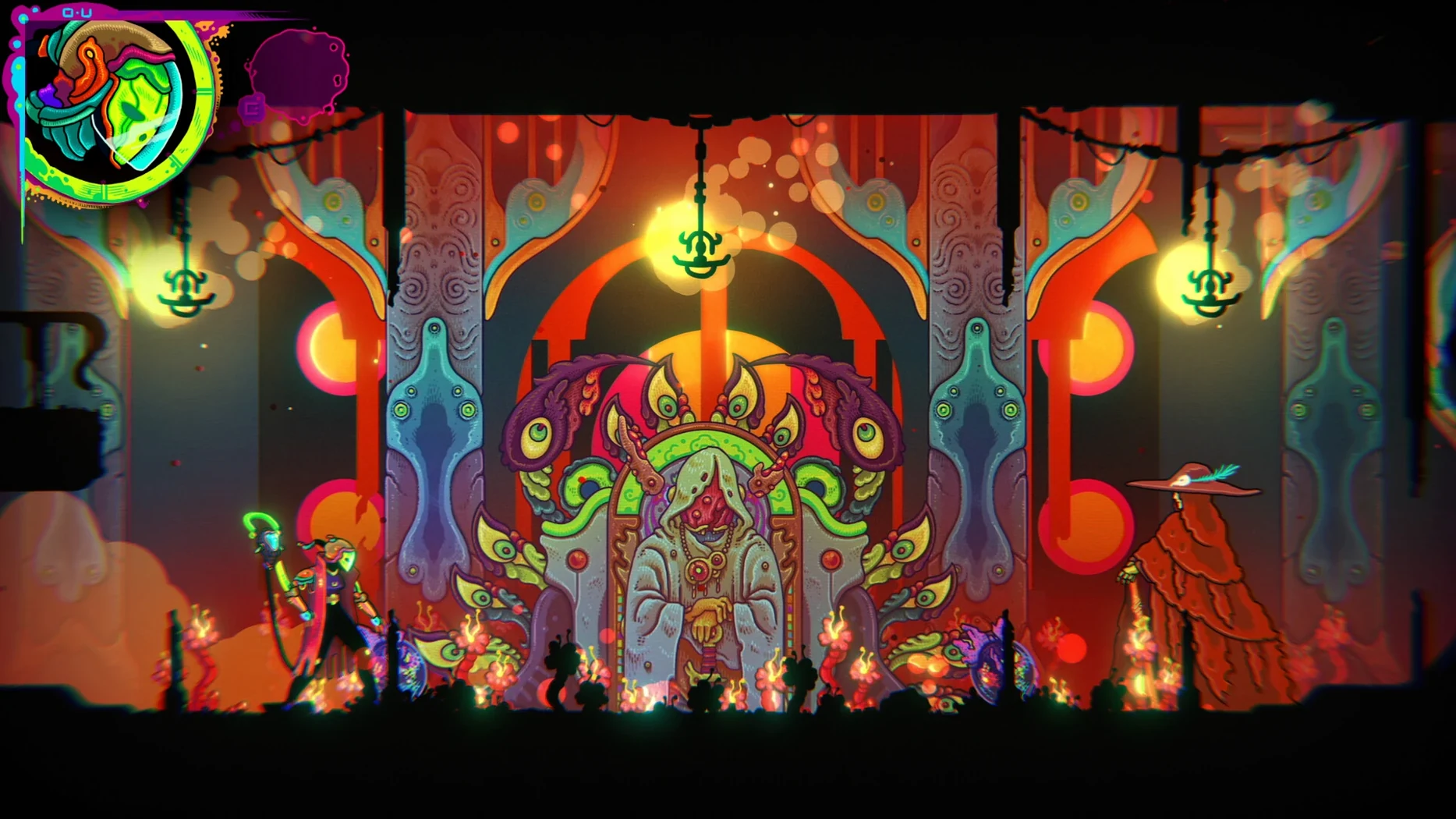
You wake up in the wreckage of your ship, somewhere inside a giant, alien organism. The world of Ultros is a dense, hand-drawn maze of tunnels and chambers, all pulsing with colour and strange life. Your first minutes are simple: get your bearings, find a weapon, and figure out what this place wants from you.
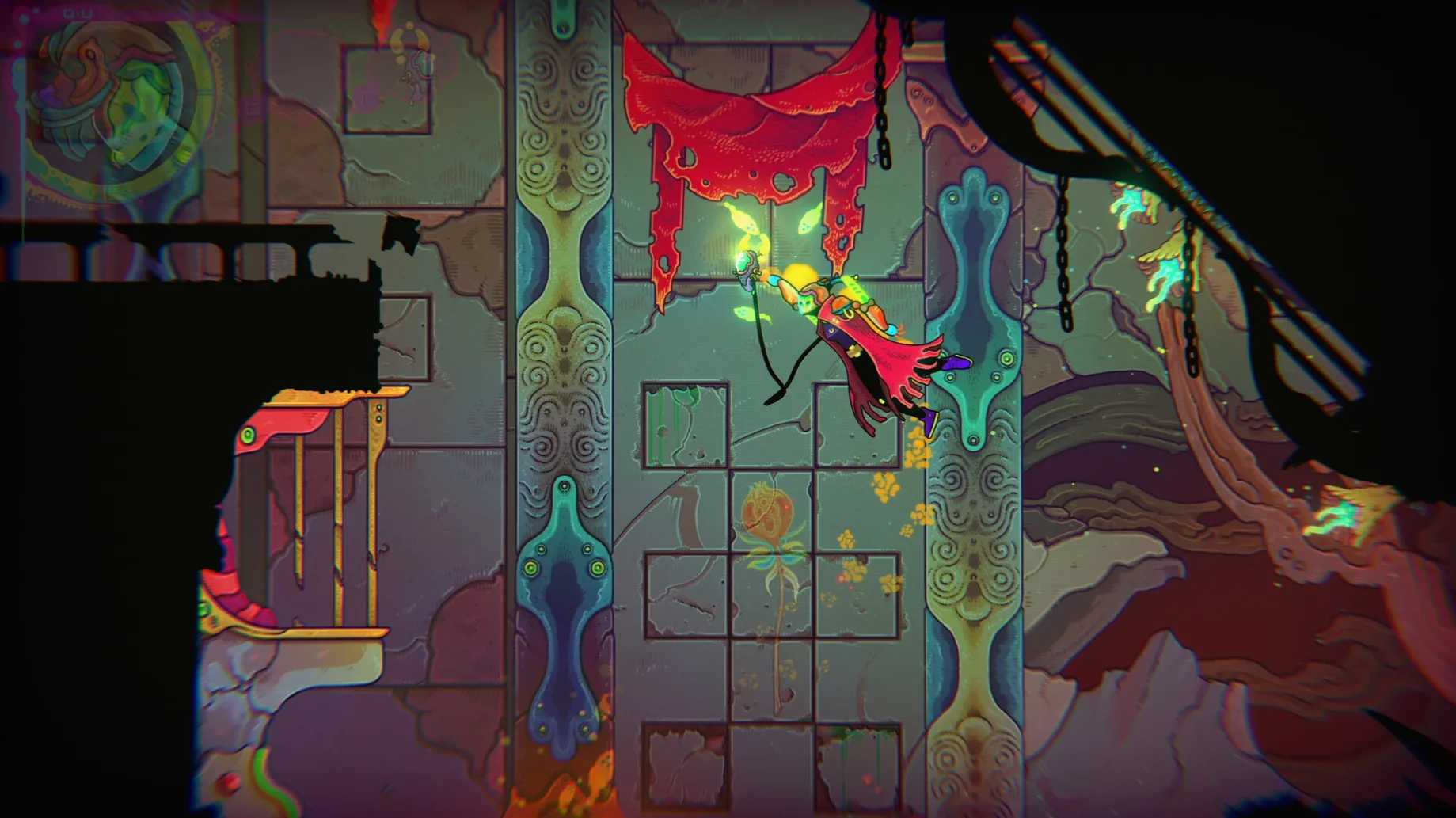
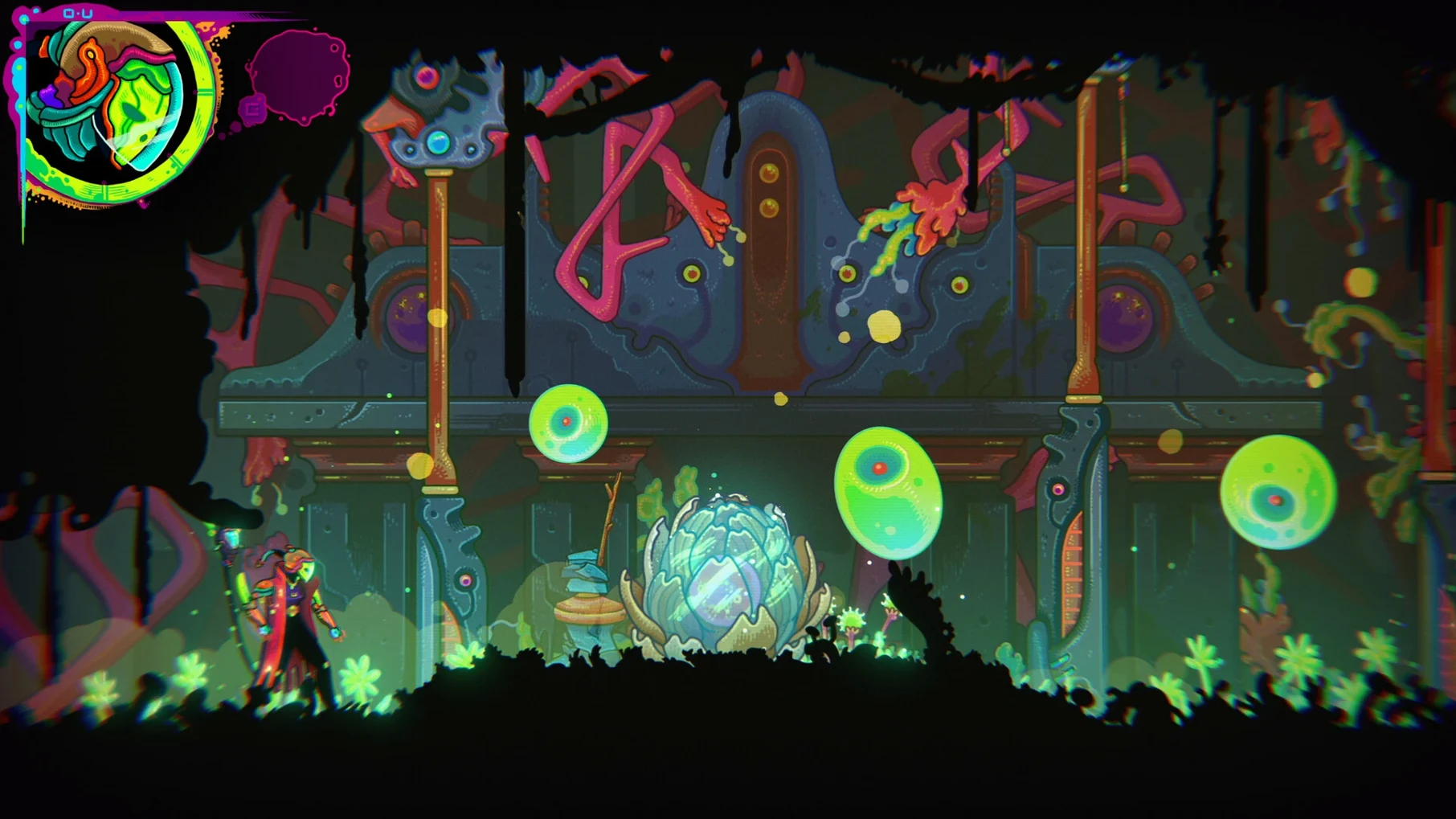
Combat is deliberate, with a focus on timing and positioning rather than button-mashing. You'll fight space creatures that skitter, lunge, and sometimes just watch you pass. When they fall, they leave behind seeds. That's where the gardening comes in. You plant them in the soil patches scattered around the map, and they grow into platforms, passageways, or sources of new abilities. It's a loop that keeps you looking at the environment differently — not just as a place to fight through, but as something you shape.
The story runs on a loop of its own, tied to a black hole and themes of mental health, life, and karma. Death isn't the end; it's part of the cycle. You'll backtrack, re-plant, and find new routes as the world subtly shifts around you.
With music by El Huervo, who scored Hotline Miami, the atmosphere stays tense and dreamlike throughout. It's a metroidvania that rewards patience and curiosity, and the gardening hook gives it a distinct rhythm.
A full loop: from crash to new growth
Start a fresh run. The opening corridor is the same every time: twisted metal, pulsing organic walls, your character standing up in the cockpit. The first few minutes are about movement — learning the double jump timing, finding the initial weapon in the room to the left. You don't need to fight everything yet; some creatures can be dodged while you explore.
Once you have a basic blade, head for the nearest soil patch. It's usually in the chamber just past the first save point. Kill a few small creatures nearby until one drops a seed. Open the inventory, select it, and plant. The plant type determines what grows — some produce climbable stems, others create bounce pads. Wait a few seconds for it to mature, then use it to reach a ledge that was inaccessible before. That ledge leads to a new ability: the dash.
With the dash unlocked, backtrack through earlier rooms. Several doors that were too far to reach now open. You'll find a second soil patch and a new creature type that drops a different coloured seed. Plant that one near a cracked wall — it'll grow roots that break it open, revealing a shortcut back to the central hub. The loop is already feeding back into itself: new tools let you reach new seeds, which let you reach new tools.
Die once, maybe twice, against a larger enemy in the lower tunnels. The loop resets you to the last save point, but the seeds you planted remain in the world. On the third attempt, you approach the fight differently — lure the creature onto the platform you grew earlier, where its charge attack misses. Kill it, collect the seed, plant it near the exit. The cycle continues.
Loading Ultros from a desktop disk image
I sit down for an hour after an evening session at the studio. The Mac is quiet; the game loads from the disk image I keep on the desktop. I drag it to Applications once, and after that it launches from Launchpad like anything else. No launcher, no account prompts — just the title screen and the loop.
First twenty minutes: map review. I open the in-game map and see which rooms still have greyed-out exits. I mark three that need a higher jump. I've got the double jump, but not the wall cling — that's in a side chamber guarded by a fast, spiked creature. I head there, die twice learning its pattern, then land the kill. The wall cling drops from a pod behind it. Good.
Next twenty: gardening. I backtrack to the central garden hub, where I've planted three seeds from earlier runs. They've grown into a staircase of platforms that lead to a sealed door. I use the wall cling to scale the side of the staircase, bypassing the door entirely, and drop into a new area with a save point and a new creature type. I plant a seed from that creature near the save point, and it grows into a teleport node. Now I can fast-travel between two hubs.
Final twenty: boss attempt. A large, armoured worm patrols a circular chamber. I've got the dash, the wall cling, and a ranged weapon from a previous loop. I bait its charge, dash through its legs, hit the exposed weak point on its back. It takes three cycles. On the third, I use the teleport node to retreat, heal, and return. It falls. The exit opens, and the loop resets with a new dialogue fragment from an inhabitant I met earlier. The story deepens by a sentence or two. I save and quit.
Mac gamers who enjoy exploration-heavy titles like Hollow Knight
Mac gamers who lean toward exploration-heavy titles will find Ultros rewarding. If you've spent time with Hollow Knight or Axiom Verge, the movement and world design feel familiar, but the gardening mechanic adds a layer of planning that those games don't ask for. You're not just mapping rooms; you're deciding where to invest seeds for maximum route efficiency.
Players who appreciate a slower, more atmospheric pace will also click with it. The combat isn't relentless — there are long stretches of quiet traversal, broken by short, focused fights. The loop mechanic means you can play in shorter sessions, making progress through knowledge rather than raw power. Each reset reveals something new about the Sarcophagus and its inhabitants, so even a half-hour run can feel meaningful.
For anyone running an M-series Mac, the game runs natively on ARM and x86, so no Rosetta translation is needed. The tested setup was macOS Sonoma on an M1 MacBook Air, so compatibility is solid across current hardware.
Before it goes on the Mac
- macOS version not specified by the developer.
- Architecture: ARM and 64-bit x86.
Questions from the room
What kind of game is Ultros?
It's a psychedelic sci-fi metroidvania focused on exploration, combat, and gardening. You wake up after a spaceship crash and navigate a strange, living world.
Who composed the music for Ultros?
The music is by El Huervo, known for their work on Hotline Miami.
Does Ultros support Apple Silicon Macs?
Yes, the game supports both ARM and 64-bit x86 architectures, so it runs on Apple Silicon and Intel Macs.
Installing it on the Mac
- Open the downloaded disk image.
- Drag the app into the Applications folder shortcut.
- Once the copy finishes, launch the app from Launchpad.
Notes from the control room
Sign in or open a catalogue account to leave a note.
No notes from the room yet. If you have used this build for a week, a short note helps the next person.