WHAT THE GOLF? 20.5.3 (Mac)
Updated



The catalogue note
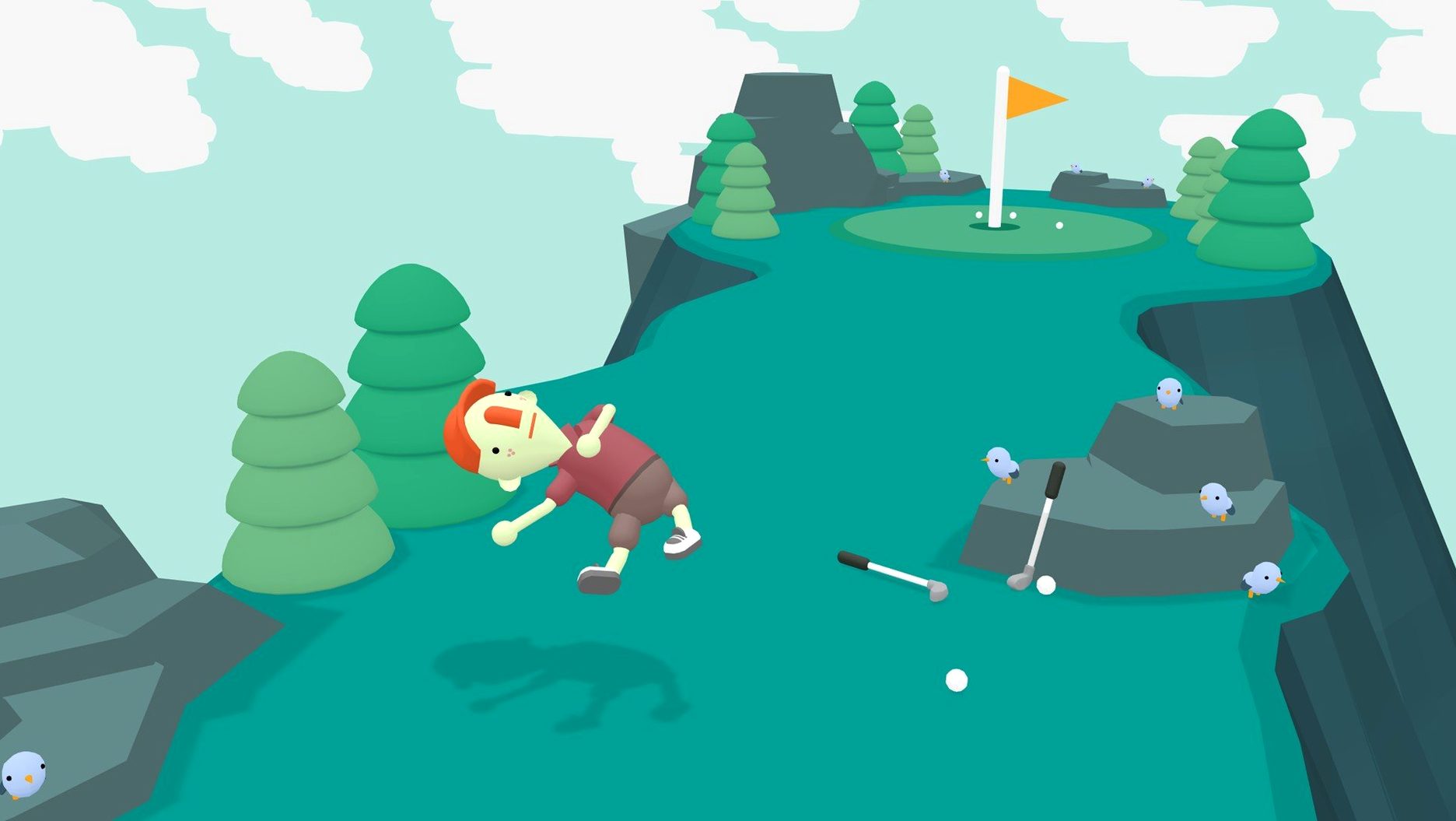
Golf is simple: hit a ball into a hole. But what if the ball is a car, a sofa, or a golfer? What the Golf? solves that question by throwing the rulebook out of the window. It is a physics-based parody where every level redefines what 'golf' means — sometimes you hit an object towards a target, sometimes you are the object being hit.
Sports Sports, Let It Snow, and Digging Season introduce new twists
The game is built around dozens of themed level sets. Sports Sports, Let It Snow, and Digging Season are just three examples; each set introduces a new twist on the core idea. One moment you are launching a golfer across a frozen lake, the next you are digging through dirt to reach the hole. The humour comes from the wordplay and the unexpected — Triband packed the game with parodies of other genres, and the writing stays dry and playful throughout.
Level editor and local co-op
Beyond the main campaign, a built-in level editor lets you design your own golf puzzles and share them. For local multiplayer, Steam Remote Play Together works out of the box, letting a friend watch or take over the controller over a screen share. The game runs on macOS 10.15 or later, supports both Intel and Apple Silicon, and offers interface languages from English to Japanese, Korean, and Arabic.
The game does not explain every rule early on
After you drag What the Golf? into Applications and launch it, the main menu is straightforward — you pick a level set and start playing. A few things that help early on:
- The game does not explain every rule upfront. If you fail, you restart instantly with no penalty.
- Keep an eye on the daily stages. They refresh regularly and give small prizes; they also tend to be among the more inventive level designs.
- The level editor is worth opening even if you never publish anything. Seeing how puzzles are constructed helps you understand the game's logic better.
- Language can be changed from the settings before you begin — the game supports sixteen interface languages, but voice stays in English regardless.
The game is light on configuration; there are no graphics sliders or performance presets. It runs as-is on both Intel and Apple Silicon Macs.
A scenario: the puzzle player who does not like golf
Consider someone who usually plays logic puzzles — Sokoban, Baba Is You, that sort of thing — and has no interest in sports games. They install What the Golf? out of curiosity. Within the first few levels they realise the game has almost nothing to do with actual golf. The puzzles are about physics manipulation, object interaction, and reading the joke in each level's title. The "Sports Sports" set looks like a parody of athletic games, but the mechanics are closer to a physics sandbox. For this kind of player, the appeal is in discovering how each new level breaks its own premise. The daily stages become a reason to open the game for ten minutes every day. The level editor, once they explore it, turns into a way to make their own small logic puzzles using the game's physics tools.
Runs natively on M1 and M2 Macs without Rosetta
Does this work on an M1 or M2 Mac?
Yes. The game supports both ARM and 64-bit x86 architectures, and it is tested on macOS Sonoma on an M1 MacBook Air. It runs natively without Rosetta on Apple Silicon.
Is it really a golf game?
Only in the loosest sense. You hit things towards a target, but the things can be cars, sofas, golfers, or even the hole itself. The game is a comedy-puzzle title that happens to use golf as its starting point.
Do I need an internet connection?
The main campaign and level editor work offline. The daily stages and community-created levels require a connection to download, but the core hundreds of levels do not.
Can I play with a friend on the same Mac?
Steam Remote Play Together is supported for sharing the screen with a friend over a network. There is no native split-screen mode built into the game itself.
How many languages are available?
Sixteen interface languages including Russian, Arabic, Traditional and Simplified Chinese, Korean, Thai, and Japanese. Voice audio is in English only.
Before it goes on the Mac
- macOS 10.15 or later
- Architecture: Intel and Apple Silicon
- Interface languages: Russian, English, German, Arabic, Spanish, Italian, Traditional Chinese, Simplified Chinese, Korean, Dutch, Portuguese, Thai, Turkish, French, Swedish, Japanese
Installing it on the Mac
- Open the downloaded disk image.
- Drag the app to the Applications folder alias.
- After copying finishes, launch the app from Launchpad.
Notes from the control room
Sign in or open a catalogue account to leave a note.
No notes from the room yet. If you have used this build for a week, a short note helps the next person.